JPEG Artifacts Remove

How to Remove JPEG Artifacts from Multiple Images?
1. Open Images
Open one or more images you intend to correct. You can add them manually to reaConverter or use the drag-and-drop tool.

2. Add Remove JPEG Artifacts Action
Go to the Image editing tab and click Add action → Creative retouching → JPEG Artifacts Remove

In this window you will be able to control the intensity of the removal process, as well as customize the sharpening level. Use the two handy scroll bars and check the result of your options in real time, in the right side of the window, after ticking the Preview button.

3. Save the Result
Pick a location for the processed images, as well as a new format. reaConverter allows you to save them in the source folder or in a customized location. Furthermore, you can convert your images to a new format by simply selecting it from the lower part of the window.
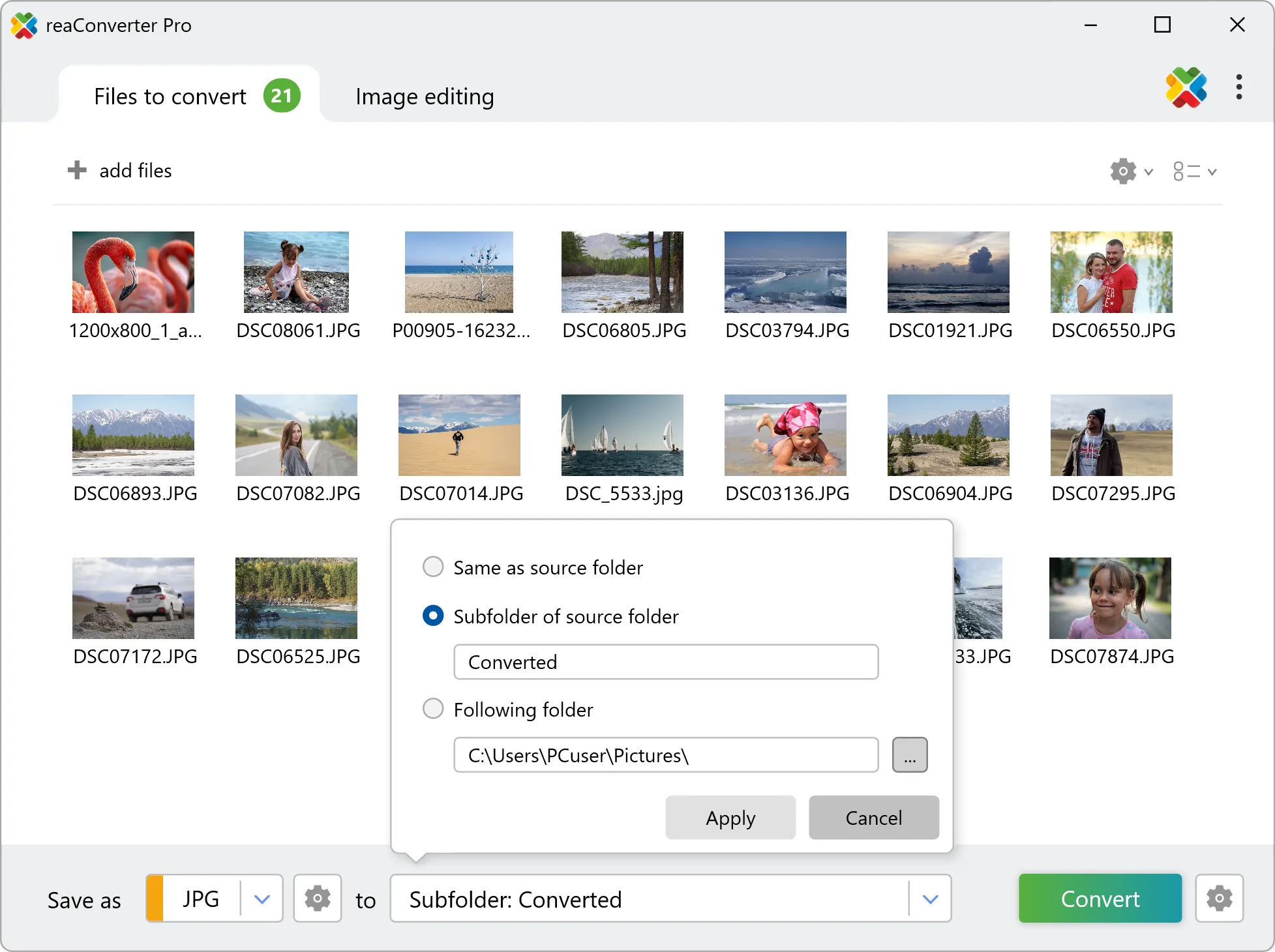
Then simply press Convert and the new images will soon be ready.
JPEG Artifacts Remove on your PC
The fast and easy way to remove JPEG artifacts from your images is to use reaConverter. The software runs completely offline, keeping your files safe and private.
Remove JPEG artifacts with command-line tool
You can also remove JPEG artifacts using command-line interface, either manually or through automated scripts. reaConverter Pro includes a command-line tool called cons_rcp.exe — an advanced feature designed for professional use, available exclusively in the Pro edition.
JPEG repair example:
cons_rcp.exe -s "C:\Path_to\input_file.jpg" -o "C:\Path_to\output_file.jpg" -jpeg_repair i25 s10

Manual
-jpeg_repair (removes jpeg artifacts)
  Optional parameters:
	  1. Intensity (Syntax: i15, integer from 1 to 100)
	  2. Sharpen level (Syntax: s10, integer from 1 to 100)
  Example:
    -jpeg_repair i25 s10
You are welcome to contact our technical support when you have any questions about reaConverter.
Discover more
