Resize Images

How to Resize a Batch of Images?
1. Open Images
Open reaConverter and add one or more files you intend to resize. You can select them from a folder or add a folder altogether.

2. Add Resize Action
Go to the Image editing tab and select Resize. Then set the new size you want your images to take.

It's important to keep a few key things in mind when resizing images. For example, you'll want to make sure you're maintaining the aspect ratio of your images so that they don't become distorted or stretched out. You'll also want to consider the final context in which your images will be used (e.g. on a website, in a print publication) and adjust the resolution accordingly.

3. Save the Result
Pick the image format you want for your resized images and choose where you want to save the new files.
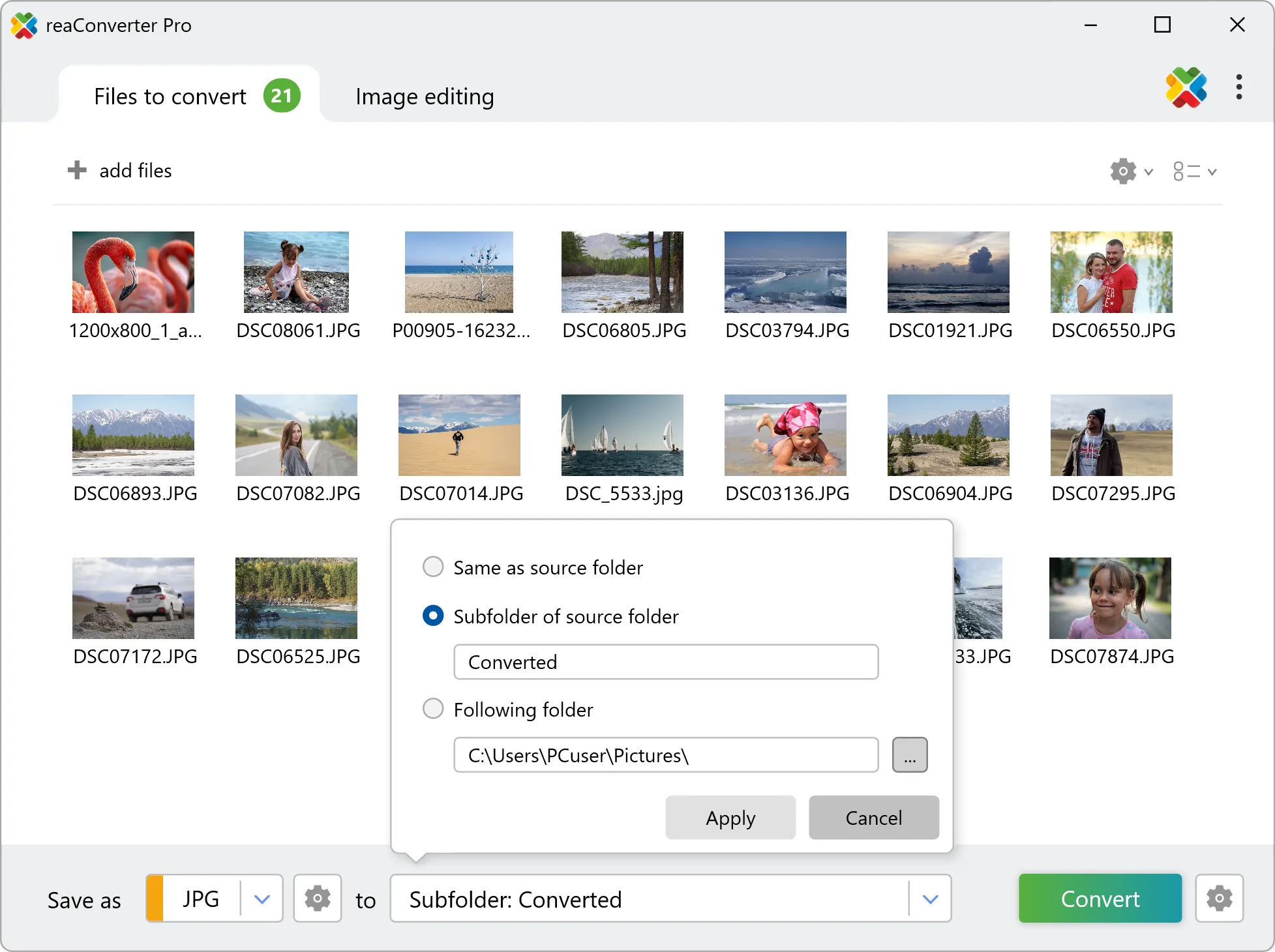
Then simply press the Convert button and processing will begin in no time!
Resize images on your PC
The fast and easy way to resize a batch of images on your PC is to use reaConverter. The software works completely offline, keeping your files safe and private.
Resizing images using command-line tool
You can also resize images with command-line interface, either manually or through automated scripts. reaConverter Pro includes a command-line tool called cons_rcp.exe — an advanced feature designed for professional use, available exclusively in the Pro edition.
Resizing example:
cons_rcp.exe -s "C:\Path_to\input_file.jpg" -o "C:\Path_to\output_file.jpg" -resize 500x500px qh

Manual
-resize (resizes an image)
  Optional parameters:
	  1. New image size (Syntax: 30x0%, 30x30%, 0x100px, 100x200px,
	     3x5in, 3x0in, 10x15cm, 10x0cm)
	     where 0 means that the value will be calculated with preserved proportions
	  2. Resolution (Syntax: 300dpi, 450dpc)
	     where dpc means dots per cm
	  3. Resampling quality (Syntax: ql, qn, qh)
	     where "ql", "qn", "qh" mean low, normal, high.
	  4. Do not resize if new size is less than original (Syntax: notless)
	  5. Maintain proportions (Syntax: m)
  Example:
    -resize 0x100px qh
You are welcome to contact our technical support when you have any questions about reaConverter.
Discover more
