GEO → PLY · Windows

Convert GEO to PLY

Batch convert GEO to PLY for easy sharing. reaConverter exports 3D models offline with control over output settings.

Online converters too slow for your GEO files? reaConverter works locally and handles unlimited batches. All processing runs locally on your PC, so your files stay private and secure. 3D artists rely on it when clients need different file formats.

Convert
4.8

Converting files since 2001

Runs offline — nothing uploaded

Read what our users say →

How to Convert Multiple .geo Files to .ply?

1. Download and Install reaConverter

First, grab reaConverter from the download button below. Installation is fast, and the software runs offline — no account or signup needed.

2. Load your GEO files

Open reaConverter and add your GEO files. You can load individual files, entire folders, or even nested subfolders.

Drop your GEO files into the window or use File menu to browse and select folders.

Load your GEO files into reaConverter

3. Select PLY as output format

Choose PLY as the target format. Pick a destination folder or let reaConverter save files alongside the originals.
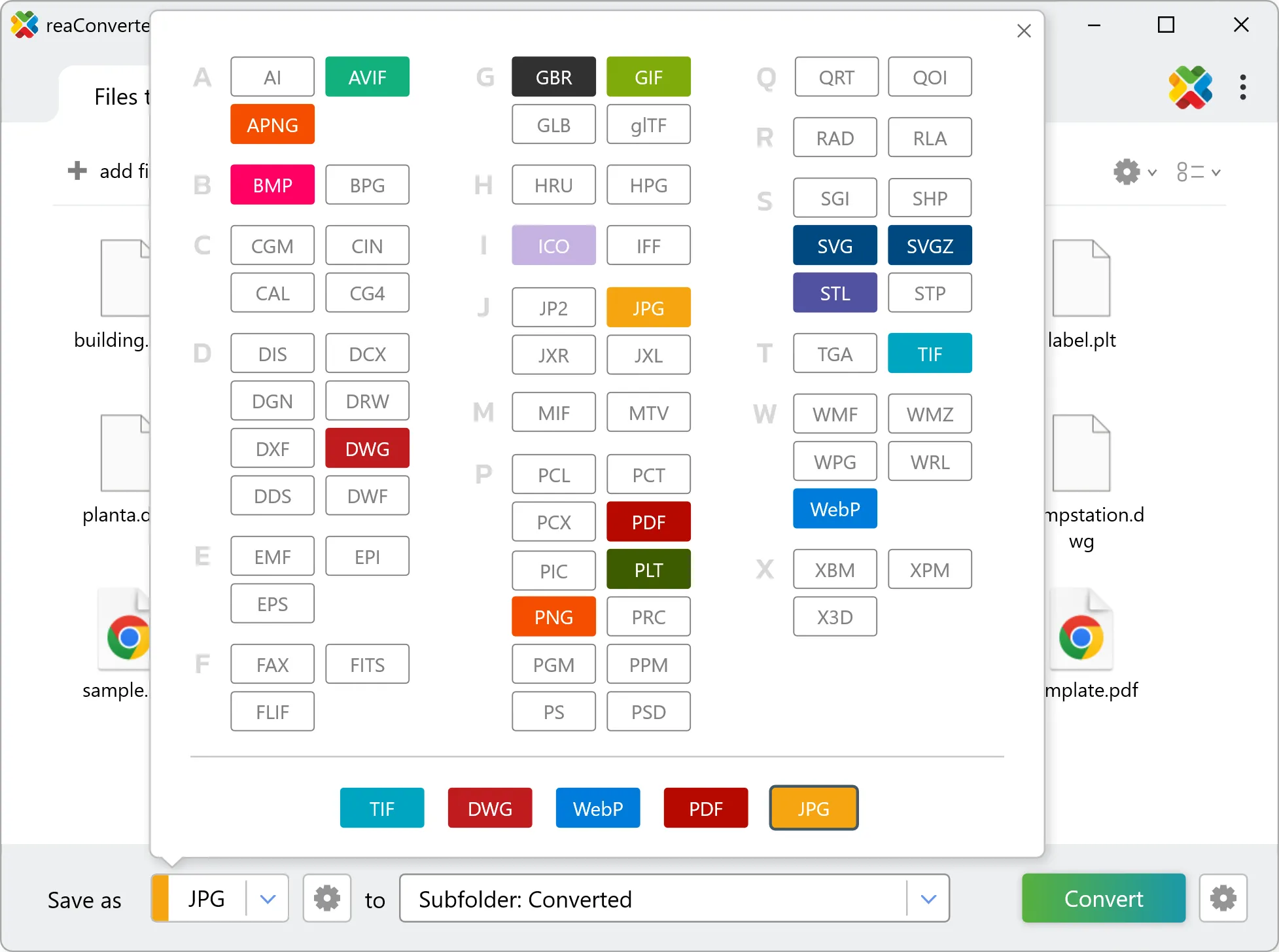
Select PLY as output format

4. Start GEO to PLY conversion

Hit Convert and let reaConverter do the work. The progress window shows status for each file in real time.

Start Conversion

After conversion, find your PLY files in the output folder. Click 'Show converted files' to open it directly.


Step by step

How It Works

reaConverter offers the fastest, simplest solution for converting your GEO files into PLY in seconds - all files processed on your PC for maximum privacy and speed.

Deep Customization

Do more with your files

Converting GEO files for use in a workflow? reaConverter offers many ways to process files, so you can customize them according to your requirements.

Our range of editing options includes auto-processing options such as auto-rotate, auto-crop, watermarking and more. Change Color Space, copy Metadata, set DPI, manage ICC Profile, control Bit Depth.

Image editing

User reviews

What people say after the first batch

Average User Rating:4.8
Last updated on October 29, 2026
An excellent program! I use it regularly in my work - it supports nearly every file format imaginable. The interface is intuitive and runs flawlessly every time.
Roger Cook
Roger Cook
Happy User
For agencies handling confidential data, reaConverter eliminates cloud-upload risks while delivering unmatched conversion reliability. Our team uses it both in-office and remotely with identical results.
Jamal Bailey
Jamal Bailey
Satisfied Customer
Our volunteer team uses reaConverter to prepare images for fundraising campaigns. The learning curve was minimal, and the results are professional-grade. The customer support team even helped us customize a workflow — fantastic service!
Jason P. Bailey
Jason P. Bailey
Non-Profit Coordinator
We deployed reaConverter across our department to standardize file formats for our archives. The command-line support and automation features integrated perfectly into our systems. Stellar performance and zero crashes—it just works.
David R.
David R.
IT Solutions Architect
So simple! I just needed to convert a couple of files to another format, and for such a straightforward task, the online converter worked perfectly — delivering the files I needed in no time. Excellent service!
Kenneth D. Carter
Kenneth D. Carter
Satisfied Customer
I run a small design agency, and reaConverter has saved me countless hours. The batch processing is lightning-fast, and the ability to convert hundreds of files into different formats at once is a game-changer. Highly recommend!
Mark T.
Mark T.
Satisfied Customer

FAQ

GEO to PLY Conversion

Can reaConverter convert GEO to PLY?

Yes! reaConverter instantly converts .geo to .ply with perfect quality preservation. With its batch processing feature, you can convert multiple files at once in just a few clicks. You can even convert GEO files directly from Windows Explorer using the right-click menu — fast and convenient.

Can I convert GEO to PLY online?

If you only need to convert a few GEO files to PLY format, feel free to try our free online free online GEO to PLY converter — perfect for small batches with no installation needed!

How can I turn GEO files into PLY on my computer?

The best way to change GEOs to PLYs on your PC is to install a quality piece of software, such as reaConverter. This software is extremely efficient in managing a wide range of batch files conversions, including conversion from GEO to PLY.

How can I automate GEO to PLY files conversion?

reaConverter supports all the most useful automation features such as right-click сonversion and Watch Folders for the most efficient automated files conversion in any software of this type.

Is there a way to convert GEO files to PLY using the command prompt?

reaConverter provides full access to all its features via Windows command line, including a high-performance command-line geo to ply converter for batch processing.

What else can I do with reaConverter?

Convert RAW photo formatsConvert PDFAdd text on picturesConvert GIS filesConvert Gerber images

Related conversions

Other ways to convert GEO files, and other sources that convert to PLY.

Discover More

Beyond format conversion

Batch conversion, editing, and processing across 800+ formats, from RAW and HEIC to DICOM, DWG, and PDF. Everything runs locally, with no cloud and no upload limits.

Free trial · Windows 10/11 · v8.0.262 · Files never leave your computer

reaConverter software