ARW → PLY · Windows

Convert ARW to PLY

ARW to PLY with consistent quality. reaConverter handles 3D files in batch, which helps when teams run different software.

Manual ARW to PLY conversion wastes hours. reaConverter automates the process — just add files and click Convert. Everything happens offline on your computer. No uploads, no cloud risks. 3D files convert without expensive modeling software licenses.

.arw.PLY
4.8

Converting files since 2001

Runs offline — nothing uploaded

Read what our users say →

How to Convert Multiple .arw Images to .ply?

1. Download and Install reaConverter

reaConverter is a standalone Windows app — download, install, and start converting ARW files in under two minutes. Built-in editing tools let you resize, crop, or watermark as you convert.

2. Load your ARW files

Open reaConverter and import your .arw files. No file limits, no slowdowns. Add as many as you need.

Drag-and-drop ARWs directly into reaConverter or use the folder browser to load entire directories.

Load your ARW files into reaConverter

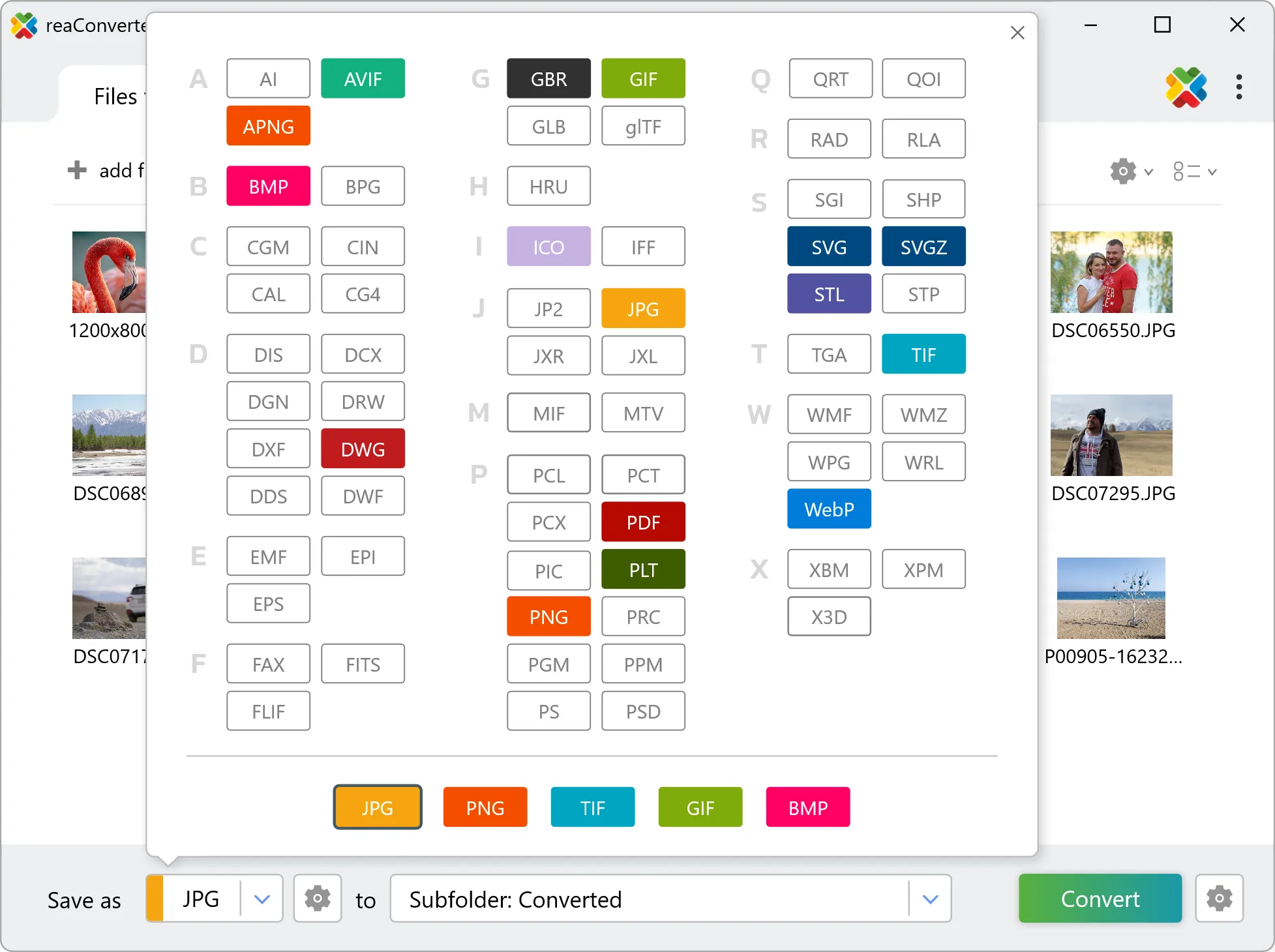
3. Select PLY as output format

Pick PLY as the output format. Set the destination folder and optionally configure resolution, quality, or file naming.

Select PLY as output format

4. Start ARW to PLY conversion

Press Convert to begin processing. You can watch the progress or minimize and let it run in the background.

Start Conversion

Your converted PLY files will appear in the destination folder as soon as processing completes.

Step by step

How It Works

reaConverter offers the fastest, simplest solution for converting your ARW files into PLY in seconds - all photos processed on your PC for maximum privacy and speed.

Technical note

How ARW and PLY differ in practice

ARW files hold unprocessed sensor data, so white balance and exposure are still adjustable. Converting to PLY bakes those decisions into the pixels, and highlight recovery is no longer available afterwards. Set white balance and exposure before the run rather than after.

Power Features

Do more with your images

Converting ARW images for use in a larger project? With reaConverter, you can convert, edit, and enhance your images in one streamlined process.

Our range of editing options includes such image processing actions as Resize, Rotate, Crop, Color Replace, Watermarks and more. Adjust actions include RGB, HLS, HSV, Brightness and Contrast. Auto-processing options are also available, such as auto-rotate and auto-crop.

Image editing

User reviews

What people say after the first batch

Average User Rating:4.8
Last updated on October 29, 2026
When I switched from Canon to Sony, I was worried about converting my old RAW files to ARW. reaConverter made it painless – it converted everything in batches and kept all the EXIF data. I didn't lose a single photo. Absolutely trustworthy.
Oliver Schmidt
Oliver Schmidt
Freelance Photographer
My Sony A7III produces ARW files that choke my old PC. reaConverter lets me convert them to JPEG with lossless compression, reducing file size by 70% while keeping all the details. Now I can store more photos without upgrading my hardware.
Ryan Park
Ryan Park
Hobbyist Photographer
Total game-changer! I was stuck with unreadable ARW files until reaConverter transformed them into JPEGs in minutes. Now they’re ready to share anywhere – and the process couldn’t be easier. 10/10!
Marcus Jackson
Marcus Jackson
Satisfied Customer
I inherited a huge archive of ARW files and had no idea how to open them. None of my usual programs would recognize the format. reaConverter saved the day – in just 30 minutes, I recovered the entire archive and converted everything to JPEG. Now my photos work perfectly on phones, computers, and messaging apps. The software is incredibly user-friendly – what a lifesaver!
Isabella Rodriguez
Isabella Rodriguez
Satisfied Customer
I had to convert 1,500+ ARW files from a fashion shoot to TIFF for the client. reaConverter did it overnight without a single error. The output was flawless – perfect colours and full resolution. This software is incredibly robust.
Natalie E.
Natalie E.
Satisfied Customer
Sony's ARW files are great, but they're a pain to share. reaConverter turns them into JPEGs that look exactly like the original – no colour shifts, no sharpness loss. I've tried Capture One and Lightroom, but this is faster and more straightforward for batch conversions.
Jake W.
Jake W.
Sony Alpha User

FAQ

ARW to PLY Conversion

Can reaConverter convert ARW to PLY?

Yes! reaConverter instantly converts .arw to .ply with perfect quality preservation. With its batch processing feature, you can convert multiple files at once in just a few clicks. You can even convert ARW photos directly from Windows Explorer using the right-click menu — fast and convenient.

What is reaConverter used for?

reaConverter is a software program used for converting images and other types of files from one format to another. It supports a wide range of file formats and allows users to convert multiple files at once, making it a valuable tool for graphic designers, photographers, and other professionals who work with digital images. reaConverter also includes features for resizing, cropping, and editing images, along with batch processing capabilities that help automate repetitive tasks.

Can I convert ARW to PLY online?

If you only need to convert a few ARW files to PLY format, feel free to try our free online free online ARW to PLY converter — perfect for small batches with no installation needed!

How can I turn ARW files into PLY on my computer?

The best way to change ARWs to PLYs on your PC is to install a quality piece of software, such as reaConverter. This software is extremely efficient in managing a wide range of batch files conversions, including conversion from ARW to PLY.

How can I automate ARW to PLY files conversion?

reaConverter supports all the most useful automation features such as right-click сonversion and Watch Folders for the most efficient automated files conversion in any software of this type.

Is there a way to convert ARW files to PLY using the command prompt?

reaConverter provides full access to all its features via Windows command line, including a high-performance command-line arw to ply converter for batch processing.

What else can I do with reaConverter?

Convert RAW formatsConvert GIS filesConvert microscopy filesPicture resizerConvert CAD formats

Related conversions

Other ways to convert ARW files, and other sources that convert to PLY.
Discover More

Beyond format conversion

Batch conversion, editing, and processing across 800+ formats, from RAW and HEIC to DICOM, DWG, and PDF. Everything runs locally, with no cloud and no upload limits.

Free trial · Windows 10/11 · v8.0.262 · Files never leave your computer

reaConverter software