GLTF → PLY · Windows

Convert GLTF to PLY

GLTF to PLY conversion without modelling software. reaConverter processes 3D files locally, so no extra licences are required.

Manual GLTF to PLY conversion wastes hours. reaConverter automates the process — just add files and click Convert. Everything happens offline on your computer. No uploads, no cloud risks. Handles 3D models independently with no CAD software required.

.gltf.PLY
4.8

Converting files since 2001

Runs offline — nothing uploaded

Read what our users say →

How to Convert Multiple .gltf Models to .ply?

1. Download and Install reaConverter

reaConverter installs quickly on any Windows PC. No dependencies, no bloatware — just a clean setup that's ready to use immediately.

2. Load your GLTF files

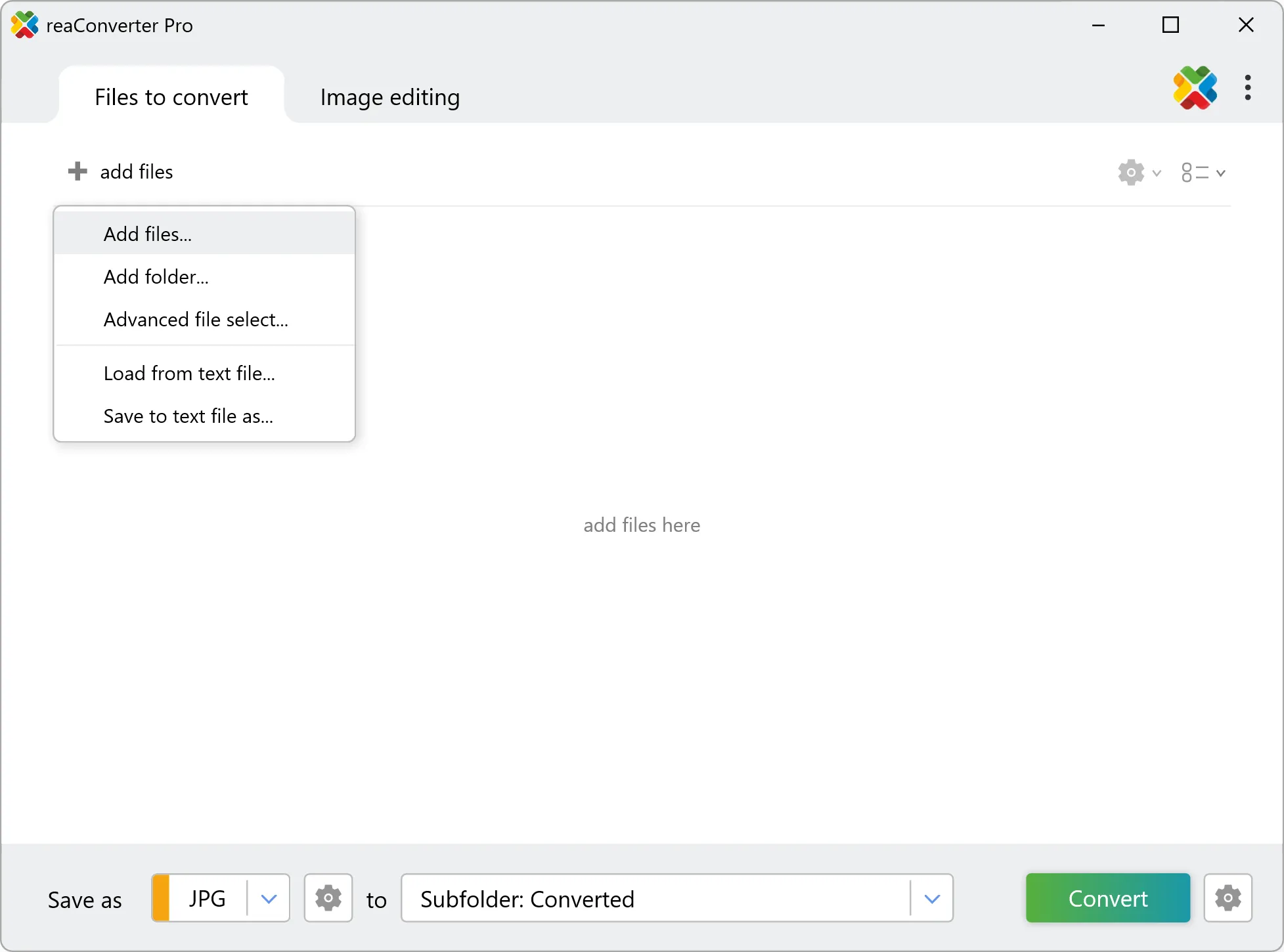
Launch reaConverter and load the GLTF files you want to convert. Add a few files or thousands, batch processing handles them all.

Drag-and-drop GLTFs directly into reaConverter or use the folder browser to load entire directories.

Load your GLTF files into reaConverter

3. Select PLY as output format

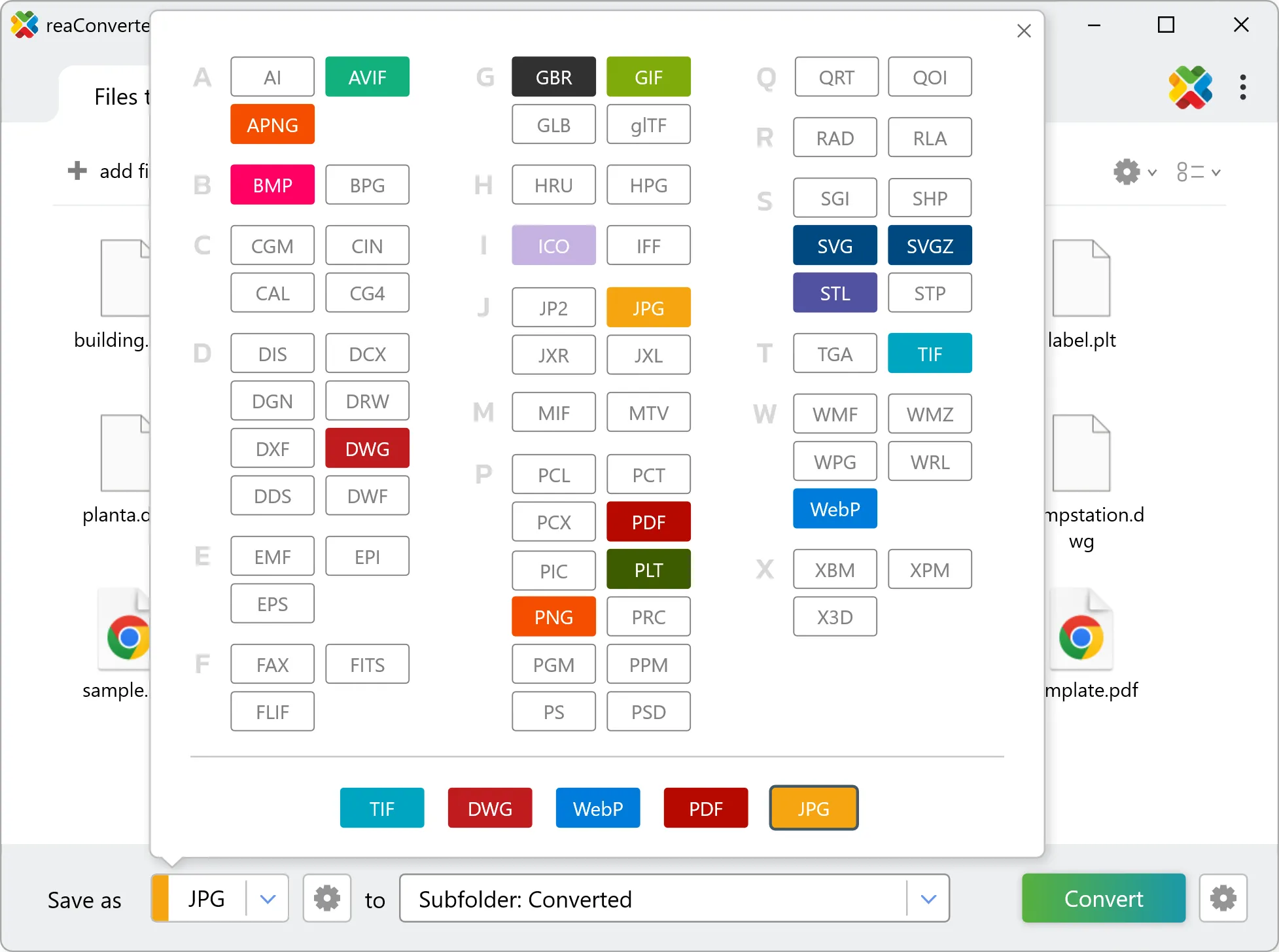
Set PLY as output format and select where to save your converted files. Customize quality settings if needed.

Select PLY as output format

4. Start GLTF to PLY conversion

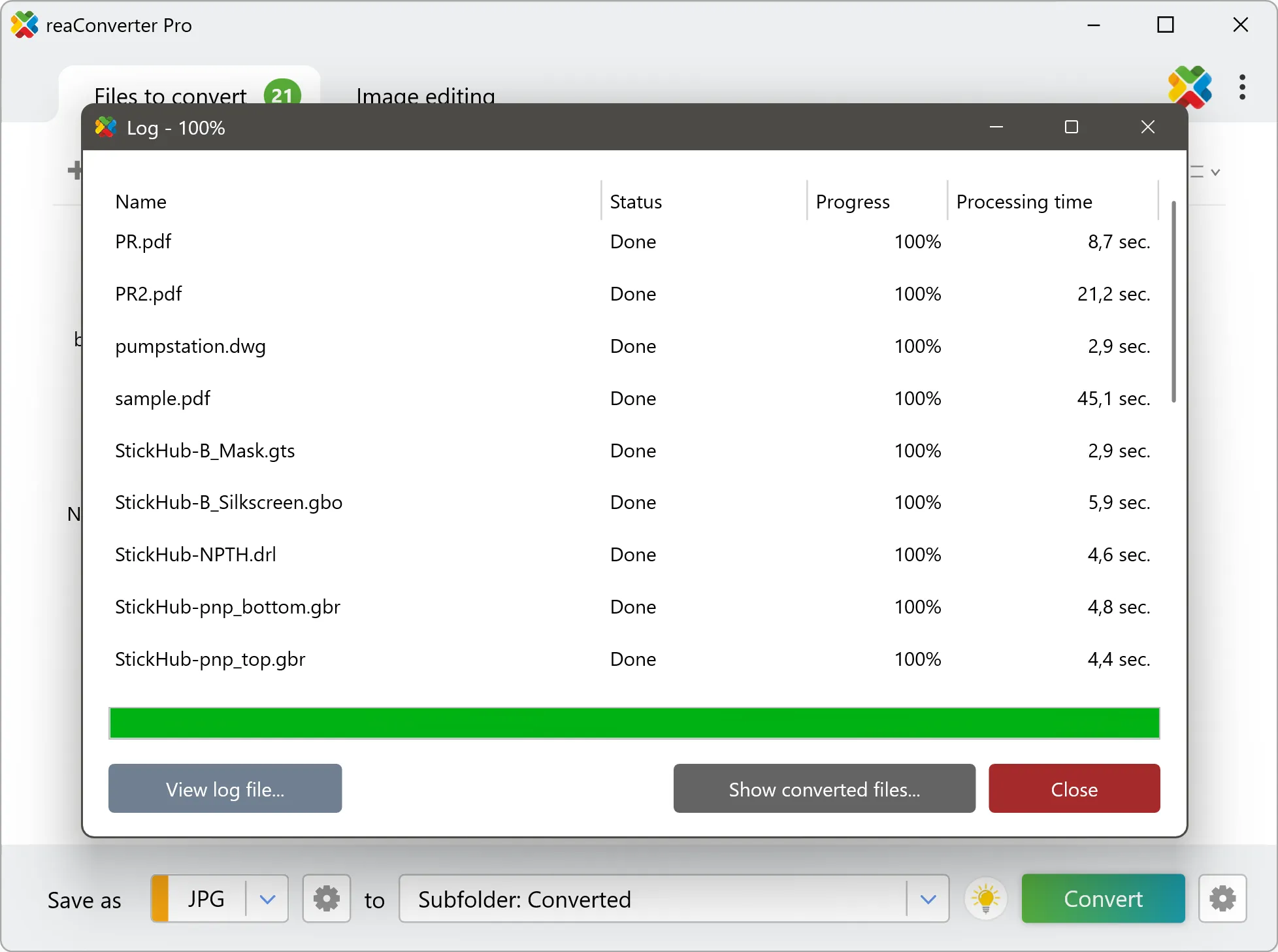
Press Convert to begin processing. You can watch the progress or minimize and let it run in the background.

Start Conversion

Your converted PLY files will appear in the destination folder as soon as processing completes.

Step by step

How It Works

reaConverter offers the fastest, simplest solution for converting your GLTF files into PLY without 3D or CAD software - all models processed on your PC for maximum privacy and speed.

Technical note

GLTF to PLY: what to expect from the conversion

GLTF measures in metres by definition, while PLY has no unit at all and slicers read its numbers as millimetres. A part 50 mm long is stored as 0.05 in the GLTF, so if the numbers pass through unchanged a slicer shows a speck a thousand times too small. Check one known dimension after conversion and scale once if it is off. GLTF can hold motion as well as shape: a skeleton, keyframes or morph targets that move the model over time. PLY stores one static shape, so the result is a single pose and the animation itself does not carry over.

3D Workflow

Move models between 3D formats

Every 3D tool has its own format, and GLTF is not always the one you need. reaConverter converts it to PLY in batch, without Blender or a CAD licence.

  • Convert a whole model library to PLY in one run
  • Pick up new models automatically with Watch Folders
  • Keep unreleased designs and client models on your PC: nothing is uploaded
  • Script the job from the command line for pipelines and scheduled runs
3D model conversion

User reviews

What people say after the first batch

Average User Rating:4.8
Last updated on October 28, 2026
5/5⭐ Finally! Does what it promises - converts AND tweaks images without complicated menus. Perfect for quick jobs.
J. Mitchell
J. Mitchell
Satisfied Customer
reaConverter is pure gold! Rock-solid performance with zero crashes. No internet needed—perfect for travel or low-connectivity work. The ultimate offline alternative to sketchy web converters. Plus, the desktop version keeps sensitive files secure since nothing ever gets uploaded to the cloud.
Malik T. Martin
Malik T. Martin
Satisfied Customer
I was skeptical at first, but reaConverter exceeded my expectations. The interface is intuitive, and the advanced settings let me tweak outputs perfectly. Plus, the customer support is fantastic!
Sarah Lane
Sarah Lane
Satisfied Customer
An excellent program! I use it regularly in my work - it supports nearly every file format imaginable. The interface is intuitive and runs flawlessly every time.
Roger Cook
Roger Cook
Happy User
For agencies handling confidential data, reaConverter eliminates cloud-upload risks while delivering unmatched conversion reliability. Our team uses it both in-office and remotely with identical results.
Jamal Bailey
Jamal Bailey
Satisfied Customer
Our volunteer team uses reaConverter to prepare images for fundraising campaigns. The learning curve was minimal, and the results are professional-grade. The customer support team even helped us customize a workflow — fantastic service!
Jason P. Bailey
Jason P. Bailey
Non-Profit Coordinator

FAQ

GLTF to PLY Conversion

Can reaConverter convert GLTF to PLY?

Yes! reaConverter instantly converts .gltf to .ply with perfect quality preservation. With its batch processing feature, you can convert multiple files at once in just a few clicks. You can even convert GLTF models directly from Windows Explorer using the right-click menu — fast and convenient.

What is reaConverter used for?

reaConverter is a Windows converter for 800+ formats, 3D models among them. For GLTF to PLY it replaces the round trip through Blender, a CAD program or an upload form: add the files, pick the output format, and the whole batch converts offline. Engineers, 3D printing shops and product teams use it to move models between CAD, printing, web and documentation formats.

Why choose offline conversion with reaConverter?

reaConverter is a software program that is used for offline files conversion. Your proprietary documents never leave your computer – essential for architects, engineers, healthcare and government contractors handling classified projects. Meets GDPR, HIPAA, CCPA, and corporate security policies by ensuring files never cross borders or third-party systems.

Can I convert GLTF to PLY online?

If you only need to convert a few GLTF files to PLY format, feel free to try our free online free online GLTF to PLY converter — perfect for small batches with no installation needed!

How can I turn GLTF files into PLY on my computer?

The best way to change GLTFs to PLYs on your PC is to install a quality piece of software, such as reaConverter. This software is extremely efficient in managing a wide range of batch files conversions, including conversion from GLTF to PLY.

How can I automate GLTF to PLY files conversion?

reaConverter supports all the most useful automation features such as right-click сonversion and Watch Folders for the most efficient automated files conversion in any software of this type.

Is there a way to convert GLTF files to PLY using the command prompt?

reaConverter provides full access to all its features via Windows command line, including a high-performance command-line gltf to ply converter for batch processing.

What else can I do with reaConverter?

Convert GIS filesConvert RAW photo formatsConvert DICOM imagesCrop photoConvert vector images

Related conversions

Other ways to convert GLTF files, and other sources that convert to PLY.
Discover More

Beyond format conversion

Batch conversion, editing, and processing across 800+ formats, from RAW and HEIC to DICOM, DWG, and PDF. Everything runs locally, with no cloud and no upload limits.

Free trial · Windows 10/11 · v8.0.261 · Files never leave your computer

reaConverter software