


How to Convert Multiple PNG Images to PCX?
1. Download and Install reaConverter
reaConverter installs quickly on any Windows PC. No dependencies, no bloatware — just a clean setup that's ready to use immediately. reaConverter also includes editing tools: resize, crop, rotate, and more.

2. Load your PNG files
Add PNG files to reaConverter. One file or a thousand, the process is the same. Everything runs locally on your machine.
You can drag-and-drop files, browse to a folder, or add entire directory trees including subfolders.

3. Select PCX as output format
Select PCX from the output format list and set your destination folder. You can also adjust quality and compression settings.
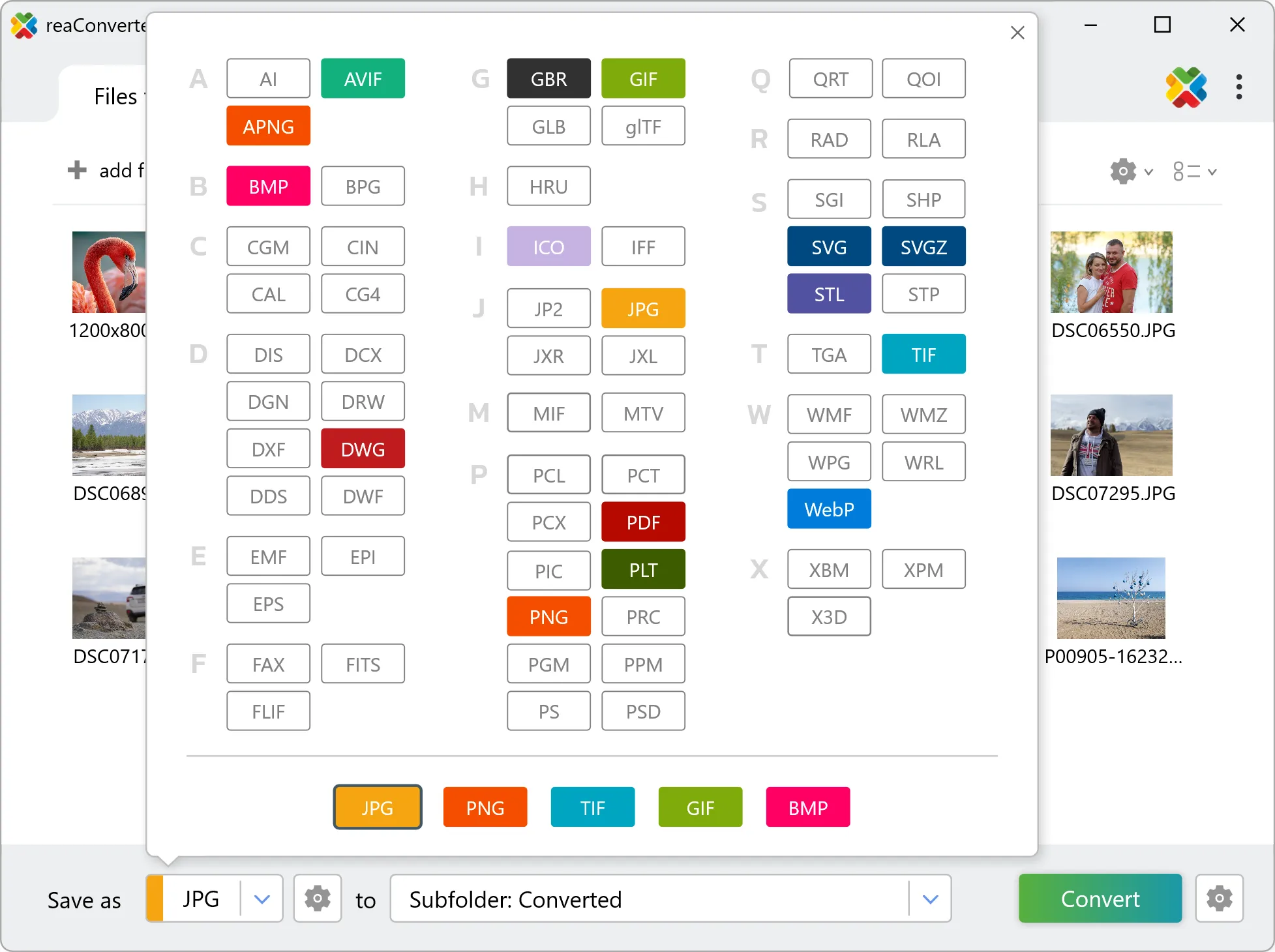
4. Start PNG to PCX conversion
Click the Convert button to start. reaConverter will process all your files with the settings you selected.

When finished, your new .pcx files will be waiting in the destination folder.
What changes when you convert PNG to PCX
PNG can carry an alpha channel and PCX cannot. Transparent areas are composited onto a solid background during conversion, so pick that background colour deliberately: white is the default, and it is rarely the right choice for a logo that will sit on a dark page. PCX stores a limited palette rather than full colour, so the conversion has to reduce the number of distinct colours. Photographic content shows this as banding, while flat graphics and icons usually survive it untouched.