PVR → PLT · Windows

Convert PVR to PLT

Convert PVR to PLT without uploading files anywhere. reaConverter works entirely on your PC, handling thousands of files in one pass.

Manual PVR to PLT conversion wastes hours. reaConverter automates the process — just add files and click Convert. Everything happens offline on your computer. No uploads, no cloud risks.

.pvr.PLT
4.8

Converting files since 2001

Runs offline — nothing uploaded

Read what our users say →

How to Convert Multiple .pvr Images to .plt?

1. Download and Install reaConverter

reaConverter installs quickly on any Windows PC. No dependencies, no bloatware — just a clean setup that's ready to use immediately. Built-in editing tools let you resize, crop, or watermark as you convert.

2. Load your PVR files

Open reaConverter and add your PVR files. You can load individual files, entire folders, or even nested subfolders.

Drop your PVR files into the window or use File menu to browse and select folders.

Load your PVR files into reaConverter

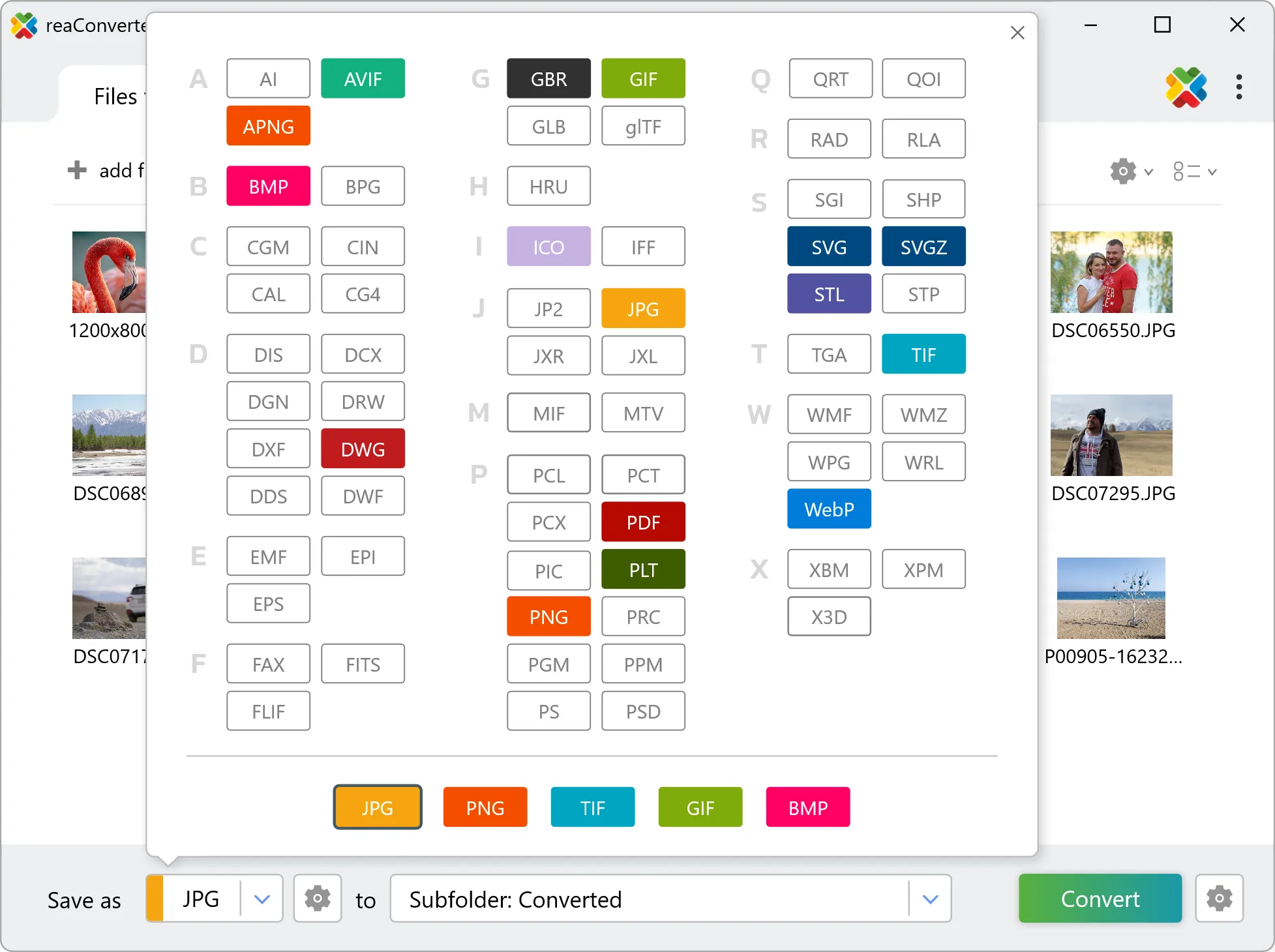
3. Select PLT as output format

Choose PLT as the target format. Pick a destination folder or let reaConverter save files alongside the originals.

Select PLT as output format

4. Start PVR to PLT conversion

Hit Convert and let reaConverter do the work. The progress window shows status for each file in real time.

Start Conversion

After conversion, find your PLT files in the output folder. Click 'Show converted files' to open it directly.

Step by step

How It Works

reaConverter offers the fastest, simplest solution for converting your PVR files into PLT in seconds - all images processed on your PC for maximum privacy and speed.

Power Features

Do more with your images

Converting PVR images for use in a larger project? With reaConverter, you can convert, edit, and enhance your images in one streamlined process.

Our range of editing options includes such image processing actions as Resize, Rotate, Crop, Color Replace, Watermarks and more. Adjust actions include RGB, HLS, HSV, Brightness and Contrast. Auto-processing options are also available, such as auto-rotate and auto-crop.

Image editing

User reviews

What people say after the first batch

Average User Rating:4.8
Last updated on November 02, 2026
Our laser-cutting shop receives PLT files daily from clients. reaConverter automates the process of turning them into DXF for our machines—saving us hours of manual work in specialized CAD software.
Andrew B. Martin
Andrew B. Martin
Satisfied Customer
We regularly work with PLT files from various CAD systems, and reaConverter has proven to be the most efficient solution for batch converting them into accessible formats like PDF and TIFF. Its ability to handle PLT files accurately, without losing line weights or scaling, is essential for maintaining the integrity of our technical drawings. Combined with command-line support and Watch Folder automation, it fits perfectly into our production workflow, saving hours of manual processing each week.
Martina S.
Martina S.
Technical Documentation Specialist
We evaluated several tools for automating PLT to raster conversions, and reaConverter stood out for its reliability and command-line flexibility. The software integrates seamlessly into our custom scripts, enabling fully automated processing of architectural drawings for archiving and distribution. The Watch Folders functionality adds an additional layer of automation, making it easy to trigger complex conversion workflows with zero manual input. reaConverter has become a critical component in our document management pipeline.
Alexander K.
Alexander K.
CAD Systems Engineer
One of the few tools that correctly interprets PLT files without corrupting vector data. A must-have if you work with plotters or legacy CAD systems.
M. Roberts
M. Roberts
Satisfied Customer
This software just works! My old laptop can’t handle Photoshop, but reaConverter flies through conversions without breaking a sweat. Wi-Fi gone? Still strong!
Robert Williams
Robert Williams
Happy User
Rare software that actually does it all! Converts anything, beautiful interface, and never lets me down. A must-have!
Henry R.
Henry R.
Happy User

FAQ

PVR to PLT Conversion

Can reaConverter convert PVR to PLT?

Yes! reaConverter instantly converts .pvr to .plt with perfect quality preservation. With its batch processing feature, you can convert multiple files at once in just a few clicks. You can even convert PVR images directly from Windows Explorer using the right-click menu — fast and convenient.

What is reaConverter used for?

reaConverter is a software program used for converting images and other types of files from one format to another. It supports a wide range of file formats and allows users to convert multiple files at once, making it a valuable tool for graphic designers, photographers, and other professionals who work with digital images. reaConverter also includes features for resizing, cropping, and editing images, along with batch processing capabilities that help automate repetitive tasks.

Can I convert PVR to PLT online?

If you only need to convert a few PVR files to PLT format, feel free to try our free online free online PVR to PLT converter — perfect for small batches with no installation needed!

How can I turn PVR files into PLT on my computer?

The best way to change PVRs to PLTs on your PC is to install a quality piece of software, such as reaConverter. This software is extremely efficient in managing a wide range of batch files conversions, including conversion from PVR to PLT.

How can I automate PVR to PLT files conversion?

reaConverter supports all the most useful automation features such as right-click сonversion and Watch Folders for the most efficient automated files conversion in any software of this type.

Is there a way to convert PVR files to PLT using the command prompt?

reaConverter provides full access to all its features via Windows command line, including a high-performance command-line pvr to plt converter for batch processing.

What else can I do with reaConverter?

Change format settingsCopy metadata (EXIF, IPTC)Convert GIS filesConvert DICOM filesCrop image

Related conversions

Other ways to convert PVR files, and other sources that convert to PLT.
Discover More

Beyond format conversion

Batch conversion, editing, and processing across 800+ formats, from RAW and HEIC to DICOM, DWG, and PDF. Everything runs locally, with no cloud and no upload limits.

Free trial · Windows 10/11 · v8.0.262 · Files never leave your computer

reaConverter software