CDT → STP · Windows

Convert CDT to STP

Convert CDT 3D models to STP without expensive CAD software. reaConverter handles batch conversion offline with consistent output.

Tired of converting CDT files one at a time? reaConverter processes entire folders to STP automatically. Handles large batches reliably without crashes or timeouts. 3D artists rely on it when clients need different file formats.

.cdt.STP
4.8

Converting files since 2001

Runs offline — nothing uploaded

Read what our users say →

How to Convert Multiple .cdt Files to .stp?

1. Download and Install reaConverter

First, grab reaConverter from the download button below. Installation is fast, and the software runs offline — no account or signup needed.

2. Load your CDT files

Launch reaConverter and drop in your CDT files. The software queues everything for batch processing with consistent settings.

Add files by dragging them in, browsing folders, or using the right-click menu from Windows Explorer.

Load your CDT files into reaConverter

3. Select STP as output format

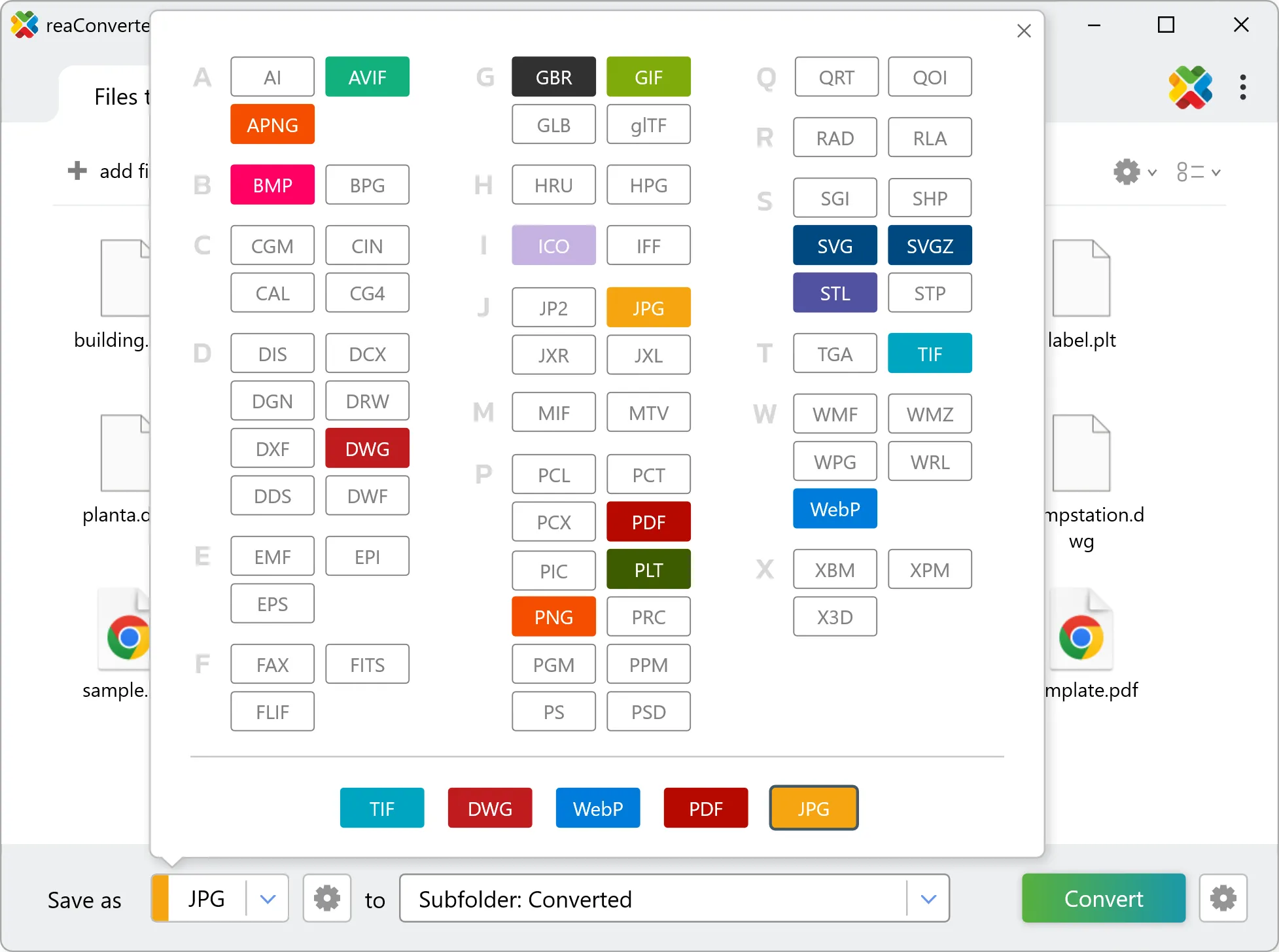
Pick STP as output format and choose the destination folder where you want to save new .stp files.

Select STP as output format

4. Start CDT to STP conversion

Then simply press the Convert button and your conversion will begin in no time!

Start Conversion

Once the conversion is complete, you can find your STP files in the destination folder you selected.

Step by step

How It Works

reaConverter offers the fastest, simplest solution for converting your CDT files into STP in seconds - all files processed on your PC for maximum privacy and speed.

3D Workflow

From flat drawing to 3D model

reaConverter turns CDT outlines into STP models by extrusion, so a flat shape becomes a 3D part in one step.

  • Set the extrusion height in millimetres before the run
  • Pick up new models automatically with Watch Folders
  • Convert a whole folder of drawings in one pass
  • Keep unreleased designs and client models on your PC: nothing is uploaded
3D model conversion

User reviews

What people say after the first batch

Average User Rating:4.8
Last updated on November 02, 2026
reaConverter handles STP file conversion excellently. The batch processing feature is perfect for converting multiple CAD files at once, and the drag-and-drop interface makes it super easy to use. Quality is preserved well during conversion, and it supports plenty of output formats. Recommended for engineers and designers.
Michael Rodriguez
Michael Rodriguez
Mechanical Engineer
Creating marketing materials for various platforms requires multiple file versions from single sources. reaConverter's workflow automation lets us generate PNG, JPEG, and SVG variants from AI and PSD files simultaneously. The color profile management ensures brand consistency across all outputs, and the processing speed allows for last-minute changes without delaying deadlines.
Rebecca Turner
Rebecca Turner
Marketing Agency CEO
I was drowning in mismatched file formats until I found reaConverter. The one-click conversion and editing tools simplified everything, and the pricing is reasonable for small businesses. Now I spend less time troubleshooting and more time growing my brand!
Emily K.
Emily K.
E-commerce Entrepreneur
This program is incredibly simple and user-friendly, even beginners can use it with ease. It supports batch processing, works offline, and runs smoothly on my aging Acer Aspire laptop. Best of all, the output quality is outstanding!
Kevin Harris
Kevin Harris
Happy User
The step-by-step video makes conversion foolproof. I'd recommend this to my grandma - it's that well-explained!
DeShawn M. Thompson
DeShawn M. Thompson
Happy User
I'm really impressed with this software - it converts files between formats incredibly fast!
Lin Zhang
Lin Zhang
Happy User

FAQ

CDT to STP Conversion

Can reaConverter convert CDT to STP?

Yes! reaConverter instantly converts .cdt to .stp with perfect quality preservation. With its batch processing feature, you can convert multiple files at once in just a few clicks. You can even convert CDT files directly from Windows Explorer using the right-click menu — fast and convenient.

What is reaConverter used for?

reaConverter is a Windows converter for 800+ formats, 3D models among them. For CDT to STP it replaces the round trip through Blender, a CAD program or an upload form: add the files, pick the output format, and the whole batch converts offline. Engineers, 3D printing shops and product teams use it to move models between CAD, printing, web and documentation formats.

Why choose offline conversion with reaConverter?

reaConverter is a software program that is used for offline files conversion. Your proprietary documents never leave your computer – essential for architects, engineers, healthcare and government contractors handling classified projects. Meets GDPR, HIPAA, CCPA, and corporate security policies by ensuring files never cross borders or third-party systems.

Can I convert CDT to STP online?

If you only need to convert a few CDT files to STP format, feel free to try our free online free online CDT to STP converter — perfect for small batches with no installation needed!

How can I turn CDT files into STP on my computer?

The best way to change CDTs to STPs on your PC is to install a quality piece of software, such as reaConverter. This software is extremely efficient in managing a wide range of batch files conversions, including conversion from CDT to STP.

How can I automate CDT to STP files conversion?

reaConverter supports all the most useful automation features such as right-click сonversion and Watch Folders for the most efficient automated files conversion in any software of this type.

Is there a way to convert CDT files to STP using the command prompt?

reaConverter provides full access to all its features via Windows command line, including a high-performance command-line cdt to stp converter for batch processing.

What else can I do with reaConverter?

Convert DICOM imagesCrop photoConvert CAD formatsSet file dateConvert microscopy files

Related conversions

Other ways to convert CDT files, and other sources that convert to STP.
Discover More

Beyond format conversion

Batch conversion, editing, and processing across 800+ formats, from RAW and HEIC to DICOM, DWG, and PDF. Everything runs locally, with no cloud and no upload limits.

Free trial · Windows 10/11 · v8.0.262 · Files never leave your computer

reaConverter software