DXF → MIF · Windows

Convert DXF to MIF

Batch convert DXF to MIF on an ordinary Windows PC. No GIS licence, no command line, the same settings applied to every file.

Tired of converting DXF files one at a time? reaConverter processes entire folders to MIF automatically. Handles large batches reliably without crashes or timeouts. Handles whole folders of tiles and layers in one run, with identical settings on every file.

.dxf.MIF
4.8

Converting files since 2001

Runs offline — nothing uploaded

Read what our users say →

How to Convert Multiple .dxf Files to .mif?

1. Download and Install reaConverter

reaConverter is a standalone Windows app — download, install, and start converting DXF files in under two minutes.

2. Load your DXF files

Load your DXF files into reaConverter. You can add individual files or point to folders, and the software will queue everything automatically.

Add files by dragging them in, browsing folders, or using the right-click menu from Windows Explorer.

Load your DXF files into reaConverter

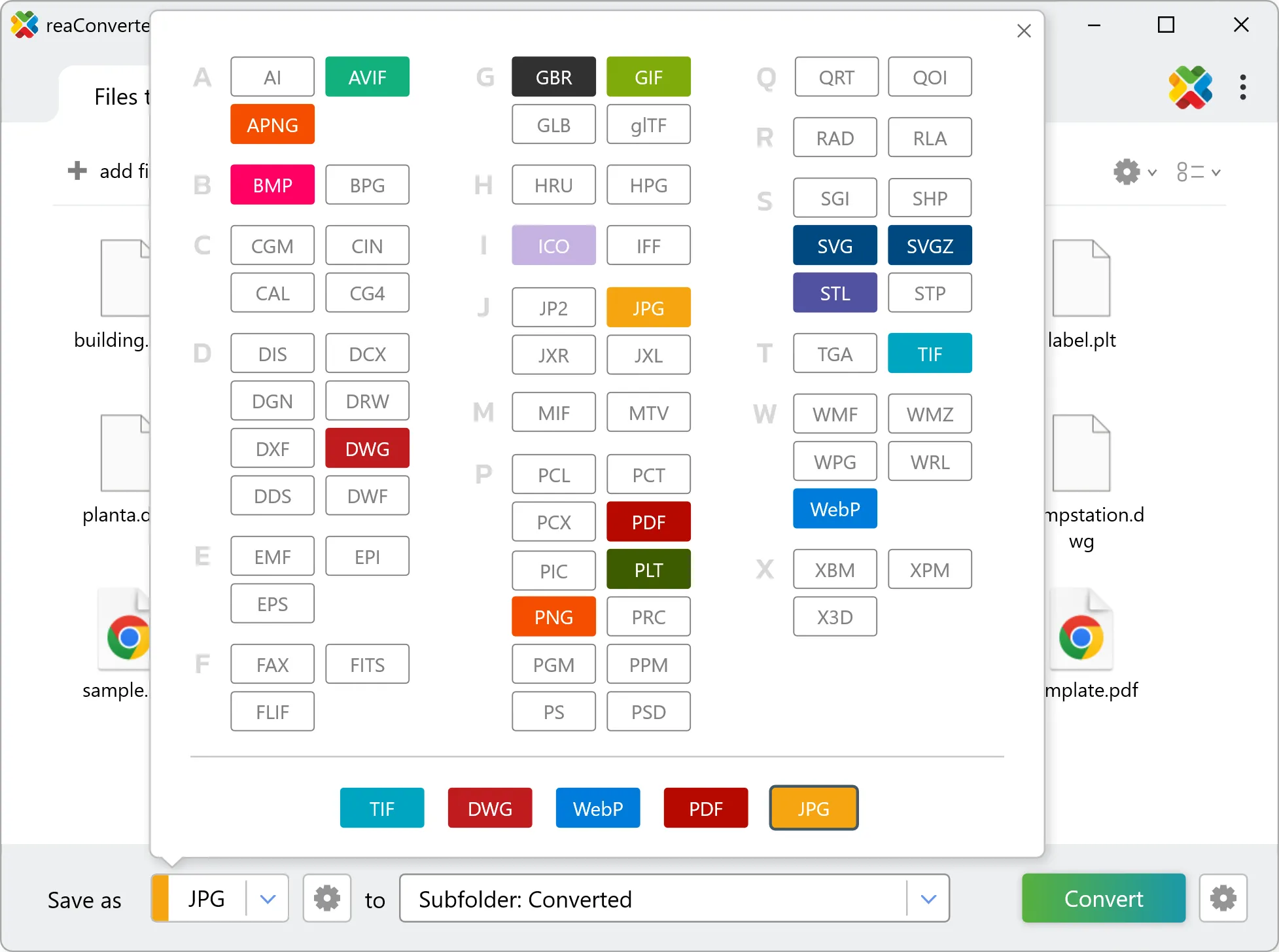
3. Select MIF as output format

Pick MIF as output format and choose the destination folder where you want to save new .mif files.

Select MIF as output format

4. Start DXF to MIF conversion

Then simply press the Convert button and your conversion will begin in no time!

Start Conversion

Once the conversion is complete, you can find your MIF files in the destination folder you selected.

Step by step

How It Works

reaConverter offers the fastest, simplest solution for converting your DXF files into MIF without AutoCAD - all files processed on your PC for maximum privacy and speed.

Technical note

How DXF and MIF differ in practice

A DXF drawing measures from an arbitrary origin and carries no coordinate reference system, so the MIF output arrives with correct geometry and no place on the earth. Defining the projection and georeferencing the result against known control points is a step that happens in the GIS afterwards. The conversion cannot infer it, because the information was never in the drawing.

Map Data Workflow

From drawing to GIS layer

Drawings tend to live in CAD and the map in GIS. reaConverter connects the two by converting DXF to MIF offline, a folder at a time.

  • Convert a whole drawing archive to MIF in one pass
  • Produce Shapefile, GeoJSON or KML from the same drawings for different recipients
  • Apply identical settings to every drawing in the batch
  • Pick up new data automatically with Watch Folders, or script the job from the command line

Everything runs on your PC, which matters for cadastral, utility and client data that should not pass through an upload form.

GIS data conversion

User reviews

What people say after the first batch

Average User Rating:4.8
Last updated on October 13, 2026
In architecture, sharing DXF files with clients is impractical. reaConverter lets me create universally accessible PDFs in seconds—no more awkward 'Can you open this?' moments during presentations.
Ashley T. Walker
Ashley T. Walker
Architect
While one-time DXF to JPG conversions can be handled through online tools, daily or recurring tasks demand dedicated software. For over a year now, reaConverter has been my reliable solution—consistently delivering quality results without the hassles of cloud-based alternatives.
Robert Johnson
Robert Johnson
Satisfied Customer
Our engineering team uses reaConverter to convert DXF files from different CAD systems into a unified format for our PLM software. The metadata and layer information are preserved perfectly. It's the only converter that works with all our legacy files.
Stephanie Webb
Stephanie Webb
Systems Engineer
Someone gave me a disc with a single .dxf file that just wouldn't open. After struggling with it, I consulted some tech-savvy friends who recommended reaConverter. The conversion took about 20 seconds flat, and now I can easily view everything in PDF format!
C. Gray
C. Gray
Satisfied Customer
The trial version convinced me immediately — its set-and-forget DXF to JPG conversion allows me to multitask efficiently. Rare to find software this intuitive yet powerful.
Michael W.
Michael W.
Satisfied Customer
I can't begin to describe the hours I wasted trying to convert DXF to DWG online—it was pure time theft! When my boss handed me a flash drive demanding instant batch conversion (way outside my usual work), I suffered through two days of upload/download hell. A forum suggestion changed everything: reaConverter automated the entire process. Ten minutes later? Mission accomplished!
Keisha Powell
Keisha Powell
Satisfied Customer

FAQ

DXF to MIF Conversion

Can reaConverter convert DXF to MIF?

Yes! reaConverter instantly converts .dxf to .mif with perfect quality preservation. With its batch processing feature, you can convert multiple files at once in just a few clicks. You can even convert DXF drawings directly from Windows Explorer using the right-click menu — fast and convenient.

What is reaConverter used for?

reaConverter is a Windows converter for 800+ formats, GIS data among them. For DXF to MIF it replaces the usual detour through QGIS, ArcGIS or ogr2ogr: add the files, pick the output format, and the whole batch converts offline. Surveyors, planners and engineering teams use it to pass data between GIS, CAD and everyday document formats.

Why choose offline conversion with reaConverter?

reaConverter is a software program that is used for offline files conversion. Your proprietary documents never leave your computer – essential for architects, engineers, healthcare and government contractors handling classified projects. Meets GDPR, HIPAA, CCPA, and corporate security policies by ensuring files never cross borders or third-party systems.

Can I convert DXF to MIF online?

If you only need to convert a few DXF files to MIF format, feel free to try our free online free online DXF to MIF converter — perfect for small batches with no installation needed! reaConverter Online never stores or shares any data uploaded by users, ensuring complete privacy and security for all file conversions.

How can I turn DXF files into MIF on my computer?

The best way to change DXFs to MIFs on your PC is to install a quality piece of software, such as reaConverter. This software is extremely efficient in managing a wide range of batch files conversions, including conversion from DXF to MIF.

How can I automate DXF to MIF files conversion?

reaConverter supports all the most useful automation features such as right-click сonversion and Watch Folders for the most efficient automated files conversion in any software of this type.

Is there a way to convert DXF files to MIF using the command prompt?

reaConverter provides full access to all its features via Windows command line, including a high-performance command-line dxf to mif converter for batch processing.

What else can I do with reaConverter?

Convert Gerber filesConvert picture color spaceConvert vector filesChange image DPIConvert DICOM files

Related conversions

Other ways to convert DXF files, and other sources that convert to MIF.
Discover More

Beyond format conversion

Batch conversion, editing, and processing across 800+ formats, from RAW and HEIC to DICOM, DWG, and PDF. Everything runs locally, with no cloud and no upload limits.

Free trial · Windows 10/11 · v8.0.259 · Files never leave your computer

reaConverter software