HEIC → MIF · Windows

Convert HEIC to MIF

Batch convert HEIC to MIF on an ordinary Windows PC. No GIS licence, no command line, the same settings applied to every file.

HEIC to MIF conversion is faster with the right tool. reaConverter handles everything from a few files to thousands in one batch. Processes files consistently every time, with full control over quality and output settings. Survey and cadastral data stays on your machine, with no upload at any point.

.heic.MIF
4.8

Converting files since 2001

Runs offline — nothing uploaded

Read what our users say →

How to Convert Multiple .heic Images to .mif?

1. Download and Install reaConverter

reaConverter installs quickly on any Windows PC. No dependencies, no bloatware — just a clean setup that's ready to use immediately. Need edits? Resize, rotate, or add watermarks during conversion.

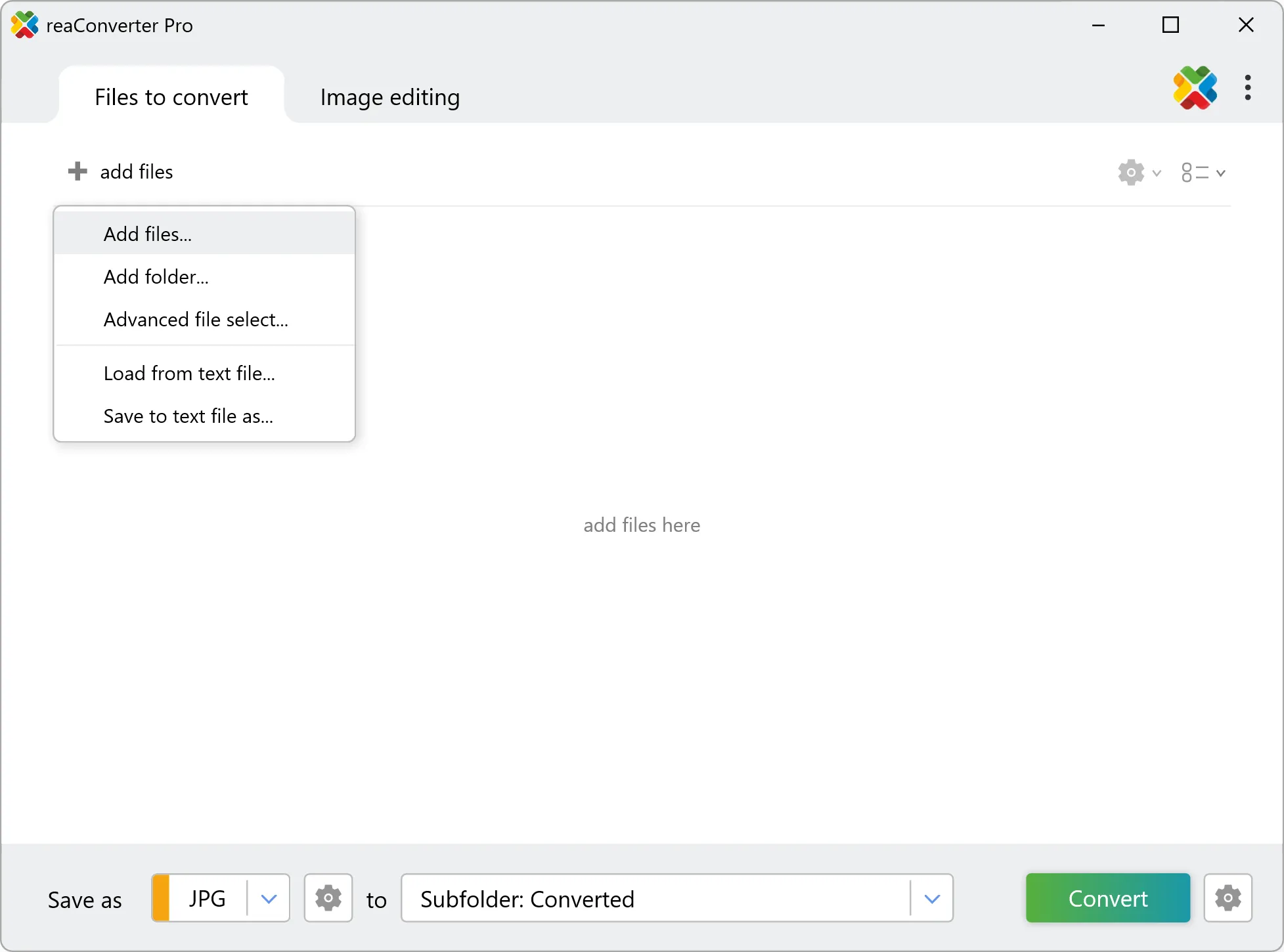
2. Load your HEIC files

Launch reaConverter and drop in your HEIC files. The software queues everything for batch processing with consistent settings.

Add files by dragging them in, browsing folders, or using the right-click menu from Windows Explorer.

Load your HEIC files into reaConverter

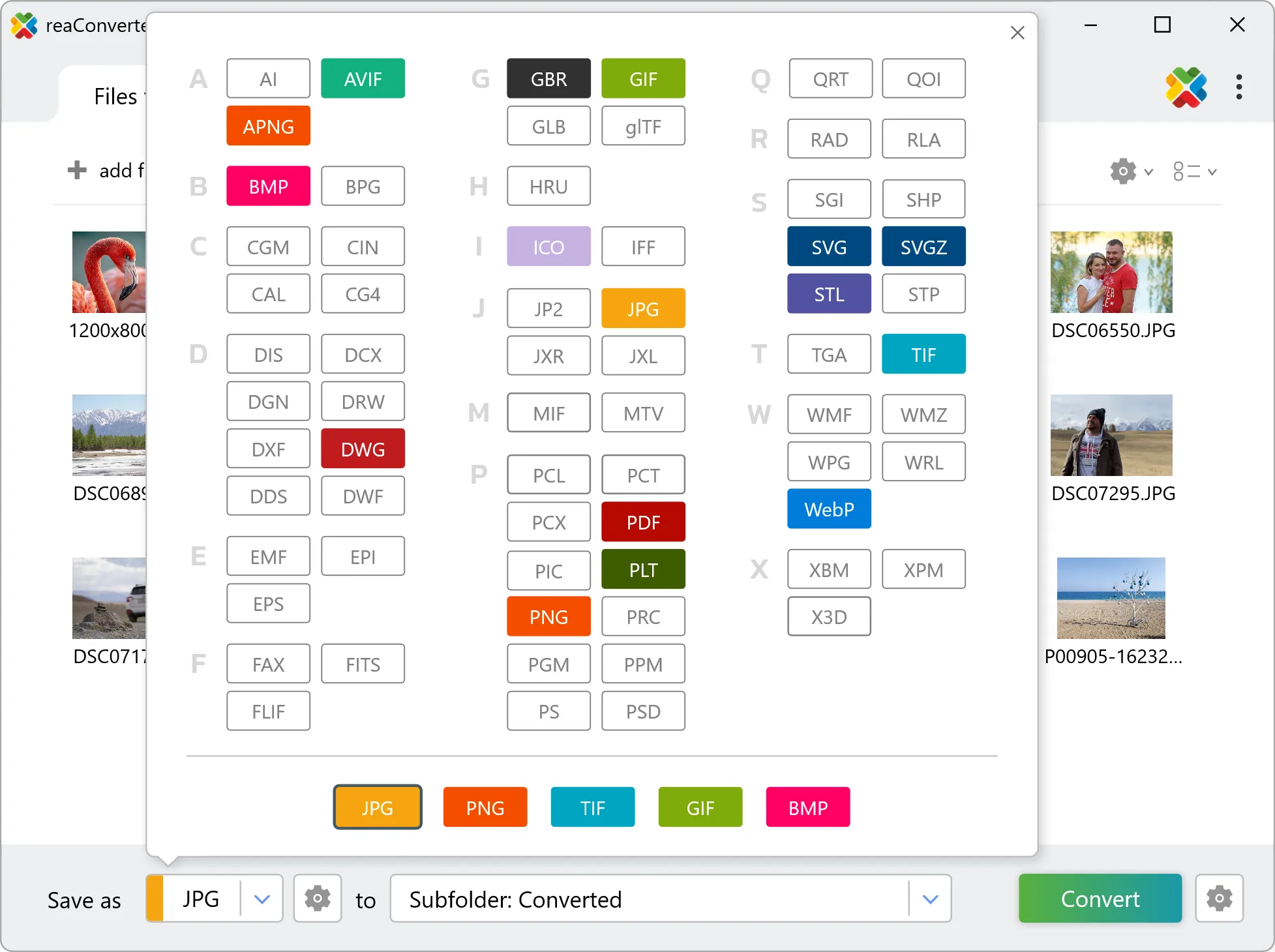
3. Select MIF as output format

Choose MIF as the target format. Pick a destination folder or let reaConverter save files alongside the originals.

Select MIF as output format

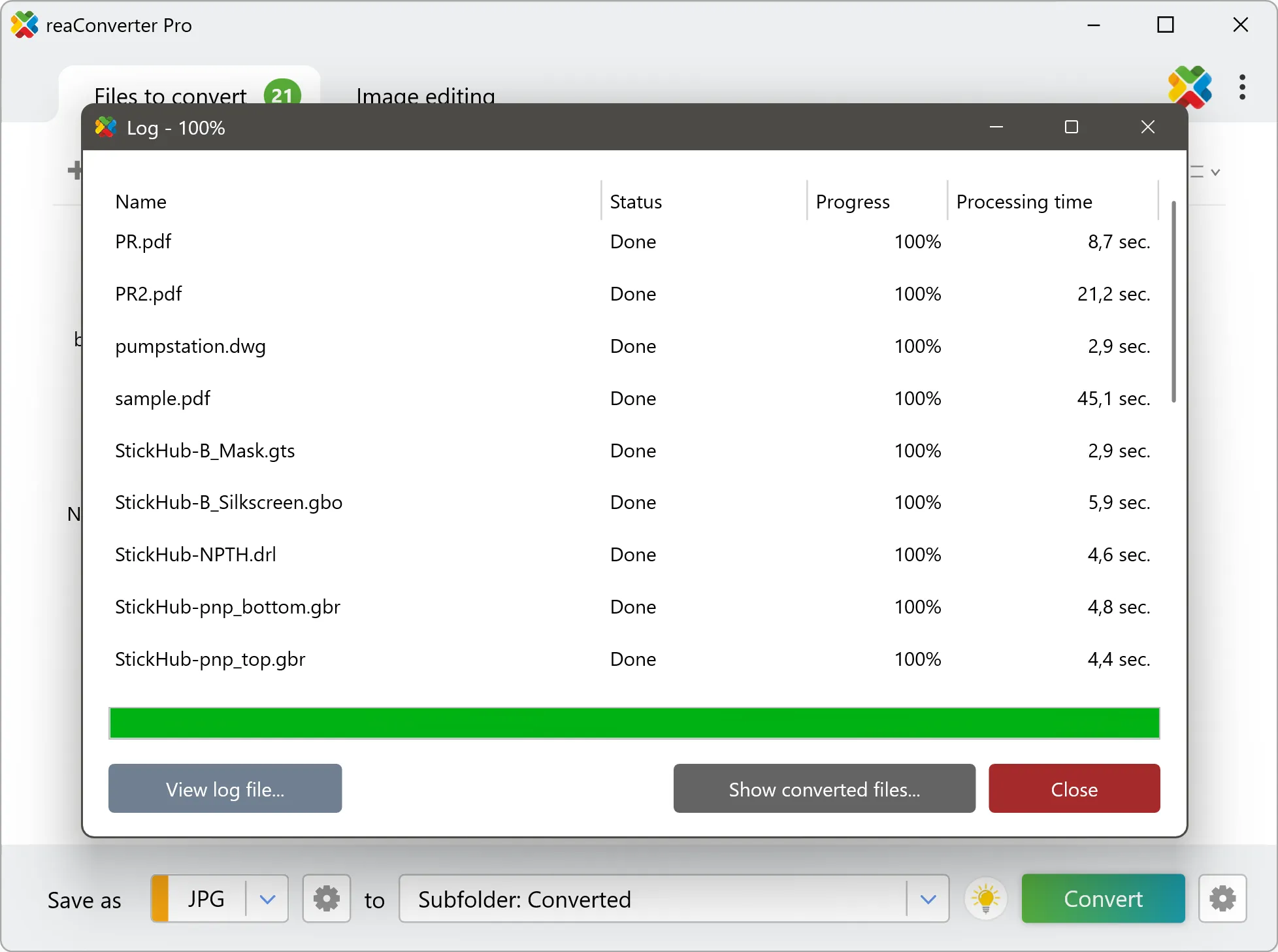
4. Start HEIC to MIF conversion

Then simply press the Convert button and your conversion will begin in no time!

Start Conversion

Once the conversion is complete, you can find your MIF files in the destination folder you selected.

Step by step

How It Works

reaConverter offers the fastest, simplest solution for converting your HEIC files into MIF without GIS software - all images processed on your PC for maximum privacy and speed.

Map Data Workflow

Bring files into a GIS

reaConverter takes HEIC files to MIF a folder at a time, on your own PC, ready to be added to a GIS project and georeferenced there.

  • Convert a whole folder to MIF in one pass
  • Apply the same settings to every file in the batch
  • Pick up new data automatically with Watch Folders, or script the job from the command line

Everything runs on your PC, which matters for cadastral, utility and client data that should not pass through an upload form.

GIS data conversion

User reviews

What people say after the first batch

Average User Rating:4.8
Last updated on October 25, 2026
I run a real estate photography business, and many clients send HEIC images from their iPhones. reaConverter batch‑converts them to JPEG without losing any detail. The speed is incredible – I can process a full shoot in under 5 minutes. This software is worth every penny.
Derek Th.
Derek Th.
Real Estate Photographer
I was about to give up on my iPhone photos because my editing software wouldn't recognise HEIC. Then I found reaConverter. Now I just drop all HEIC files into the batch, select JPEG, and boom – they're ready for Lightroom. The quality retention is amazing.
Carlos Hernandez
Carlos Hernandez
Satisfied Customer
My son sends me HEIC photos from his phone, and I can't view them on my old laptop. reaConverter fixed that in two clicks. Now I have JPEGs that open anywhere. It's so easy even I can do it – and I'm not tech‑savvy at all!
Patricia W.
Patricia W.
Satisfied Customer
Why do iPhone photos come in HEIC format?! My family’s Android phones can’t open them. Now I use reaConverter to batch-convert all my HEIC pics to JPEG before sharing. Problem solved, and no quality loss!
Mike T.
Mike T.
Satisfied Customer
reaConverter delivers rapid local file conversions with an intuitive interface. HEIC -> JPG processing is significantly faster, and the built-in file manager streamlines workflow effortlessly.
Daniel Kim
Daniel Kim
Satisfied Customer
As a wedding photographer, clients send hundreds of iPhone HEIC images. reaConverter automates the conversion to print-ready JPGs while keeping filenames and dates intact — saving me 3+ hours per event!
Mia Yamamoto
Mia Yamamoto
Photographer

FAQ

HEIC to MIF Conversion

Can reaConverter convert HEIC to MIF?

Yes! reaConverter instantly converts .heic to .mif with perfect quality preservation. With its batch processing feature, you can convert multiple files at once in just a few clicks. You can even convert HEIC images directly from Windows Explorer using the right-click menu — fast and convenient.

What is reaConverter used for?

reaConverter is a Windows converter for 800+ formats, GIS data among them. For HEIC to MIF it replaces the usual detour through QGIS, ArcGIS or ogr2ogr: add the files, pick the output format, and the whole batch converts offline. Surveyors, planners and engineering teams use it to pass data between GIS, CAD and everyday document formats.

Why choose offline conversion with reaConverter?

reaConverter is a software program that is used for offline files conversion. Your proprietary documents never leave your computer – essential for architects, engineers, healthcare and government contractors handling classified projects. Meets GDPR, HIPAA, CCPA, and corporate security policies by ensuring files never cross borders or third-party systems.

Can I convert HEIC to MIF online?

If you only need to convert a few HEIC files to MIF format, feel free to try our free online free online HEIC to MIF converter — perfect for small batches with no installation needed!

How can I turn HEIC files into MIF on my computer?

The best way to change HEICs to MIFs on your PC is to install a quality piece of software, such as reaConverter. This software is extremely efficient in managing a wide range of batch files conversions, including conversion from HEIC to MIF.

How can I automate HEIC to MIF files conversion?

reaConverter supports all the most useful automation features such as right-click сonversion and Watch Folders for the most efficient automated files conversion in any software of this type.

Is there a way to convert HEIC files to MIF using the command prompt?

reaConverter provides full access to all its features via Windows command line, including a high-performance command-line heic to mif converter for batch processing.

What else can I do with reaConverter?

Convert GIS filesConvert medical imagesImage resizerConvert PDF filesAdd text on photos

Related conversions

Other ways to convert HEIC files, and other sources that convert to MIF.
Discover More

Beyond format conversion

Batch conversion, editing, and processing across 800+ formats, from RAW and HEIC to DICOM, DWG, and PDF. Everything runs locally, with no cloud and no upload limits.

Free trial · Windows 10/11 · v8.0.261 · Files never leave your computer

reaConverter software