KTX → DWF · Windows

Convert KTX to DWF

Fast KTX to DWF conversion for Windows. reaConverter supports 800+ formats with batch processing and built-in editing tools.

Tired of converting KTX files one at a time? reaConverter processes entire folders to DWF automatically. Handles large batches reliably without crashes or timeouts.

.ktx.DWF
4.8

Converting files since 2001

Runs offline — nothing uploaded

Read what our users say →

How to Convert Multiple .ktx Images to .dwf?

1. Download and Install reaConverter

reaConverter is a standalone Windows app — download, install, and start converting KTX files in under two minutes. Apply image edits like resize, crop, or color adjustment while converting.

2. Load your KTX files

Add KTX files to reaConverter. One file or a thousand, the process is the same. Everything runs locally on your machine.

You can drag-and-drop files, browse to a folder, or add entire directory trees including subfolders.

Load your KTX files into reaConverter

3. Select DWF as output format

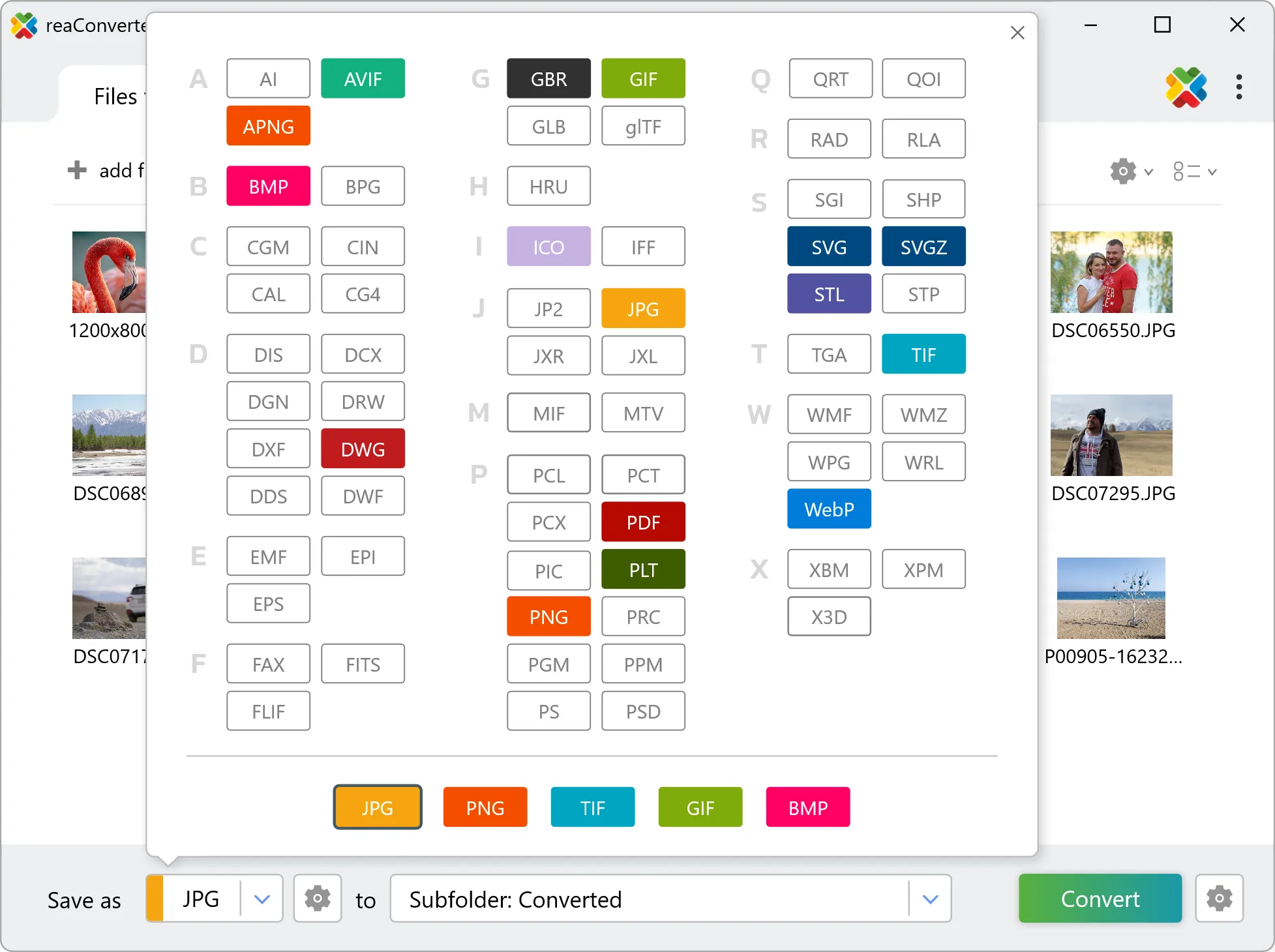
Select DWF from the output format list and set your destination folder. You can also adjust quality and compression settings.

Select DWF as output format

4. Start KTX to DWF conversion

Click the Convert button to start. reaConverter will process all your files with the settings you selected.

Start Conversion

When finished, your new .dwf files will be waiting in the destination folder.

Step by step

How It Works

reaConverter offers the fastest, simplest solution for converting your KTX files into DWF in seconds - all images processed on your PC for maximum privacy and speed.

Power Features

Do more with your images

Converting KTX images for use in a larger project? With reaConverter, you can convert, edit, and enhance your images in one streamlined process.

Our range of editing options includes such image processing actions as Resize, Rotate, Crop, Color Replace, Watermarks and more. Adjust actions include RGB, HLS, HSV, Brightness and Contrast. Auto-processing options are also available, such as auto-rotate and auto-crop.

Image editing

User reviews

What people say after the first batch

Average User Rating:4.8
Last updated on November 02, 2026
I regularly encounter niche file formats used by different specialized software. While universal standards would be ideal, conversion remains a daily necessity. I've relied on reaConverter for months now—primarily for DWF to PDF conversion, though it handles DXF, DWG, and other formats with equal precision when needed.
Samuel Parker Jr
Samuel Parker Jr
Satisfied Customer
For architects/engineers working with DWF files, reaConverter offers enterprise-grade conversion with consumer-level simplicity. Outputs are optimized for cross-platform use without quality loss.
Frank Rogers
Frank Rogers
Satisfied Customer
As a long-time AutoCAD user, I was accustomed to working with DWF files. Transitioning to AutoCAD presented challenges — not just adapting to the new interface, but also converting legacy projects to the updated format. reaConverter handled the DWF-to-DWG conversions flawlessly, streamlining what could have been a tedious process.
Harold E. Bell
Harold E. Bell
Satisfied Customer
Our architecture firm received 20+ years of DWF archives from a client who wanted PDFs. reaConverter batch‑processed thousands of files overnight – no errors, no missing layers. I even got clean vector output for scaling. A tool that actually delivers on its promises.
Gregory A.
Gregory A.
Senior Architect
To anyone struggling with DWF files – this lightweight yet powerful converter is a game-changer. reaConverter handles DWF and dozens of other formats at impressive speeds, delivering universally compatible files that work flawlessly across computers, laptops, tablets, and smartphones.
Nancy Rodriguez
Nancy Rodriguez
Satisfied Customer
I came here specifically to leave this review about reaConverter. I've been using it for seven months, several times a week - and it never crashes, freezes, or slows down my system. Best part? It's incredibly lightweight. Runs perfectly on just 4GB RAM and an Intel Core i3 processor. Conversions happen in a flash, and it works completely offline!
Priya Kumar
Priya Kumar
Satisfied Customer

FAQ

KTX to DWF Conversion

Can reaConverter convert KTX to DWF?

Yes! reaConverter instantly converts .ktx to .dwf with perfect quality preservation. With its batch processing feature, you can convert multiple files at once in just a few clicks. You can even convert KTX images directly from Windows Explorer using the right-click menu — fast and convenient.

What is reaConverter used for?

reaConverter is a software program used for converting images and other types of files from one format to another. It supports a wide range of file formats and allows users to convert multiple files at once, making it a valuable tool for graphic designers, photographers, and other professionals who work with digital images. reaConverter also includes features for resizing, cropping, and editing images, along with batch processing capabilities that help automate repetitive tasks.

Can I convert KTX to DWF online?

If you only need to convert a few KTX files to DWF format, feel free to try our free online free online KTX to DWF converter — perfect for small batches with no installation needed!

How can I turn KTX files into DWF on my computer?

The best way to change KTXs to DWFs on your PC is to install a quality piece of software, such as reaConverter. This software is extremely efficient in managing a wide range of batch files conversions, including conversion from KTX to DWF.

How can I automate KTX to DWF files conversion?

reaConverter supports all the most useful automation features such as right-click сonversion and Watch Folders for the most efficient automated files conversion in any software of this type.

Is there a way to convert KTX files to DWF using the command prompt?

reaConverter provides full access to all its features via Windows command line, including a high-performance command-line ktx to dwf converter for batch processing.

What else can I do with reaConverter?

Convert microscopy filesResize picturesConvert RAW formatsConvert CAD formatsSet file date

Related conversions

Other ways to convert KTX files, and other sources that convert to DWF.
Discover More

Beyond format conversion

Batch conversion, editing, and processing across 800+ formats, from RAW and HEIC to DICOM, DWG, and PDF. Everything runs locally, with no cloud and no upload limits.

Free trial · Windows 10/11 · v8.0.262 · Files never leave your computer

reaConverter software