100% Secure & Private
ORA Converter
Free browser-based ORA converter with no signup. Your files stay local. reaConverter for Windows adds automation, editing, and 800+ other formats.


How to Convert .ora Images in Bulk
1. Install reaConverter

2. Select ORA Files
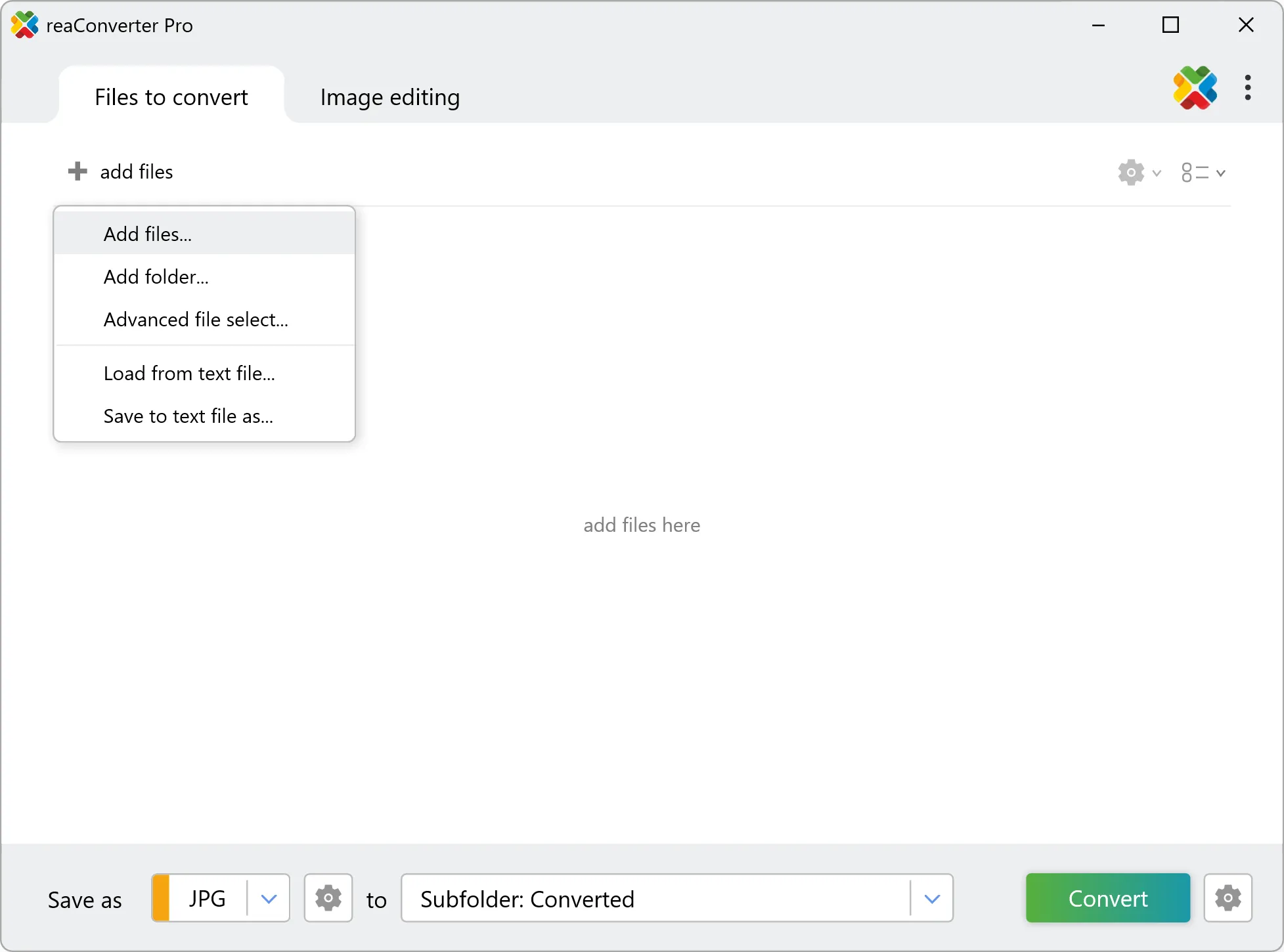
3. Start Conversion
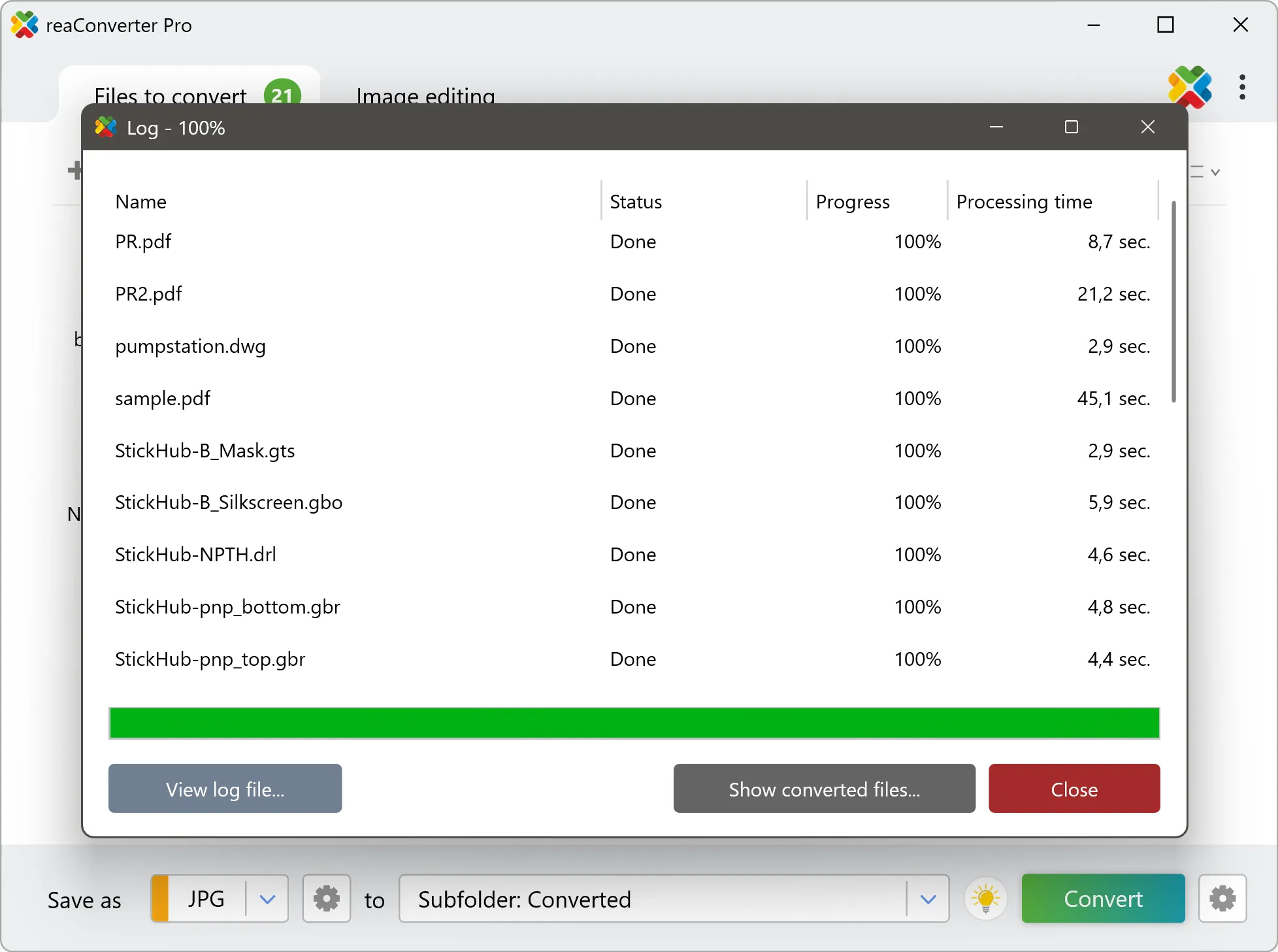
Step by step
See It in Action
For quick and effortless ORA file handling on your PC, reaConverter offers powerful conversion tools with batch processing. Best of all, it works entirely offline — ensuring your sensitive data never leaves your computer.
Edit & Enhance
Do more with your images
Converting ORA images for use in a workflow? Touch up, transform, apply editing and effects to your images during conversion.
Our range of editing options includes such image processing actions as Resize, Rotate, Crop, Color Replace, Watermarks and more. Adjust actions include RGB, HLS, HSV, Brightness and Contrast. Auto-processing options are also available, such as auto-rotate and auto-crop.

User reviews
From those who tried it
Average User Rating:Last updated on August 28, 2026



Questions & Answers
ORA images: Frequently Asked Questions
What are ORA files?
ORA (OpenRaster) is an open file format for storing layered raster images, created by the free-software graphics community as a simple way to exchange layered artwork between editors. It is supported by Krita, GIMP, MyPaint, Pinta and other applications. An ORA file is a ZIP archive that contains each layer as a separate PNG image, a stack.xml file describing layer order, positions, opacity, visibility, blend modes and groups, a flattened mergedimage.png preview of the whole picture, and a small thumbnail. The first entry in the archive is an uncompressed "mimetype" file containing the string "image/openraster", which lets applications recognize the format without unpacking it. Because it is built from standard ZIP, PNG and XML parts, the format is easy to implement, and individual layers can be extracted with any archive tool. Its main limitations are that it covers only raster layers, with no standardized text, vector or adjustment layers, and that files are larger than a flattened PNG since every layer is stored separately.
Can reaConverter open ORA files?
reaConverter fully supports the ORA image format – open, edit, and export ORA files to any other popular file format with ease.
How do I change ORA to another format?
reaConverter is a user-friendly tool for converting ORA files. Once installed on your computer, it allows you to convert all your .ora files at once with just a few clicks. You can even convert ORA images directly from Windows Explorer using the right-click menu — fast and convenient.
Can I convert ORA online?
If you only want to convert a few ORA images, you are welcome to try our free online ORA converter.
How can I turn ORA files on my computer to another format?
The best way to convert ORA images on your PC is to get a quality piece of software, such as reaConverter. This software is extremely efficient in managing a wide range of batch files conversions, including conversion from ORA.
How can I automate ORA files conversion?
reaConverter supports all the essential automation features, such as right-click сonversion and Watch Folders, for the most efficient automated file conversion in any software of its kind.
Can I convert ORA files using scripts or the command-line interface?
reaConverter provides full access to all its features from the Windows command-line shell, including the command-line ora converter.
What else can I do with reaConverter?
Convert Gerber filesChange color spaceConvert DICOM filesCrop picturesChange format settings
What formats can I convert a ORA file to?
Discover More
Beyond ORA conversion
Convert .ora files in batches of any size, with editing and processing applied along the way. The same tool also handles 800+ other formats, including CAD, medical imaging, and GIS.