PPM → PLY · Windows

Convert PPM to PLY

PPM to PLY conversion without modelling software. reaConverter processes 3D files locally, so no extra licences are required.

Need to convert PPM to PLY? reaConverter handles batch conversion with ease, processing hundreds of files at once while preserving quality. Your files never leave your machine. No third-party servers, no privacy concerns. Handles 3D models independently with no CAD software required.

Convert
4.8

Converting files since 2001

Runs offline — nothing uploaded

Read what our users say →

How to Convert Multiple .ppm Images to .ply?

1. Download and Install reaConverter

reaConverter installs quickly on any Windows PC. No dependencies, no bloatware — just a clean setup that's ready to use immediately. Apply image edits like resize, crop, or color adjustment while converting.

2. Load your PPM files

Launch reaConverter and load the PPM files you want to convert. Add a few files or thousands, batch processing handles them all.

Drag-and-drop PPMs directly into reaConverter or use the folder browser to load entire directories.

Load your PPM files into reaConverter

3. Select PLY as output format

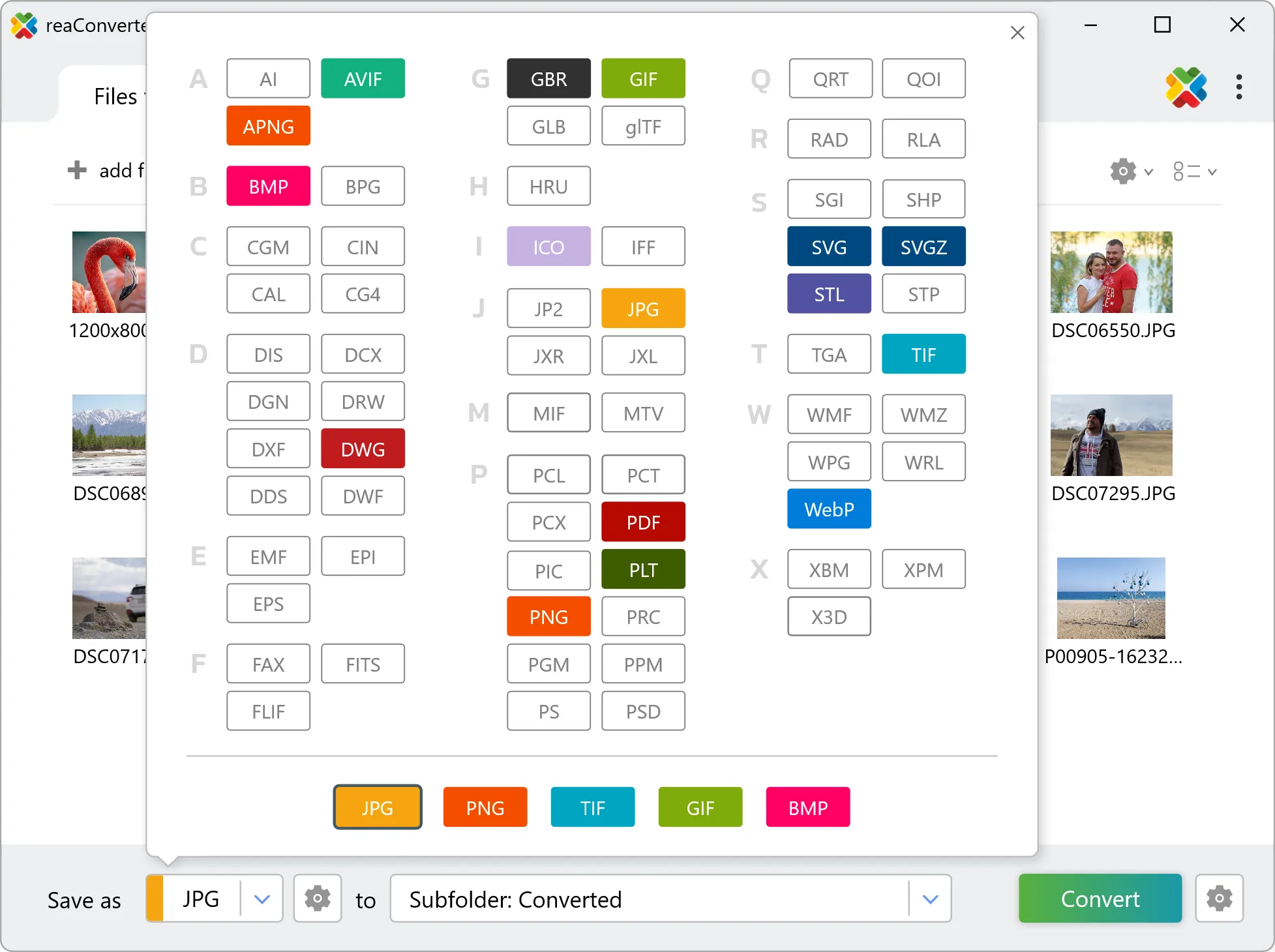
Set PLY as output format and select where to save your converted files. Customize quality settings if needed.

Select PLY as output format

4. Start PPM to PLY conversion

Press Convert to begin processing. You can watch the progress or minimize and let it run in the background.

Start Conversion

Your converted PLY files will appear in the destination folder as soon as processing completes.

Step by step

How It Works

reaConverter offers the fastest, simplest solution for converting your PPM files into PLY in seconds - all images processed on your PC for maximum privacy and speed.

Technical note

What changes when you convert PPM to PLY

PPM is made of pixels, so the conversion works in two steps: the image is first traced into vector outlines, and those outlines are then extruded to the height you set. The result is real geometry rather than a picture wrapped in a 3D file. Outline tracing is the mode to use here, because it returns closed shapes, and only a closed shape has an area to lift. How good the result is depends almost entirely on the PPM going in. Clean line art, a logo or a drawing scanned at 300 dpi or more traces into geometry you can work with. A photograph does not: continuous tone has no contours to follow, so tracing it produces thousands of tiny shapes and a file nobody can edit. Scan or export at the highest resolution available, and prefer a lossless original, because compression artefacts along an edge become ripples in the traced path.

3D Workflow

From picture to 3D model

reaConverter traces PPM images into outlines and extrudes them into PLY models, so a logo or a sketch becomes a 3D part in one run.

  • Each image is vectorized first, then extruded to the height you set in millimetres
  • Works best with logos, signs and line art: a photo has no clean outlines to follow
  • Script the job from the command line for pipelines and scheduled runs
  • Tune the tracing precision so the edges follow the original
3D model conversion

User reviews

What people say after the first batch

Average User Rating:4.8
Last updated on October 29, 2026
This software just works! My old laptop can’t handle Photoshop, but reaConverter flies through conversions without breaking a sweat. Wi-Fi gone? Still strong!
Robert Williams
Robert Williams
Happy User
Rare software that actually does it all! Converts anything, beautiful interface, and never lets me down. A must-have!
Henry R.
Henry R.
Happy User
For cross-platform compatibility, JPEG remains the gold standard. reaConverter’s precision conversions ensure perfect results every time, whether for presentations, websites, or client deliverables.
Paul Baker
Paul Baker
Happy User
An excellent program! I use it regularly in my work - it supports nearly every file format imaginable. The interface is intuitive and runs flawlessly every time.
Roger Cook
Roger Cook
Happy User
For agencies handling confidential data, reaConverter eliminates cloud-upload risks while delivering unmatched conversion reliability. Our team uses it both in-office and remotely with identical results.
Jamal Bailey
Jamal Bailey
Satisfied Customer
Our volunteer team uses reaConverter to prepare images for fundraising campaigns. The learning curve was minimal, and the results are professional-grade. The customer support team even helped us customize a workflow — fantastic service!
Jason P. Bailey
Jason P. Bailey
Non-Profit Coordinator

FAQ

PPM to PLY Conversion

Can reaConverter convert PPM to PLY?

Yes! reaConverter instantly converts .ppm to .ply with perfect quality preservation. With its batch processing feature, you can convert multiple files at once in just a few clicks. You can even convert PPM images directly from Windows Explorer using the right-click menu — fast and convenient.

What is reaConverter used for?

reaConverter is a Windows converter for 800+ formats, 3D models among them. For PPM to PLY it replaces the round trip through Blender, a CAD program or an upload form: add the files, pick the output format, and the whole batch converts offline. Engineers, 3D printing shops and product teams use it to move models between CAD, printing, web and documentation formats.

Why choose offline conversion with reaConverter?

reaConverter is a software program that is used for offline files conversion. Your proprietary documents never leave your computer – essential for architects, engineers, healthcare and government contractors handling classified projects. Meets GDPR, HIPAA, CCPA, and corporate security policies by ensuring files never cross borders or third-party systems.

Can I convert PPM to PLY online?

If you only need to convert a few PPM files to PLY format, feel free to try our free online free online PPM to PLY converter — perfect for small batches with no installation needed!

How can I turn PPM files into PLY on my computer?

The best way to change PPMs to PLYs on your PC is to install a quality piece of software, such as reaConverter. This software is extremely efficient in managing a wide range of batch files conversions, including conversion from PPM to PLY.

How can I automate PPM to PLY files conversion?

reaConverter supports all the most useful automation features such as right-click сonversion and Watch Folders for the most efficient automated files conversion in any software of this type.

Is there a way to convert PPM files to PLY using the command prompt?

reaConverter provides full access to all its features via Windows command line, including a high-performance command-line ppm to ply converter for batch processing.

What else can I do with reaConverter?

Change format settingsCopy metadata (EXIF, IPTC)Convert RAW photosConvert GIS filesVectorize images

Related conversions

Other ways to convert PPM files, and other sources that convert to PLY.

Discover More

Beyond format conversion

Batch conversion, editing, and processing across 800+ formats, from RAW and HEIC to DICOM, DWG, and PDF. Everything runs locally, with no cloud and no upload limits.

Free trial · Windows 10/11 · v8.0.262 · Files never leave your computer

reaConverter software