QRP → PDF · Windows

Convert QRP to PDF

Convert QRP documents to PDF efficiently. reaConverter handles bulk conversion with control over pages, resolution, and output format.

Need to convert QRP to PDF? reaConverter handles batch conversion with ease, processing hundreds of files at once while preserving quality. Your files never leave your machine. No third-party servers, no privacy concerns. PDF conversion includes control over pages, resolution, and output format.

.qrp.PDF
4.8

Converting files since 2001

Runs offline — nothing uploaded

Read what our users say →

How to Convert Multiple .qrp Files to .pdf?

1. Download and Install reaConverter

reaConverter is a standalone Windows app — download, install, and start converting QRP files in under two minutes.

2. Load your QRP files

Launch reaConverter and load the QRP files you want to convert. Add a few files or thousands, batch processing handles them all.

Drag-and-drop QRPs directly into reaConverter or use the folder browser to load entire directories.

Load your QRP files into reaConverter

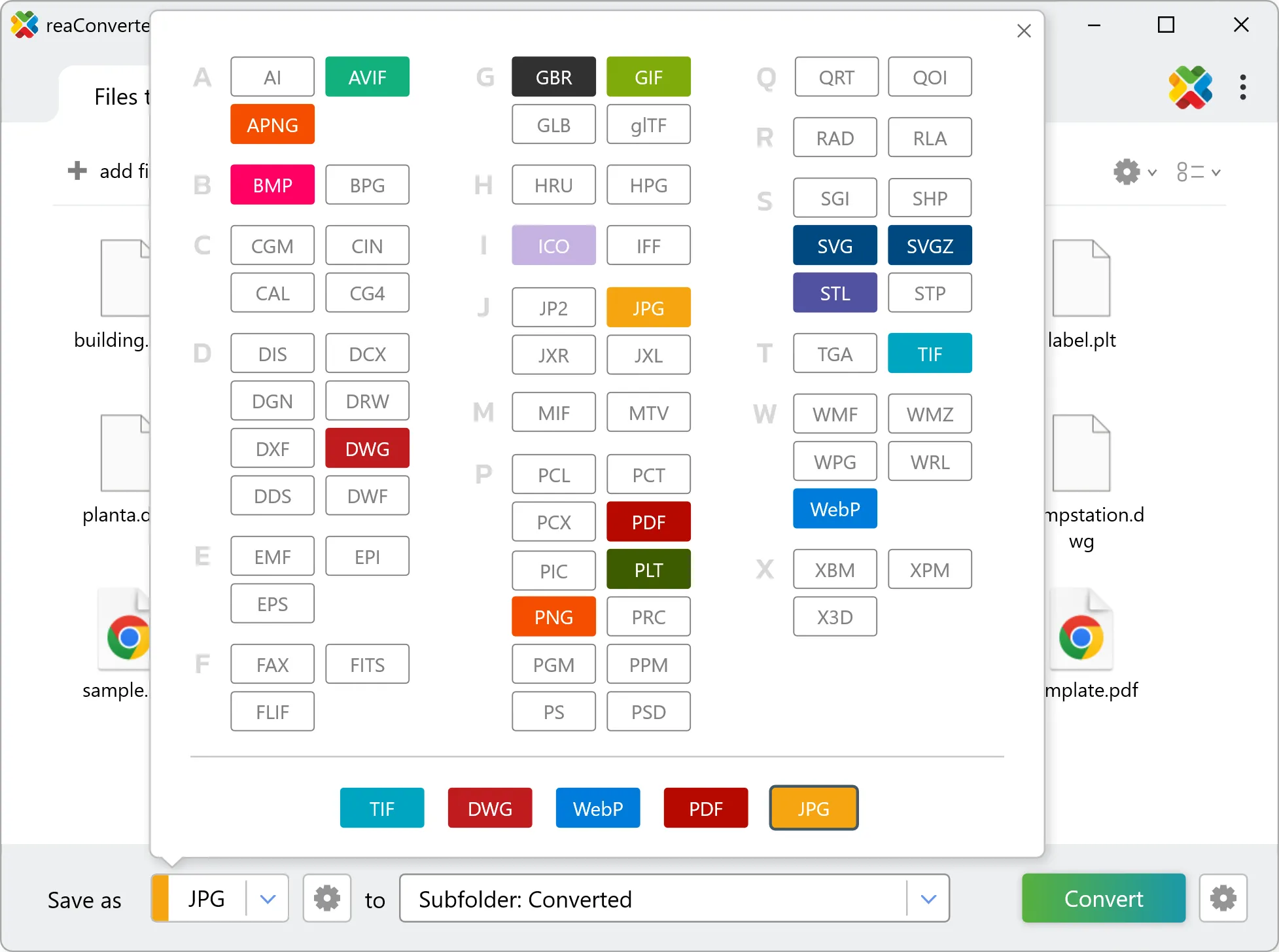
3. Select PDF as output format

Select PDF as target format and pick where to save results. You can keep default settings or fine-tune the output.

Select PDF as output format

4. Start QRP to PDF conversion

Press Convert to begin processing. You can watch the progress or minimize and let it run in the background.

Start Conversion

Your converted PDF files will appear in the destination folder as soon as processing completes.

Step by step

How It Works

reaConverter offers the fastest, simplest solution for converting your QRP files into PDF in seconds - all files processed on your PC for maximum privacy and speed.

Deep Customization

Do more with your files

Converting QRP files for use in a workflow? reaConverter offers many ways to process files, so you can customize them according to your requirements.

Our range of editing options includes auto-processing options such as auto-rotate, auto-crop, watermarking and more. Change Color Space, copy Metadata, set DPI, manage ICC Profile, control Bit Depth.

Image editing

User reviews

What people say after the first batch

Average User Rating:4.8
Last updated on November 02, 2026
PDF is certainly a universal format, but sometimes you need JPEG files instead. For conversion, I use reaConverter - a lightning-fast program. No online editor can match its speed. Install it once, and you're set. Just open, convert, and done!
Nathan Ward
Nathan Ward
Satisfied Customer
After testing numerous converters, this is the first solution that maintains 100% image quality during PDF to JPG conversion while operating seamlessly without crashes or slowdowns even with batch processing.
Kenneth H.
Kenneth H.
Satisfied Customer
We use reaConverter to merge multiple PDFs into one and compress them for email attachments. The batch mode is a godsend – we process 50+ documents every week. Never had a single error or corrupted file. Highly recommended!
Robert D.
Robert D.
Office Manager
Our legal team processes hundreds of documents daily. reaConverter automates everything — PDF conversion, documents, image compression, you name it. It’s reliable, fast, and a huge time-saver.
Att. David K. Brooks
Legal Consultant
I needed to convert a 200‑page PDF into individual JPEGs for a client presentation. reaConverter did it in under a minute. The quality was superb – each page looked like a print. I'm genuinely impressed by the speed and reliability.
Rachel Green
Rachel Green
Marketing Director
I've been searching for reliable software like this forever — finally found one that works smoothly without lag. After installing, I converted PDFs to JPEGs with perfect quality retention. Exactly what I needed!
Richard Jones
Richard Jones
Digital Marketing Manager

FAQ

QRP to PDF Conversion

Can reaConverter convert QRP to PDF?

Yes! reaConverter instantly converts .qrp to .pdf with perfect quality preservation. With its batch processing feature, you can convert multiple files at once in just a few clicks. You can even convert QRP files directly from Windows Explorer using the right-click menu — fast and convenient.

Can I convert QRP to PDF in my browser?

Yes — with our free web-based QRP to PDF converter, you can convert .qrp files instantly, right in your browser. No installation, no uploads — perfect for quick, local conversions.

How can I turn QRP files into PDF on my computer?

The best way to change QRPs to PDFs on your PC is to install a quality piece of software, such as reaConverter. This software is extremely efficient in managing a wide range of batch files conversions, including conversion from QRP to PDF.

How can I automate QRP to PDF files conversion?

reaConverter supports all the most useful automation features such as right-click сonversion and Watch Folders for the most efficient automated files conversion in any software of this type.

Is there a way to convert QRP files to PDF using the command prompt?

reaConverter provides full access to all its features via Windows command line, including a high-performance command-line qrp to pdf converter for batch processing.

What else can I do with reaConverter?

Convert medical imagesResize picturesVectorize imagesChange bit depthChange format settings

Related conversions

Other ways to convert QRP files, and other sources that convert to PDF.
Discover More

Beyond format conversion

Batch conversion, editing, and processing across 800+ formats, from RAW and HEIC to DICOM, DWG, and PDF. Everything runs locally, with no cloud and no upload limits.

Free trial · Windows 10/11 · v8.0.262 · Files never leave your computer

reaConverter software