
RIS → OBJ · Windows

Convert RIS to OBJ

Batch convert RIS to OBJ for easy sharing. reaConverter exports 3D models offline with control over output settings.

Got a folder full of RIS files? reaConverter batch converts them to OBJ in minutes, not hours. Local processing means instant results, even with thousands of files. 3D files convert without expensive modeling software licenses.

Convert
4.8

Converting files since 2001

Runs offline — nothing uploaded

Read what our users say →

How to Convert Multiple .ris Files to .obj?

1. Download and Install reaConverter

reaConverter installs quickly on any Windows PC. No dependencies, no bloatware — just a clean setup that's ready to use immediately.

2. Load your RIS files

Start reaConverter and add your .ris files. The software processes everything locally, so your files never leave your computer.

Use drag-and-drop, folder browser, or right-click conversion from Explorer.
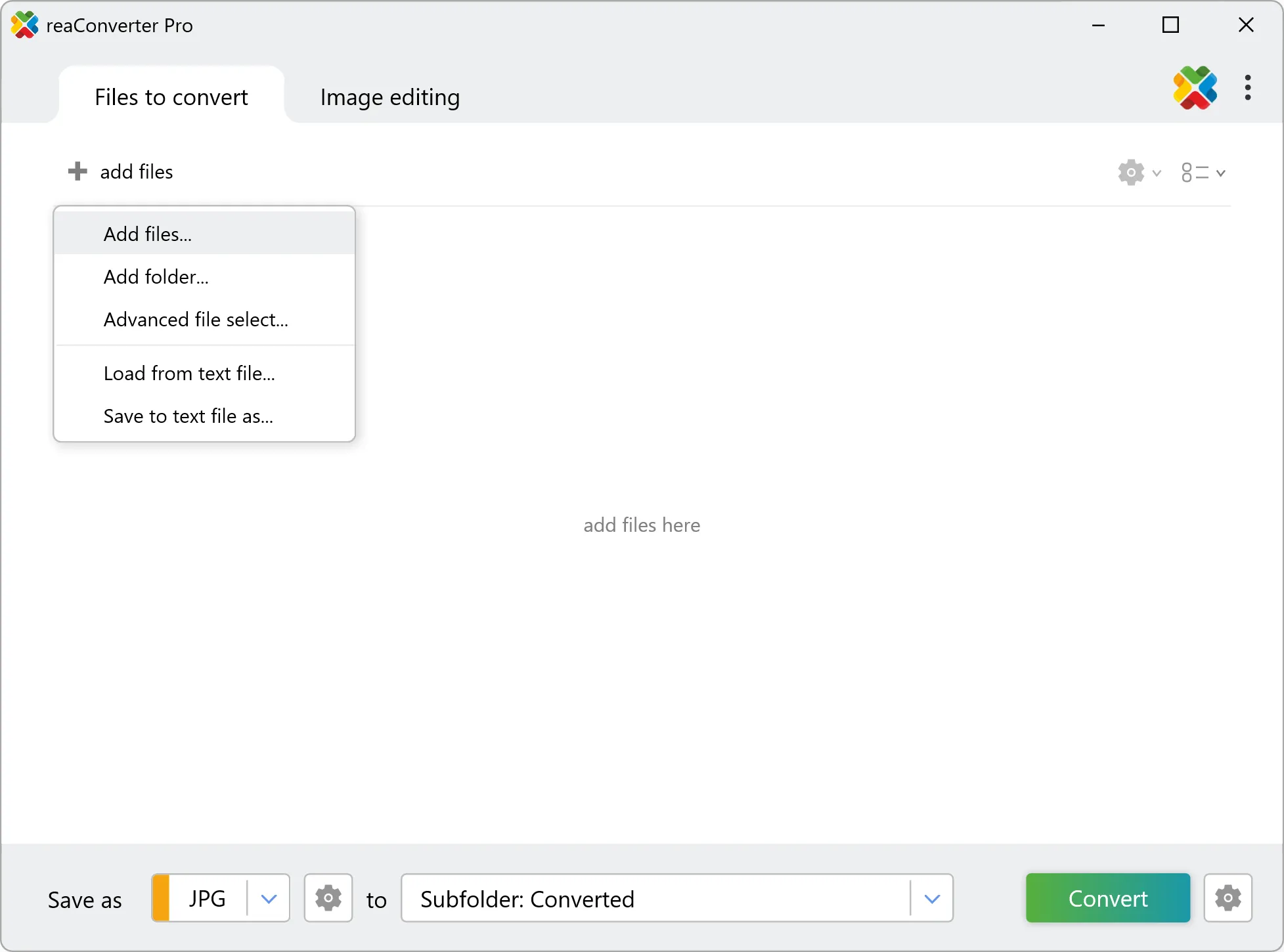
Load your RIS files into reaConverter

3. Select OBJ as output format

Select OBJ from 800+ supported output formats. Choose your destination folder and adjust settings to match your needs.
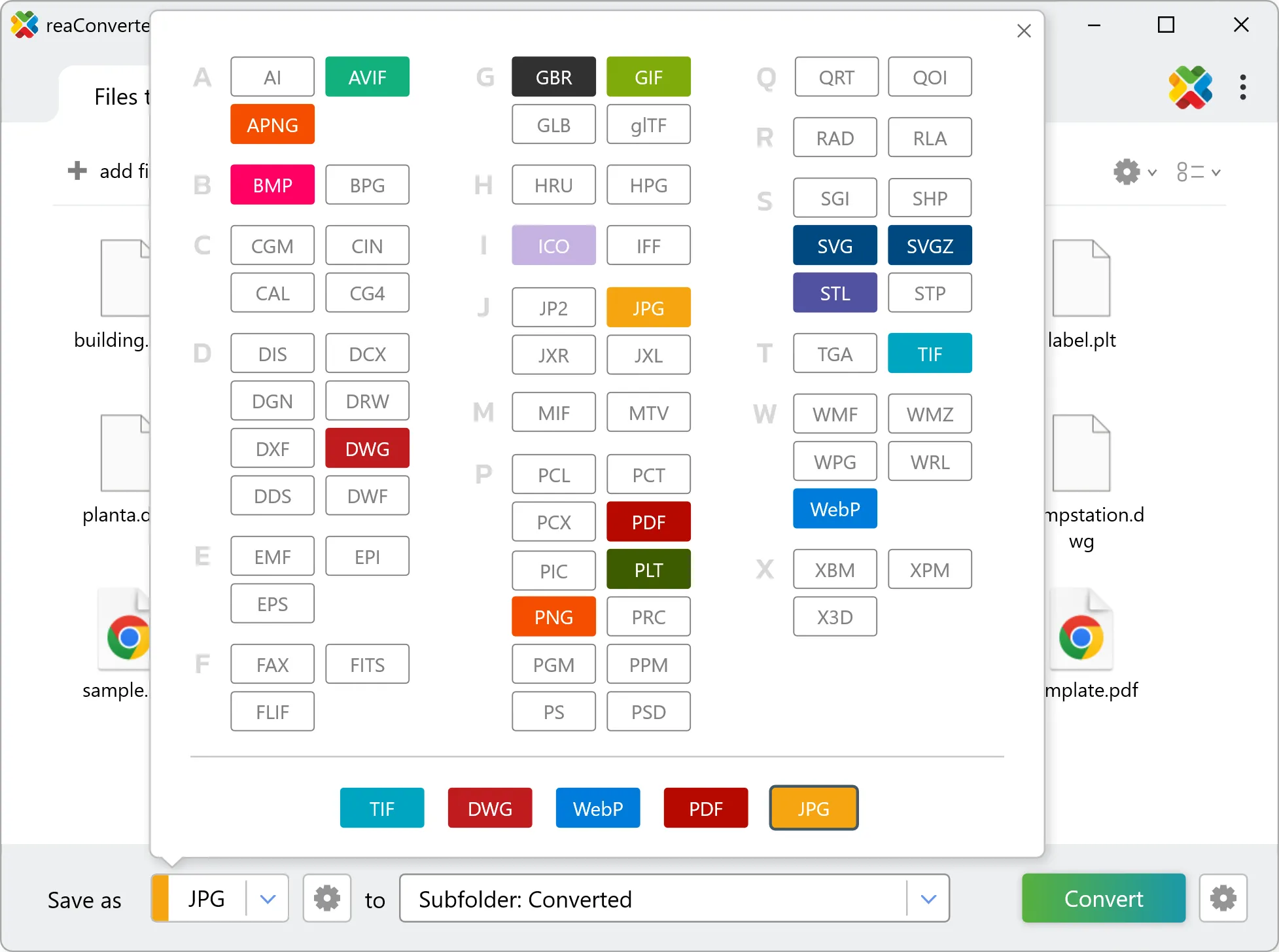
Select OBJ as output format

4. Start RIS to OBJ conversion

Click Convert to start the batch. reaConverter processes files quickly and shows you the status of each one.
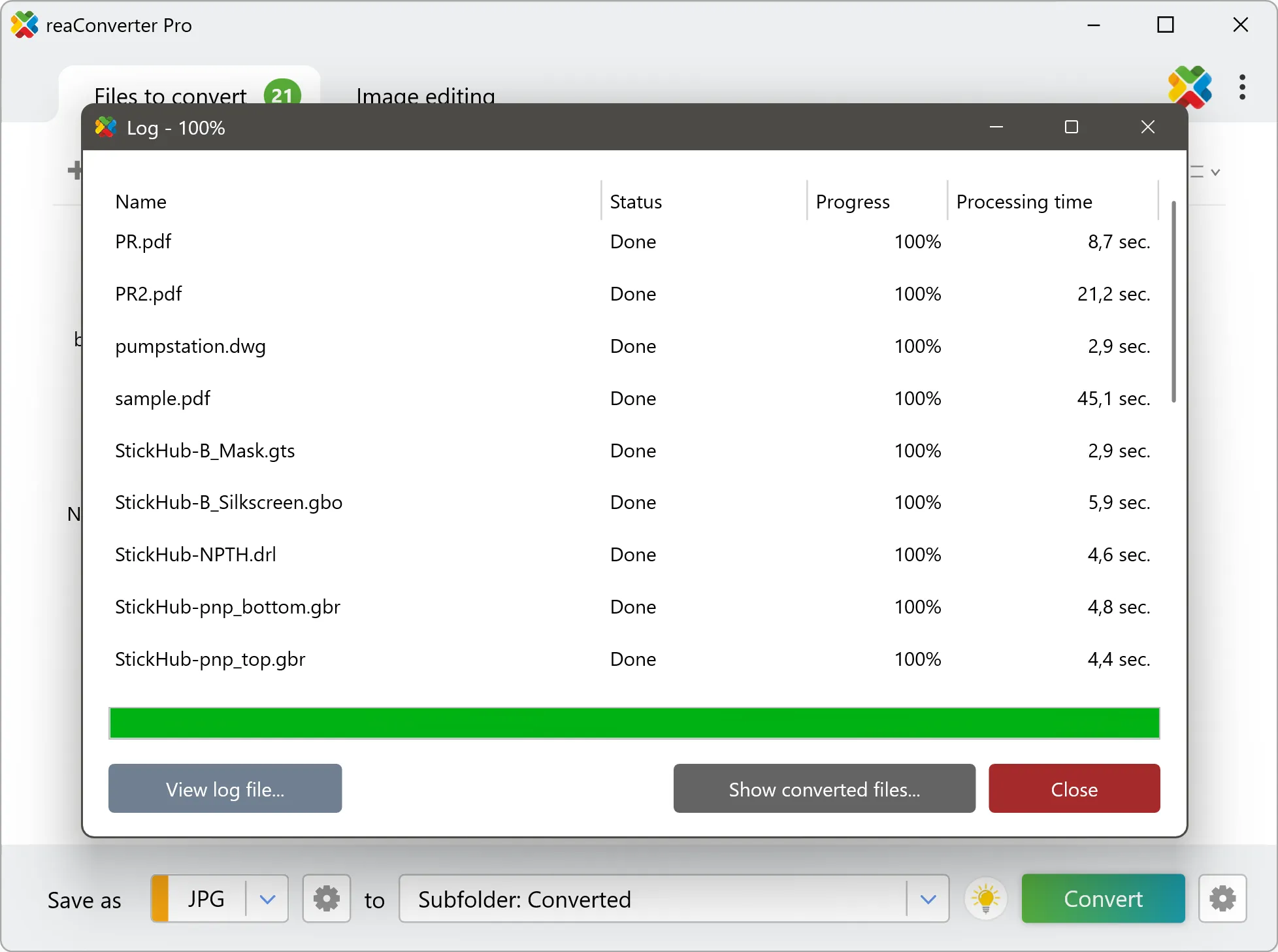
Start Conversion

Once done, reaConverter shows a summary. Click 'Show converted files' to jump straight to your OBJ output.


Step by step

How It Works

reaConverter offers the fastest, simplest solution for converting your RIS files into OBJ in seconds - all files processed on your PC for maximum privacy and speed.

Deep Customization

Do more with your files

Converting RIS files for use in a workflow? reaConverter offers many ways to process files, so you can customize them according to your requirements.

Our range of editing options includes auto-processing options such as auto-rotate, auto-crop, watermarking and more. Change Color Space, copy Metadata, set DPI, manage ICC Profile, control Bit Depth.

Image editing

User reviews

What people say after the first batch

Average User Rating:4.8
Last updated on October 15, 2026
This software just works! My old laptop can’t handle Photoshop, but reaConverter flies through conversions without breaking a sweat. Wi-Fi gone? Still strong!
Robert Williams
Robert Williams
Happy User
Rare software that actually does it all! Converts anything, beautiful interface, and never lets me down. A must-have!
Henry R.
Henry R.
Happy User
For cross-platform compatibility, JPEG remains the gold standard. reaConverter’s precision conversions ensure perfect results every time, whether for presentations, websites, or client deliverables.
Paul Baker
Paul Baker
Happy User
Finally an app that actually opens my weird files! Saves me from format frustration daily.
Kyle Brooks
Kyle Brooks
Happy User
This converter delivers exceptionally quick format conversions with reliable results every time.
Brian White
Brian White
Happy User
Security was our top concern when evaluating file conversion tools. reaConverter’s offline mode and role-based access controls let us lock it down for sensitive environments. No unexpected network calls or bloat — just clean, fast conversions. Even passed our pen-testing scans without a hitch.
Marcus White
Marcus White
Healthcare IT

FAQ

RIS to OBJ Conversion

Can reaConverter convert RIS to OBJ?

Yes! reaConverter instantly converts .ris to .obj with perfect quality preservation. With its batch processing feature, you can convert multiple files at once in just a few clicks. You can even convert RIS files directly from Windows Explorer using the right-click menu — fast and convenient.

Can I convert RIS to OBJ online?

If you only need to convert a few RIS files to OBJ format, feel free to try our free online free online RIS to OBJ converter — perfect for small batches with no installation needed!

How can I turn RIS files into OBJ on my computer?

The best way to change RISs to OBJs on your PC is to install a quality piece of software, such as reaConverter. This software is extremely efficient in managing a wide range of batch files conversions, including conversion from RIS to OBJ.

How can I automate RIS to OBJ files conversion?

reaConverter supports all the most useful automation features such as right-click сonversion and Watch Folders for the most efficient automated files conversion in any software of this type.

Is there a way to convert RIS files to OBJ using the command prompt?

reaConverter provides full access to all its features via Windows command line, including a high-performance command-line ris to obj converter for batch processing.

What else can I do with reaConverter?

Change format settingsCopy metadata (EXIF, IPTC)Convert vector filesChange DPIConvert medical images

Related conversions

Other ways to convert RIS files, and other sources that convert to OBJ.

Discover More

Beyond format conversion

Batch conversion, editing, and processing across 800+ formats, from RAW and HEIC to DICOM, DWG, and PDF. Everything runs locally, with no cloud and no upload limits.

Free trial · Windows 10/11 · v8.0.259 · Files never leave your computer

reaConverter software