TIF → PLY · Windows

Convert TIF to PLY

TIF to PLY conversion without modelling software. reaConverter processes 3D files locally, so no extra licences are required.

Batch TIF to PLY conversion doesn't have to be complicated. reaConverter processes entire folders with consistent quality settings. Works offline with no internet required, so you can convert anywhere, anytime. Processes 3D files for collaboration across different platforms.

.tif.PLY
4.8

Converting files since 2001

Runs offline — nothing uploaded

Read what our users say →

How to Convert Multiple .tif Images to .ply?

1. Download and Install reaConverter

reaConverter installs quickly on any Windows PC. No dependencies, no bloatware — just a clean setup that's ready to use immediately. You can also resize, crop, and adjust images during conversion.

2. Load your TIF files

Open reaConverter and import your .tif files. No file limits, no slowdowns. Add as many as you need.

Drag files into the window, use the Add Files button, or select entire folders.

Load your TIF files into reaConverter

3. Select PLY as output format

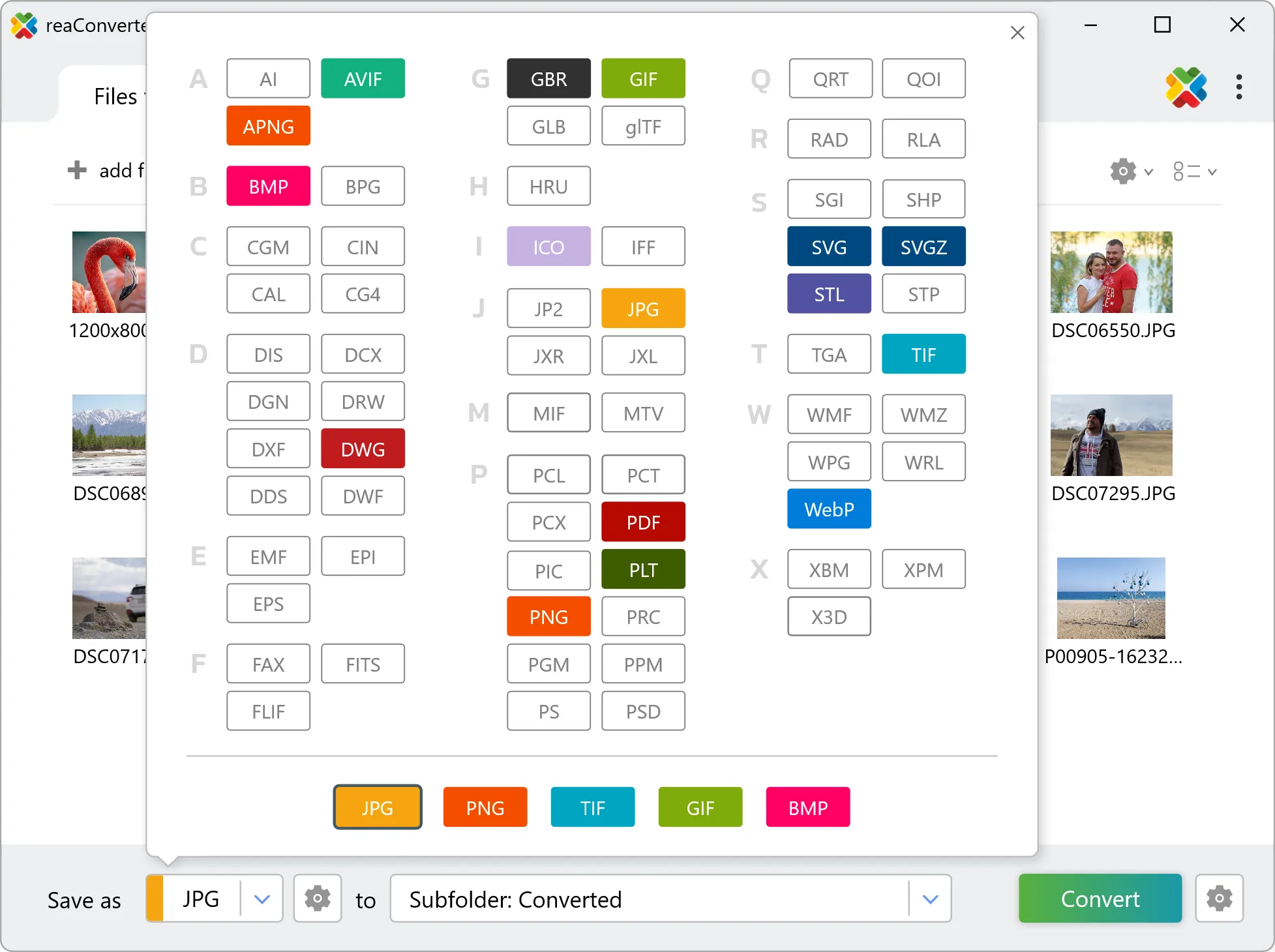
Select PLY as target format and pick where to save results. You can keep default settings or fine-tune the output.

Select PLY as output format

4. Start TIF to PLY conversion

Hit Convert to process your files. The log window shows progress, timing, and status for every file.

Start Conversion

Conversion complete? Your PLY files are saved to the destination folder, ready to use.

Step by step

How It Works

reaConverter offers the fastest, simplest solution for converting your TIF files into PLY in seconds - all images processed on your PC for maximum privacy and speed.

Technical note

TIF to PLY: what to expect from the conversion

TIF is made of pixels, so the conversion works in two steps: the image is first traced into vector outlines, and those outlines are then extruded to the height you set. The result is real geometry rather than a picture wrapped in a 3D file. Outline tracing is the mode to use here, because it returns closed shapes, and only a closed shape has an area to lift. How good the result is depends almost entirely on the TIF going in. Clean line art, a logo or a drawing scanned at 300 dpi or more traces into geometry you can work with. A photograph does not: continuous tone has no contours to follow, so tracing it produces thousands of tiny shapes and a file nobody can edit. Scan or export at the highest resolution available, and prefer a lossless original, because compression artefacts along an edge become ripples in the traced path.

3D Workflow

From picture to 3D model

Need a 3D PLY from a flat TIF image? reaConverter vectorizes it, extrudes the shapes to the height you set, and works through a whole folder at once.

  • Each image is vectorized first, then extruded to the height you set in millimetres
  • Works best with logos, signs and line art: a photo has no clean outlines to follow
  • Keep unreleased designs and client models on your PC: nothing is uploaded
  • Script the job from the command line for pipelines and scheduled runs
3D model conversion

User reviews

What people say after the first batch

Average User Rating:4.8
Last updated on October 29, 2026
When I needed to convert TIF to JPG, I scoured countless sites — until finding this perfectly simple online solution. Since I wanted to avoid software installs, the web converter was ideal!
Andrew White
Andrew White
Happy Online User
We rolled out reaConverter across our 500+ user environment to standardize image assets for our CMS. The command-line integration and batch scripting capabilities saved us weeks of manual work. It handles everything from legacy TIFFs to WebP conversions without breaking a sweat — plus, the Active Directory compatibility made deployment seamless. A must-have for IT teams managing digital assets at scale.
Robert Coleman
Robert Coleman
Senior Systems Administrator
5/5⭐ Finally! Does what it promises - converts AND tweaks images without complicated menus. Perfect for quick jobs.
J. Mitchell
J. Mitchell
Satisfied Customer
reaConverter is pure gold! Rock-solid performance with zero crashes. No internet needed—perfect for travel or low-connectivity work. The ultimate offline alternative to sketchy web converters. Plus, the desktop version keeps sensitive files secure since nothing ever gets uploaded to the cloud.
Malik T. Martin
Malik T. Martin
Satisfied Customer
I was skeptical at first, but reaConverter exceeded my expectations. The interface is intuitive, and the advanced settings let me tweak outputs perfectly. Plus, the customer support is fantastic!
Sarah Lane
Sarah Lane
Satisfied Customer
Creating marketing materials for various platforms requires multiple file versions from single sources. reaConverter's workflow automation lets us generate PNG, JPEG, and SVG variants from AI and PSD files simultaneously. The color profile management ensures brand consistency across all outputs, and the processing speed allows for last-minute changes without delaying deadlines.
Rebecca Turner
Rebecca Turner
Marketing Agency CEO

FAQ

TIF to PLY Conversion

Can reaConverter convert TIF to PLY?

Yes! reaConverter instantly converts .tif to .ply with perfect quality preservation. With its batch processing feature, you can convert multiple files at once in just a few clicks. You can even convert TIF images directly from Windows Explorer using the right-click menu — fast and convenient.

What is reaConverter used for?

reaConverter is a Windows converter for 800+ formats, 3D models among them. For TIF to PLY it replaces the round trip through Blender, a CAD program or an upload form: add the files, pick the output format, and the whole batch converts offline. Engineers, 3D printing shops and product teams use it to move models between CAD, printing, web and documentation formats.

Why choose offline conversion with reaConverter?

reaConverter is a software program that is used for offline files conversion. Your proprietary documents never leave your computer – essential for architects, engineers, healthcare and government contractors handling classified projects. Meets GDPR, HIPAA, CCPA, and corporate security policies by ensuring files never cross borders or third-party systems.

Can I convert TIF to PLY online?

If you only need to convert a few TIF files to PLY format, feel free to try our free online free online TIF to PLY converter — perfect for small batches with no installation needed!

How can I turn TIF files into PLY on my computer?

The best way to change TIFs to PLYs on your PC is to install a quality piece of software, such as reaConverter. This software is extremely efficient in managing a wide range of batch files conversions, including conversion from TIF to PLY.

How can I automate TIF to PLY files conversion?

reaConverter supports all the most useful automation features such as right-click сonversion and Watch Folders for the most efficient automated files conversion in any software of this type.

Is there a way to convert TIF files to PLY using the command prompt?

reaConverter provides full access to all its features via Windows command line, including a high-performance command-line tif to ply converter for batch processing.

What else can I do with reaConverter?

Convert GIS filesConvert DICOM filesCrop photoConvert vector filesChange image DPI

Related conversions

Other ways to convert TIF files, and other sources that convert to PLY.
Discover More

Beyond format conversion

Batch conversion, editing, and processing across 800+ formats, from RAW and HEIC to DICOM, DWG, and PDF. Everything runs locally, with no cloud and no upload limits.

Free trial · Windows 10/11 · v8.0.262 · Files never leave your computer

reaConverter software