100% Secure & Private
GDB.ZIP Converter
GDB.ZIP to any format, in batch and offline. reaConverter gives you full control over quality and output settings.


How to Convert .gdb.zip Files in Bulk
1. Install reaConverter

2. Select GDB.ZIP Files

3. Start Conversion
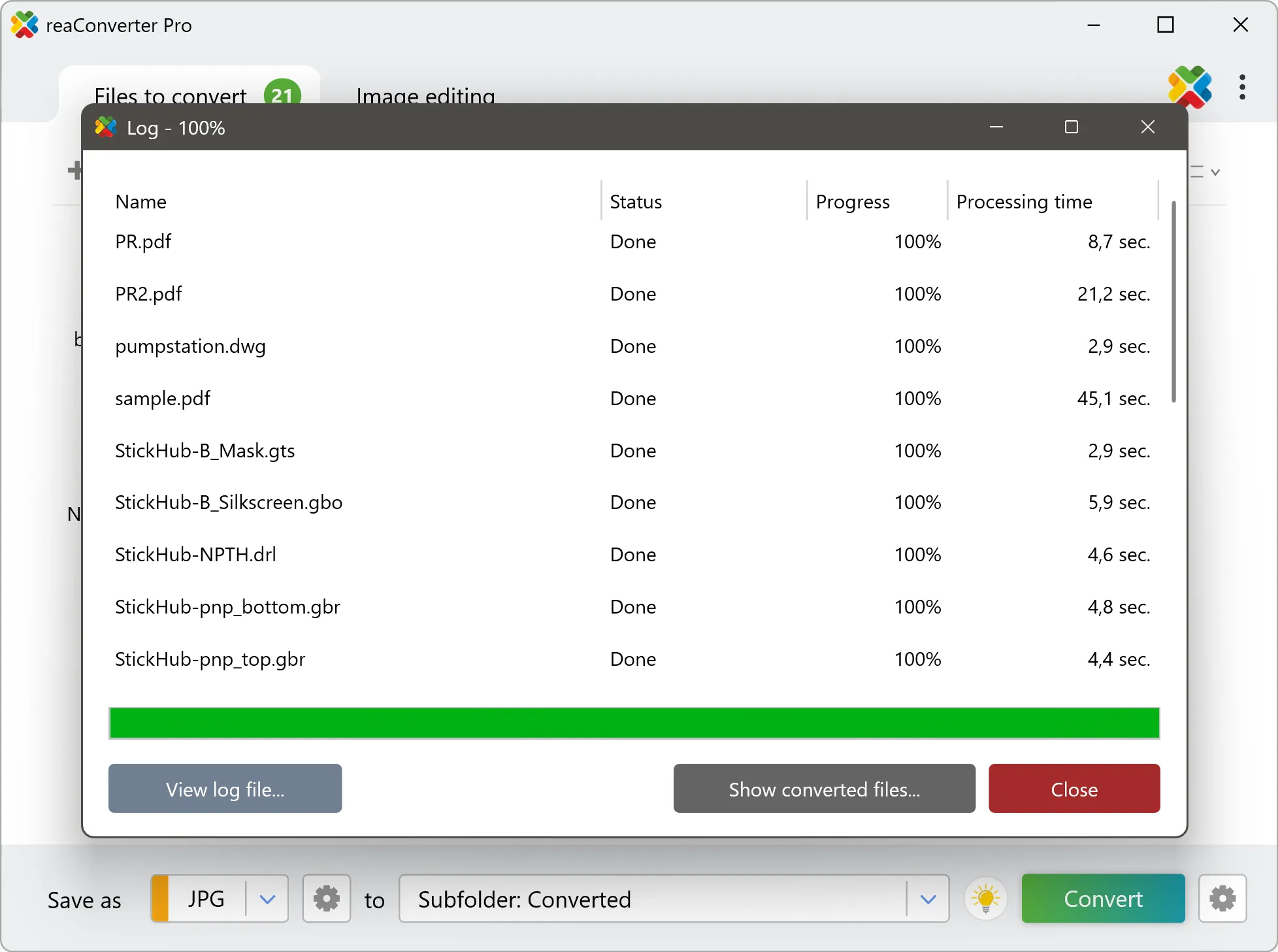
Step by step
See It in Action
For quick and effortless GDB.ZIP file handling on your PC, reaConverter offers powerful conversion tools with batch processing. Best of all, it works entirely offline — ensuring your sensitive data never leaves your computer.
GIS Toolkit
Do more with your GIS data
Need GDB.ZIP data as something anyone can open? reaConverter renders imagery and elevation grids into standard images and documents without QGIS or ArcGIS, and works through whole folders in one pass.
- Render imagery, elevation grids and scanned charts to TIFF, PNG, JPG or PDF
- Resize, crop and set DPI on the output in the same run
- Bring tiles, scenes and grids from many sources into one consistent format
- Convert incoming survey and field data automatically with Watch Folders
- Script GIS conversions from the command line for pipelines and scheduled jobs
- Keep cadastral, utility and client data on your PC: nothing is uploaded

User reviews
From those who tried it
Average User Rating:Last updated on August 26, 2026





Questions & Answers
GDB.ZIP files: Frequently Asked Questions
What are GDB.ZIP files?
GDB.ZIP (Zipped Esri File Geodatabase) is a ZIP-compressed distribution container encapsulating an Esri File Geodatabase (.gdb) directory for portable storage, online publishing, and cross-platform geospatial data exchange.
Structurally, a .gdb.zip file is a standard ZIP archive holding a top-level folder ending in .gdb. Inside that directory resides a collection of interdependent binary files: .gdbtable files storing system metadata and user feature/attribute tables, .gdbtablx index tables, .spx spatial indexes, .atx attribute indexes, and .freelist space-allocation records. This relational structure supports large multi-gigabyte or terabyte datasets, complex geometries (including parametric curves and 3D multipatches), coded-value domains, relationship classes, and embedded raster layers.
For cross-platform interoperability, analysis, or web mapping, geospatial data stored inside a .gdb.zip archive can be extracted or converted into open spatial formats such as GeoPackage (.gpkg), GeoJSON, Shapefile (.shp), KML/KMZ, or spatial database tables. Supported by ArcGIS Pro, ArcMap, ArcGIS Online/Enterprise, QGIS, FME, and major geospatial processing platforms.
Can reaConverter open GDB.ZIP files?
reaConverter fully supports the GDB.ZIP file format – open, edit, and export GDB.ZIP files to any other popular file format with ease.
Do I need QGIS or ArcGIS to convert GDB.ZIP files?
No. reaConverter reads GDB.ZIP files on its own, so the conversion needs no GIS installation and no licence. It handles whole folders at once, which suits survey archives, tile sets and data deliveries that have to reach people working in other software.
How do I change GDB.ZIP to another format?
reaConverter is a user-friendly tool for converting GDB.ZIP files. Once installed on your computer, it allows you to convert all your .gdb.zip files at once with just a few clicks. You can even convert GDB.ZIP files directly from Windows Explorer using the right-click menu — fast and convenient.
Why choose offline conversion with reaConverter?
Keep your sensitive data 100% private with offline processing that never exposes files to cloud risks. Our software meets strict compliance standards (GDPR, HIPAA, CCPA) while handling confidential documents for legal, healthcare and financial sectors.
Can I convert GDB.ZIP online?
If you only want to convert a few GDB.ZIP files, you are welcome to try our free online GDB.ZIP converter.
How can I turn GDB.ZIP files on my computer to another format?
The best way to convert GDB.ZIP files on your PC is to get a quality piece of software, such as reaConverter. This software is extremely efficient in managing a wide range of batch files conversions, including conversion from GDB.ZIP.
How can I automate GDB.ZIP files conversion?
reaConverter supports all the essential automation features, such as right-click сonversion and Watch Folders, for the most efficient automated file conversion in any software of its kind.
Can I convert GDB.ZIP files using scripts or the command-line interface?
reaConverter provides full access to all its features from the Windows command-line shell, including the command-line gdb.zip converter.
What else can I do with reaConverter?
Convert Gerber filesChange color spaceChange format settingsCopy metadata (EXIF, IPTC)Convert PDF files
What formats can I convert a GDB.ZIP file to?
Discover More
Beyond GDB.ZIP conversion
Convert .gdb.zip files in batches of any size, with editing and processing applied along the way. The same tool also handles 800+ other formats, including CAD, medical imaging, and GIS.
