HIF → DWG · Windows

Convert HIF to DWG

Convert HIF to DWG without AutoCAD. reaConverter reads CAD drawings on its own, so no seat licence is needed for the conversion.

Looking to change HIF files to DWG format? reaConverter makes it simple — add your files, select output format, and convert entire folders in one click. Runs entirely on your hardware for maximum speed, so you never wait for uploads or server queues. Engineers and architects use it to share drawings without CAD software hassles.

.hif.DWG
4.8

Converting files since 2001

Runs offline — nothing uploaded

Read what our users say →

How to Convert Multiple .hif Images to .dwg?

1. Download and Install reaConverter

reaConverter is a standalone Windows app — download, install, and start converting HIF files in under two minutes. Need edits? Resize, rotate, or add watermarks during conversion.

2. Load your HIF files

Add HIF files to reaConverter without opening CAD software. The batch engine handles technical drawings natively.

Use drag-and-drop, folder browser, or right-click conversion from Explorer.

Load your HIF files into reaConverter

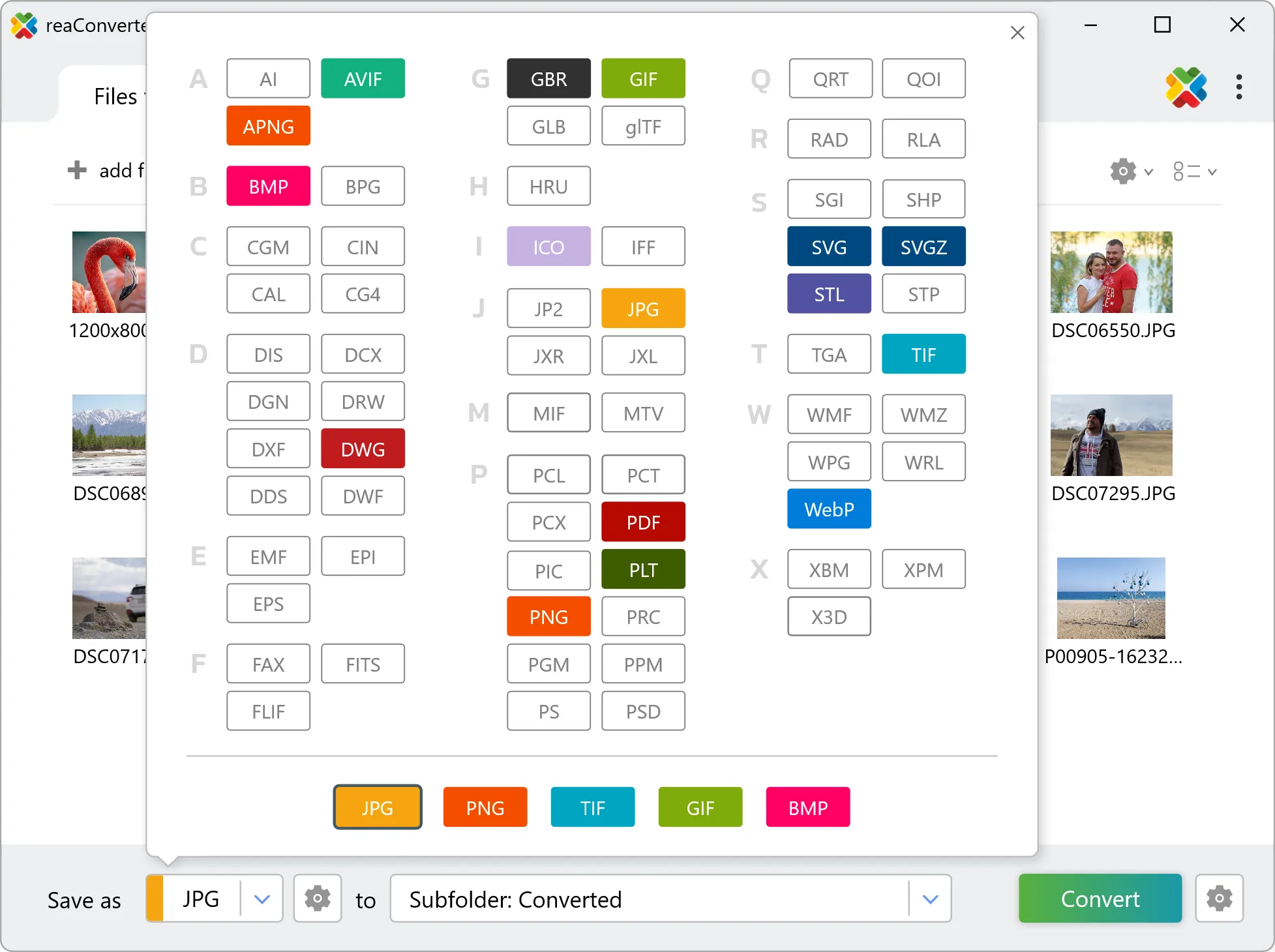
3. Select DWG as output format

Choose DWG from the format list. Set destination folder and configure output quality for your technical drawings.

Select DWG as output format

4. Start HIF to DWG conversion

Click Convert to start the batch. reaConverter processes files quickly and shows you the status of each one.

Start Conversion

Once done, reaConverter shows a summary. Click 'Show converted files' to jump straight to your DWG output.

Step by step

How It Works

reaConverter offers the fastest, simplest solution for converting your HIF files into DWG in seconds - all images processed on your PC for maximum privacy and speed.

Power Features

Do more with your images

Converting HIF images for use in a larger project? With reaConverter, you can convert, edit, and enhance your images in one streamlined process.

Our range of editing options includes such image processing actions as Resize, Rotate, Crop, Color Replace, Watermarks and more. Adjust actions include RGB, HLS, HSV, Brightness and Contrast. Auto-processing options are also available, such as auto-rotate and auto-crop.

Image editing

User reviews

What people say after the first batch

Average User Rating:4.8
Last updated on November 02, 2026
As someone new to CAD file conversion, I was impressed by how effortlessly reaConverter transformed complex DWG files into publication-ready JPGs. The process was remarkably intuitive compared to other tools I've tested.
Jennifer Garcia
Jennifer Garcia
Satisfied Customer
Our school uses AutoCAD, but students don't have the software at home. reaConverter lets us convert assignments to PDF so they can review at home. It's affordable, easy to install, and handles batch conversion of 30+ student files in minutes.
Prof. James Harrison
Satisfied Customer
The proliferation of niche formats like DWG creates unnecessary hurdles. After wasted hours on forums, I discovered this lean converter that delivers single-purpose excellence—precisely the 'no nonsense' solution CAD beginners require.
Rajiv P. Patel
Rajiv P. Patel
Satisfied Customer
When uni gives you DWG files but you're not an CAD expert yet... 🥴 Thank goodness for reaConverter! First try success → now studying these blueprints on my iPad. Lifesaver for freshman year! #EngineeringStudent
Alan Cox
Alan Cox
Satisfied Customer
The program's interface is refreshingly simple and intuitive. The entire process is streamlined to just a few steps: specify your source files, set an output folder, and you're done! Batch processing works flawlessly too. An excellent tool that makes file conversion effortless.
Ralph Murphy
Ralph Murphy
Satisfied Customer
I inherited a mess of DWG files from a previous engineer – all in different versions. reaConverter batch‑converted them all to a single, clean DWG format (2018) with no errors. It even fixed some corrupt headers. This tool is a miracle worker.
Amanda Lee
Amanda Lee
Civil Engineer

FAQ

HIF to DWG Conversion

Can reaConverter convert HIF to DWG?

Yes! reaConverter instantly converts .hif to .dwg with perfect quality preservation. With its batch processing feature, you can convert multiple files at once in just a few clicks. You can even convert HIF images directly from Windows Explorer using the right-click menu — fast and convenient.

What is reaConverter used for?

reaConverter is a software program used for converting images and other types of files from one format to another. It supports a wide range of file formats and allows users to convert multiple files at once, making it a valuable tool for graphic designers, photographers, and other professionals who work with digital images. reaConverter also includes features for resizing, cropping, and editing images, along with batch processing capabilities that help automate repetitive tasks.

Can I convert HIF to DWG online?

If you only need to convert a few HIF files to DWG format, feel free to try our free online free online HIF to DWG converter — perfect for small batches with no installation needed!

How can I turn HIF files into DWG on my computer?

The best way to change HIFs to DWGs on your PC is to install a quality piece of software, such as reaConverter. This software is extremely efficient in managing a wide range of batch files conversions, including conversion from HIF to DWG.

How can I automate HIF to DWG files conversion?

reaConverter supports all the most useful automation features such as right-click сonversion and Watch Folders for the most efficient automated files conversion in any software of this type.

Is there a way to convert HIF files to DWG using the command prompt?

reaConverter provides full access to all its features via Windows command line, including a high-performance command-line hif to dwg converter for batch processing.

What else can I do with reaConverter?

Convert Gerber filesConvert RGB to CMYKConvert whole-slide imagesResize pictureConvert GIS files

Related conversions

Other ways to convert HIF files, and other sources that convert to DWG.
Discover More

Beyond format conversion

Batch conversion, editing, and processing across 800+ formats, from RAW and HEIC to DICOM, DWG, and PDF. Everything runs locally, with no cloud and no upload limits.

Free trial · Windows 10/11 · v8.0.262 · Files never leave your computer

reaConverter software