JP2 → OBJ · Windows

Convert JP2 to OBJ

Batch convert JP2 to OBJ for easy sharing. reaConverter exports 3D models offline with control over output settings.

Online converters too slow for your JP2 files? reaConverter works locally and handles unlimited batches. All processing runs locally on your PC, so your files stay private and secure. Handles 3D models independently with no CAD software required.

.jp2.OBJ
4.8

Converting files since 2001

Runs offline — nothing uploaded

Read what our users say →

How to Convert Multiple .jp2 Images to .obj?

1. Download and Install reaConverter

Download reaConverter and install it in seconds. The setup is straightforward — no complex configuration, no extra software required. Apply image edits like resize, crop, or color adjustment while converting.

2. Load your JP2 files

Open reaConverter and add your JP2 files. You can load individual files, entire folders, or even nested subfolders.

Drop your JP2 files into the window or use File menu to browse and select folders.

Load your JP2 files into reaConverter

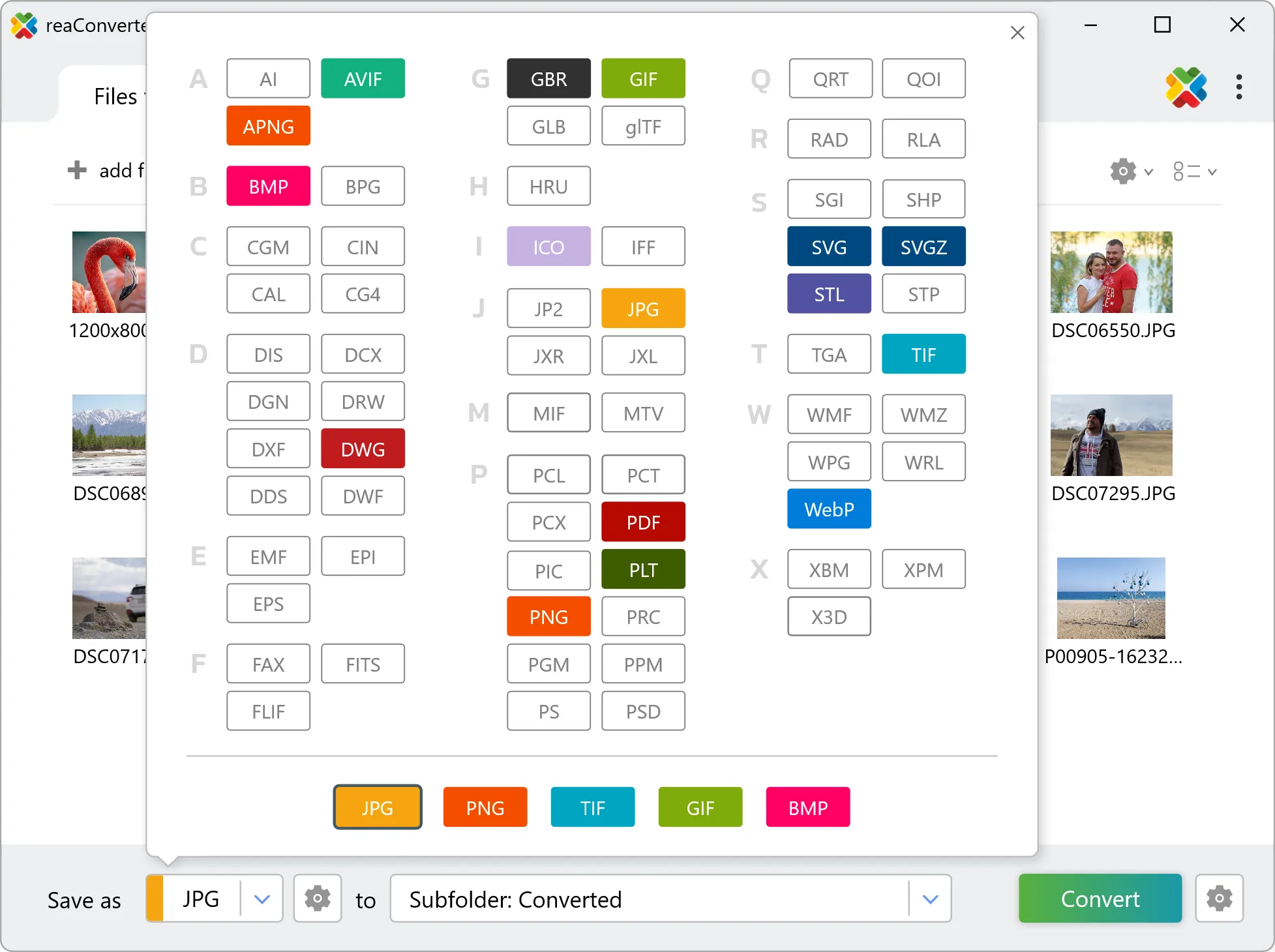
3. Select OBJ as output format

Choose OBJ as the target format. Pick a destination folder or let reaConverter save files alongside the originals.

Select OBJ as output format

4. Start JP2 to OBJ conversion

Hit Convert and let reaConverter do the work. The progress window shows status for each file in real time.

Start Conversion

After conversion, find your OBJ files in the output folder. Click 'Show converted files' to open it directly.

Step by step

How It Works

reaConverter offers the fastest, simplest solution for converting your JP2 files into OBJ in seconds - all images processed on your PC for maximum privacy and speed.

Technical note

JP2 to OBJ: what carries over and what does not

JP2 is made of pixels, so the conversion works in two steps: the image is first traced into vector outlines, and those outlines are then extruded to the height you set. The result is real geometry rather than a picture wrapped in a 3D file. Outline tracing is the mode to use here, because it returns closed shapes, and only a closed shape has an area to lift. How good the result is depends almost entirely on the JP2 going in. Clean line art, a logo or a drawing scanned at 300 dpi or more traces into geometry you can work with. A photograph does not: continuous tone has no contours to follow, so tracing it produces thousands of tiny shapes and a file nobody can edit. Scan or export at the highest resolution available, and prefer a lossless original, because compression artefacts along an edge become ripples in the traced path.

3D Workflow

From picture to 3D model

Need a 3D OBJ from a flat JP2 image? reaConverter vectorizes it, extrudes the shapes to the height you set, and works through a whole folder at once.

  • Each image is vectorized first, then extruded to the height you set in millimetres
  • Works best with logos, signs and line art: a photo has no clean outlines to follow
  • Script the job from the command line for pipelines and scheduled runs
3D model conversion

User reviews

What people say after the first batch

Average User Rating:4.8
Last updated on October 13, 2026
We deployed reaConverter across our department to standardize file formats for our archives. The command-line support and automation features integrated perfectly into our systems. Stellar performance and zero crashes—it just works.
David R.
David R.
IT Solutions Architect
So simple! I just needed to convert a couple of files to another format, and for such a straightforward task, the online converter worked perfectly — delivering the files I needed in no time. Excellent service!
Kenneth D. Carter
Kenneth D. Carter
Satisfied Customer
I run a small design agency, and reaConverter has saved me countless hours. The batch processing is lightning-fast, and the ability to convert hundreds of files into different formats at once is a game-changer. Highly recommend!
Mark T.
Mark T.
Satisfied Customer
An excellent program! I use it regularly in my work - it supports nearly every file format imaginable. The interface is intuitive and runs flawlessly every time.
Roger Cook
Roger Cook
Happy User
For agencies handling confidential data, reaConverter eliminates cloud-upload risks while delivering unmatched conversion reliability. Our team uses it both in-office and remotely with identical results.
Jamal Bailey
Jamal Bailey
Satisfied Customer
Our volunteer team uses reaConverter to prepare images for fundraising campaigns. The learning curve was minimal, and the results are professional-grade. The customer support team even helped us customize a workflow — fantastic service!
Jason P. Bailey
Jason P. Bailey
Non-Profit Coordinator

FAQ

JP2 to OBJ Conversion

Can reaConverter convert JP2 to OBJ?

Yes! reaConverter instantly converts .jp2 to .obj with perfect quality preservation. With its batch processing feature, you can convert multiple files at once in just a few clicks. You can even convert JP2 images directly from Windows Explorer using the right-click menu — fast and convenient.

What is reaConverter used for?

reaConverter is a Windows converter for 800+ formats, 3D models among them. For JP2 to OBJ it replaces the round trip through Blender, a CAD program or an upload form: add the files, pick the output format, and the whole batch converts offline. Engineers, 3D printing shops and product teams use it to move models between CAD, printing, web and documentation formats.

Why choose offline conversion with reaConverter?

reaConverter is a software program that is used for offline files conversion. Your proprietary documents never leave your computer – essential for architects, engineers, healthcare and government contractors handling classified projects. Meets GDPR, HIPAA, CCPA, and corporate security policies by ensuring files never cross borders or third-party systems.

Can I convert JP2 to OBJ online?

If you only need to convert a few JP2 files to OBJ format, feel free to try our free online free online JP2 to OBJ converter — perfect for small batches with no installation needed!

How can I turn JP2 files into OBJ on my computer?

The best way to change JP2s to OBJs on your PC is to install a quality piece of software, such as reaConverter. This software is extremely efficient in managing a wide range of batch files conversions, including conversion from JP2 to OBJ.

How can I automate JP2 to OBJ files conversion?

reaConverter supports all the most useful automation features such as right-click сonversion and Watch Folders for the most efficient automated files conversion in any software of this type.

Is there a way to convert JP2 files to OBJ using the command prompt?

reaConverter provides full access to all its features via Windows command line, including a high-performance command-line jp2 to obj converter for batch processing.

What else can I do with reaConverter?

Convert PDFAdd watermark on imageConvert RAW photo formatsConvert whole-slide imagesResize images

Related conversions

Other ways to convert JP2 files, and other sources that convert to OBJ.
Discover More

Beyond format conversion

Batch conversion, editing, and processing across 800+ formats, from RAW and HEIC to DICOM, DWG, and PDF. Everything runs locally, with no cloud and no upload limits.

Free trial · Windows 10/11 · v8.0.259 · Files never leave your computer

reaConverter software