JP2 → PLY · Windows

Convert JP2 to PLY

Batch convert JP2 to PLY for easy sharing. reaConverter exports 3D models offline with control over output settings.

Looking to change JP2 files to PLY format? reaConverter makes it simple — add your files, select output format, and convert entire folders in one click. Runs entirely on your hardware for maximum speed, so you never wait for uploads or server queues. Export 3D models to compatible formats for easy sharing.

.jp2.PLY
4.8

Converting files since 2001

Runs offline — nothing uploaded

Read what our users say →

How to Convert Multiple .jp2 Images to .ply?

1. Download and Install reaConverter

reaConverter is a standalone Windows app — download, install, and start converting JP2 files in under two minutes. Apply image edits like resize, crop, or color adjustment while converting.

2. Load your JP2 files

Start reaConverter and add your .jp2 files. The software processes everything locally, so your files never leave your computer.

Use drag-and-drop, folder browser, or right-click conversion from Explorer.

Load your JP2 files into reaConverter

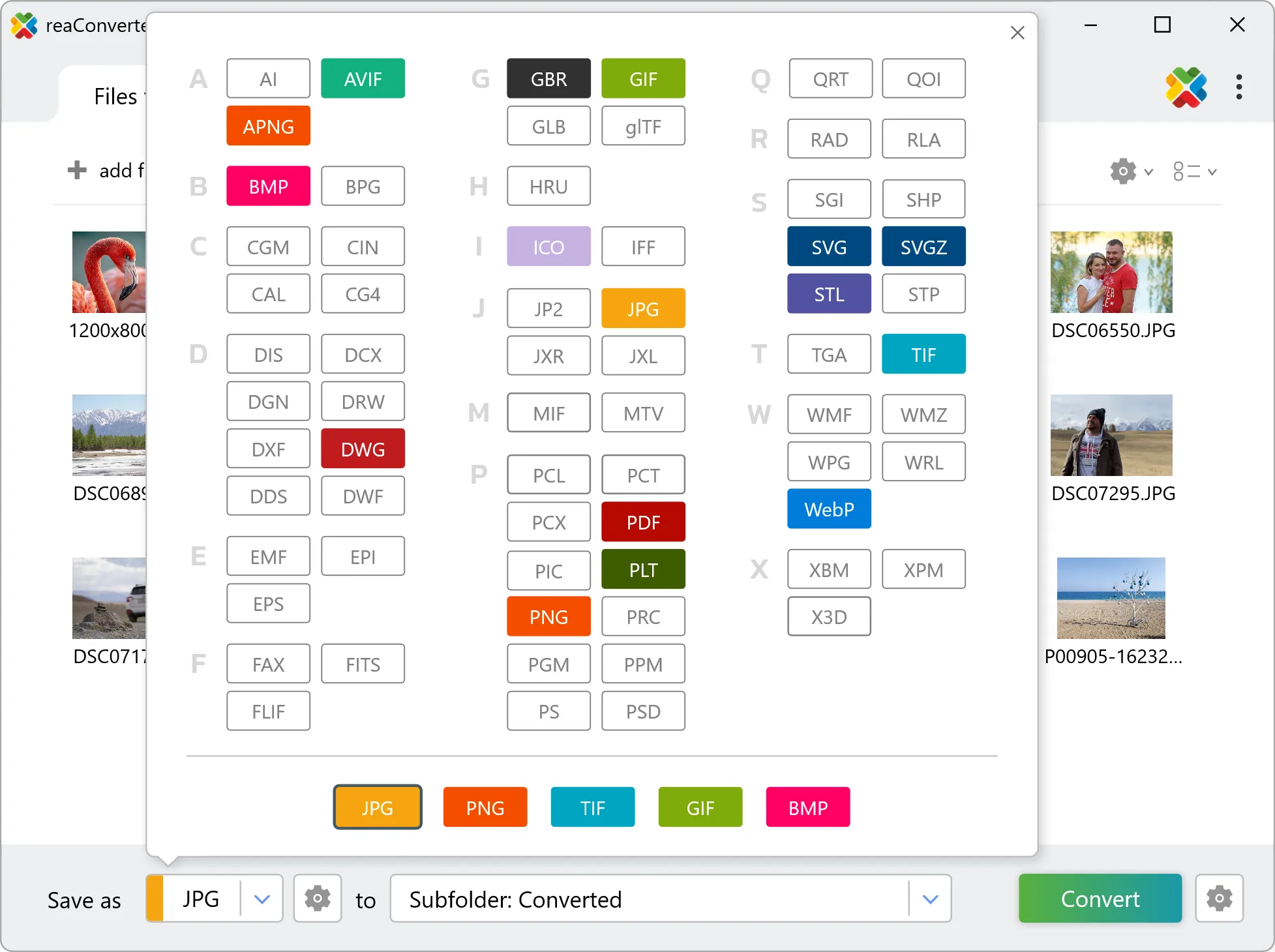
3. Select PLY as output format

Select PLY from 800+ supported output formats. Choose your destination folder and adjust settings to match your needs.

Select PLY as output format

4. Start JP2 to PLY conversion

Click Convert to start the batch. reaConverter processes files quickly and shows you the status of each one.

Start Conversion

Once done, reaConverter shows a summary. Click 'Show converted files' to jump straight to your PLY output.

Step by step

How It Works

reaConverter offers the fastest, simplest solution for converting your JP2 files into PLY in seconds - all images processed on your PC for maximum privacy and speed.

Technical note

Before you convert JP2 to PLY

JP2 is made of pixels, so the conversion works in two steps: the image is first traced into vector outlines, and those outlines are then extruded to the height you set. The result is real geometry rather than a picture wrapped in a 3D file. Outline tracing is the mode to use here, because it returns closed shapes, and only a closed shape has an area to lift. How good the result is depends almost entirely on the JP2 going in. Clean line art, a logo or a drawing scanned at 300 dpi or more traces into geometry you can work with. A photograph does not: continuous tone has no contours to follow, so tracing it produces thousands of tiny shapes and a file nobody can edit. Scan or export at the highest resolution available, and prefer a lossless original, because compression artefacts along an edge become ripples in the traced path.

3D Workflow

From picture to 3D model

Need a 3D PLY from a flat JP2 image? reaConverter vectorizes it, extrudes the shapes to the height you set, and works through a whole folder at once.

  • Each image is vectorized first, then extruded to the height you set in millimetres
  • Works best with logos, signs and line art: a photo has no clean outlines to follow
  • Keep unreleased designs and client models on your PC: nothing is uploaded
  • Script the job from the command line for pipelines and scheduled runs
3D model conversion

User reviews

What people say after the first batch

Average User Rating:4.8
Last updated on October 29, 2026
An efficient all-in-one solution for image conversion and light editing, designed for maximum user-friendliness.
Elena Anderson
Elena Anderson
Happy User
Enable shell integration for lightning-fast file conversions directly from Windows Explorer.
R. Lewis
R. Lewis
Happy User
After 200+ conversions on my budget laptop (i3-1115G4/4GB RAM/Win11), reaConverter outperforms heavyweight tools. Zero crashes, low CPU usage during batch processing, and no internet dependency - exactly what professionals need.
Walter Morgan
Walter Morgan
Satisfied Customer
An ultra-fast solution for minimizing file sizes. The entire conversion process takes just 3 minutes!
Logan B.
Logan B.
Satisfied Customer
I use the online converter — it’s quick and hassle-free!
Jian Wong
Jian Wong
Happy Online User
Working in a print studio means constantly juggling obscure file formats. I used to waste hours Googling converters or installing random software — until reaConverter became my Swiss Army knife. Install it once, and you're set forever. No internet? No problem!
Helen Evans
Helen Evans
Satisfied Customer

FAQ

JP2 to PLY Conversion

Can reaConverter convert JP2 to PLY?

Yes! reaConverter instantly converts .jp2 to .ply with perfect quality preservation. With its batch processing feature, you can convert multiple files at once in just a few clicks. You can even convert JP2 images directly from Windows Explorer using the right-click menu — fast and convenient.

What is reaConverter used for?

reaConverter is a Windows converter for 800+ formats, 3D models among them. For JP2 to PLY it replaces the round trip through Blender, a CAD program or an upload form: add the files, pick the output format, and the whole batch converts offline. Engineers, 3D printing shops and product teams use it to move models between CAD, printing, web and documentation formats.

Why choose offline conversion with reaConverter?

reaConverter is a software program that is used for offline files conversion. Your proprietary documents never leave your computer – essential for architects, engineers, healthcare and government contractors handling classified projects. Meets GDPR, HIPAA, CCPA, and corporate security policies by ensuring files never cross borders or third-party systems.

Can I convert JP2 to PLY online?

If you only need to convert a few JP2 files to PLY format, feel free to try our free online free online JP2 to PLY converter — perfect for small batches with no installation needed!

How can I turn JP2 files into PLY on my computer?

The best way to change JP2s to PLYs on your PC is to install a quality piece of software, such as reaConverter. This software is extremely efficient in managing a wide range of batch files conversions, including conversion from JP2 to PLY.

How can I automate JP2 to PLY files conversion?

reaConverter supports all the most useful automation features such as right-click сonversion and Watch Folders for the most efficient automated files conversion in any software of this type.

Is there a way to convert JP2 files to PLY using the command prompt?

reaConverter provides full access to all its features via Windows command line, including a high-performance command-line jp2 to ply converter for batch processing.

What else can I do with reaConverter?

Convert whole-slide imagesResize picturesConvert Gerber filesConvert picture color spaceConvert vector files

Related conversions

Other ways to convert JP2 files, and other sources that convert to PLY.
Discover More

Beyond format conversion

Batch conversion, editing, and processing across 800+ formats, from RAW and HEIC to DICOM, DWG, and PDF. Everything runs locally, with no cloud and no upload limits.

Free trial · Windows 10/11 · v8.0.262 · Files never leave your computer

reaConverter software