PNG → OBJ · Windows

Convert PNG to OBJ

PNG to OBJ with consistent quality. reaConverter handles 3D files in batch, which helps when teams run different software.

PNG to OBJ conversion is faster with the right tool. reaConverter handles everything from a few files to thousands in one batch. Processes files consistently every time, with full control over quality and output settings. Manufacturing teams use it to share models across departments.

.png.OBJ
4.8

Converting files since 2001

Runs offline — nothing uploaded

Read what our users say →

How to Convert Multiple .png Images to .obj?

1. Download and Install reaConverter

First, grab reaConverter from the download button below. Installation is fast, and the software runs offline — no account or signup needed. You can also resize, crop, and adjust images during conversion.

2. Load your PNG files

Open reaConverter and import your .png files. No file limits, no slowdowns. Add as many as you need.

Drag files into the window, use the Add Files button, or select entire folders.

Load your PNG files into reaConverter

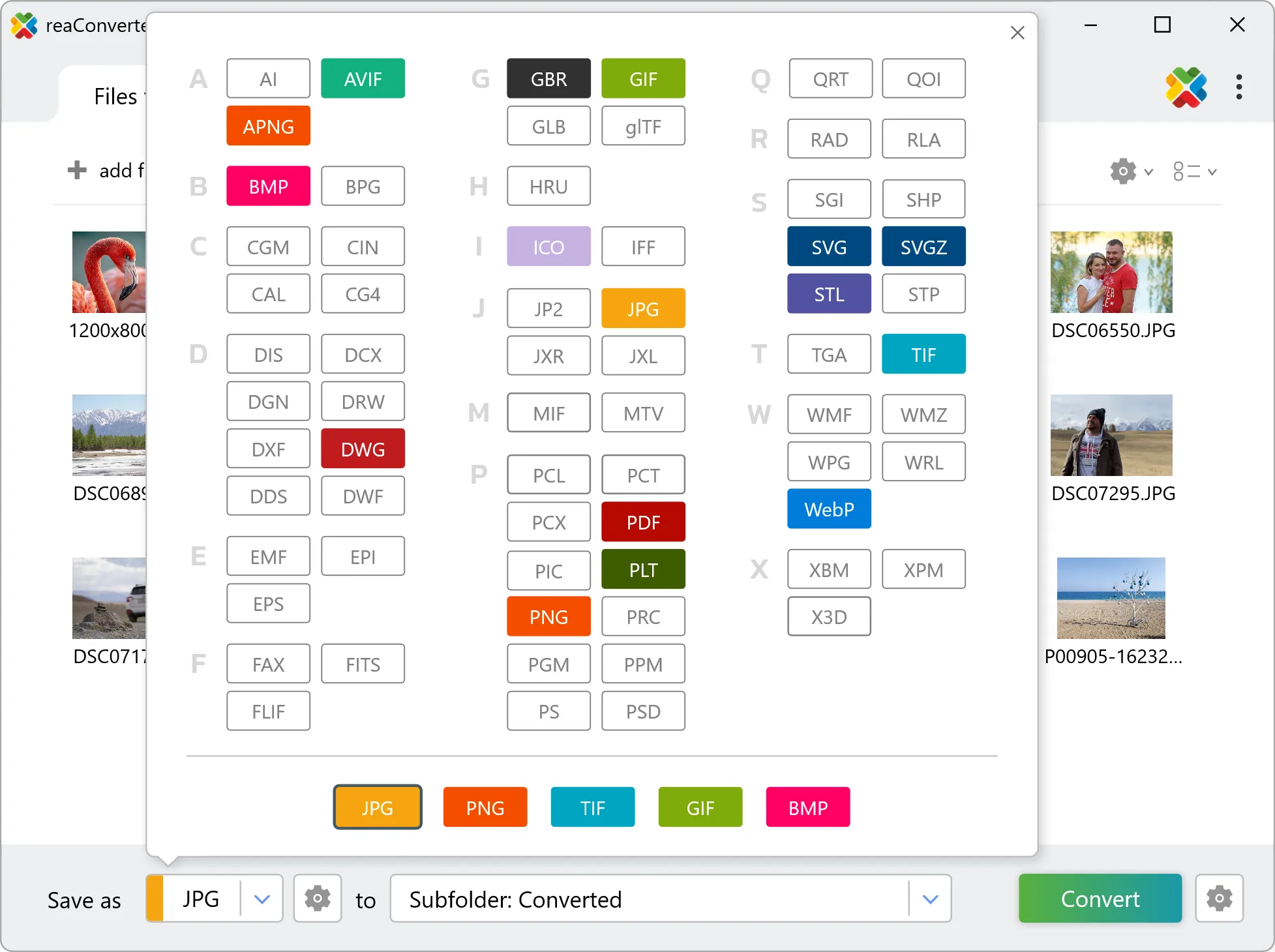
3. Select OBJ as output format

Select OBJ as target format and pick where to save results. You can keep default settings or fine-tune the output.

Select OBJ as output format

4. Start PNG to OBJ conversion

Hit Convert to process your files. The log window shows progress, timing, and status for every file.

Start Conversion

Conversion complete? Your OBJ files are saved to the destination folder, ready to use.

Step by step

How It Works

reaConverter offers the fastest, simplest solution for converting your PNG files into OBJ in seconds - all images processed on your PC for maximum privacy and speed.

Technical note

What changes when you convert PNG to OBJ

PNG is made of pixels, so the conversion works in two steps: the image is first traced into vector outlines, and those outlines are then extruded to the height you set. The result is real geometry rather than a picture wrapped in a 3D file. Outline tracing is the mode to use here, because it returns closed shapes, and only a closed shape has an area to lift. How good the result is depends almost entirely on the PNG going in. Clean line art, a logo or a drawing scanned at 300 dpi or more traces into geometry you can work with. A photograph does not: continuous tone has no contours to follow, so tracing it produces thousands of tiny shapes and a file nobody can edit. Scan or export at the highest resolution available, and prefer a lossless original, because compression artefacts along an edge become ripples in the traced path.

3D Workflow

From picture to 3D model

reaConverter traces PNG images into outlines and extrudes them into OBJ models, so a logo or a sketch becomes a 3D part in one run.

  • Each image is vectorized first, then extruded to the height you set in millimetres
  • Works best with logos, signs and line art: a photo has no clean outlines to follow
  • Pick up new models automatically with Watch Folders
  • Apply the same height and tracing settings to every image in the batch
3D model conversion

User reviews

What people say after the first batch

Average User Rating:4.8
Last updated on October 12, 2026
For my game development sprites, I need PNGs with perfect compression. reaConverter lets me fine-tune the color palette and compression level. It even preserves metadata. This is the only converter I trust for my asset pipeline.
Tomás García
Tomás García
Indie Game Developer
For professional-grade PNG to WebP conversions, avoid online tools with restrictive quotas. reaConverter delivers batch processing at local disk speeds – the only viable option for frequent use.
Matthew Hernandez
Matthew Hernandez
Satisfied Customer
I love that reaConverter can convert PDF pages to individual PNGs. I used it to extract images from a scanned document – each page became a high-res PNG with zero loss. It's like magic, but it actually works every time.
Nancy Li
Nancy Li
Satisfied Customer
I had a pile of JPG screenshots that I needed to convert to PNG for a presentation. reaConverter kept every pixel intact. The interface is so straightforward – drag, drop, choose format, and go. No bloat, no ads. Just pure conversion power.
Aisha Patel
Aisha Patel
Satisfied Customer
My product photos always come out with messy backgrounds. I use reaConverter to convert them to PNG with transparency – it handles the conversion flawlessly. Then I drop them into my e‑commerce templates. Clean, professional, and so easy!
Mark Robinson
Mark Robinson
E‑commerce Owner
I design stickers but could never cleanly resize my PNG logos without pixelation. reaConverter’s PNG-to-SVG tool keeps everything sharp—even when scaling up. My Etsy shop looks way more professional now!
Lisa Palmer
Lisa Palmer
Digital Artist

FAQ

PNG to OBJ Conversion

Can reaConverter convert PNG to OBJ?

Yes! reaConverter instantly converts .png to .obj with perfect quality preservation. With its batch processing feature, you can convert multiple files at once in just a few clicks. You can even convert PNG images directly from Windows Explorer using the right-click menu — fast and convenient.

What is reaConverter used for?

reaConverter is a Windows converter for 800+ formats, 3D models among them. For PNG to OBJ it replaces the round trip through Blender, a CAD program or an upload form: add the files, pick the output format, and the whole batch converts offline. Engineers, 3D printing shops and product teams use it to move models between CAD, printing, web and documentation formats.

Why choose offline conversion with reaConverter?

reaConverter is a software program that is used for offline files conversion. Your proprietary documents never leave your computer – essential for architects, engineers, healthcare and government contractors handling classified projects. Meets GDPR, HIPAA, CCPA, and corporate security policies by ensuring files never cross borders or third-party systems.

Can I convert PNG to OBJ online?

If you only need to convert a few PNG files to OBJ format, feel free to try our free online free online PNG to OBJ converter — perfect for small batches with no installation needed!

How can I turn PNG files into OBJ on my computer?

The best way to change PNGs to OBJs on your PC is to install a quality piece of software, such as reaConverter. This software is extremely efficient in managing a wide range of batch files conversions, including conversion from PNG to OBJ.

How can I automate PNG to OBJ files conversion?

reaConverter supports all the most useful automation features such as right-click сonversion and Watch Folders for the most efficient automated files conversion in any software of this type.

Is there a way to convert PNG files to OBJ using the command prompt?

reaConverter provides full access to all its features via Windows command line, including a high-performance command-line png to obj converter for batch processing.

What else can I do with reaConverter?

Convert DICOM filesCrop photoChange format settingsCopy metadata (EXIF, IPTC)Convert GIS files

Related conversions

Other ways to convert PNG files, and other sources that convert to OBJ.
Discover More

Beyond format conversion

Batch conversion, editing, and processing across 800+ formats, from RAW and HEIC to DICOM, DWG, and PDF. Everything runs locally, with no cloud and no upload limits.

Free trial · Windows 10/11 · v8.0.259 · Files never leave your computer

reaConverter software