TIFF → OBJ · Windows

Convert TIFF to OBJ

Batch convert TIFF to OBJ for easy sharing. reaConverter exports 3D models offline with control over output settings.

Looking to change TIFF files to OBJ format? reaConverter makes it simple — add your files, select output format, and convert entire folders in one click. Runs entirely on your hardware for maximum speed, so you never wait for uploads or server queues. Export 3D models to compatible formats for easy sharing.

.tiff.OBJ
4.8

Converting files since 2001

Runs offline — nothing uploaded

Read what our users say →

How to Convert Multiple .tiff Images to .obj?

1. Download and Install reaConverter

reaConverter is a standalone Windows app — download, install, and start converting TIFF files in under two minutes. Apply image edits like resize, crop, or color adjustment while converting.

2. Load your TIFF files

Start reaConverter and add your .tiff files. The software processes everything locally, so your files never leave your computer.

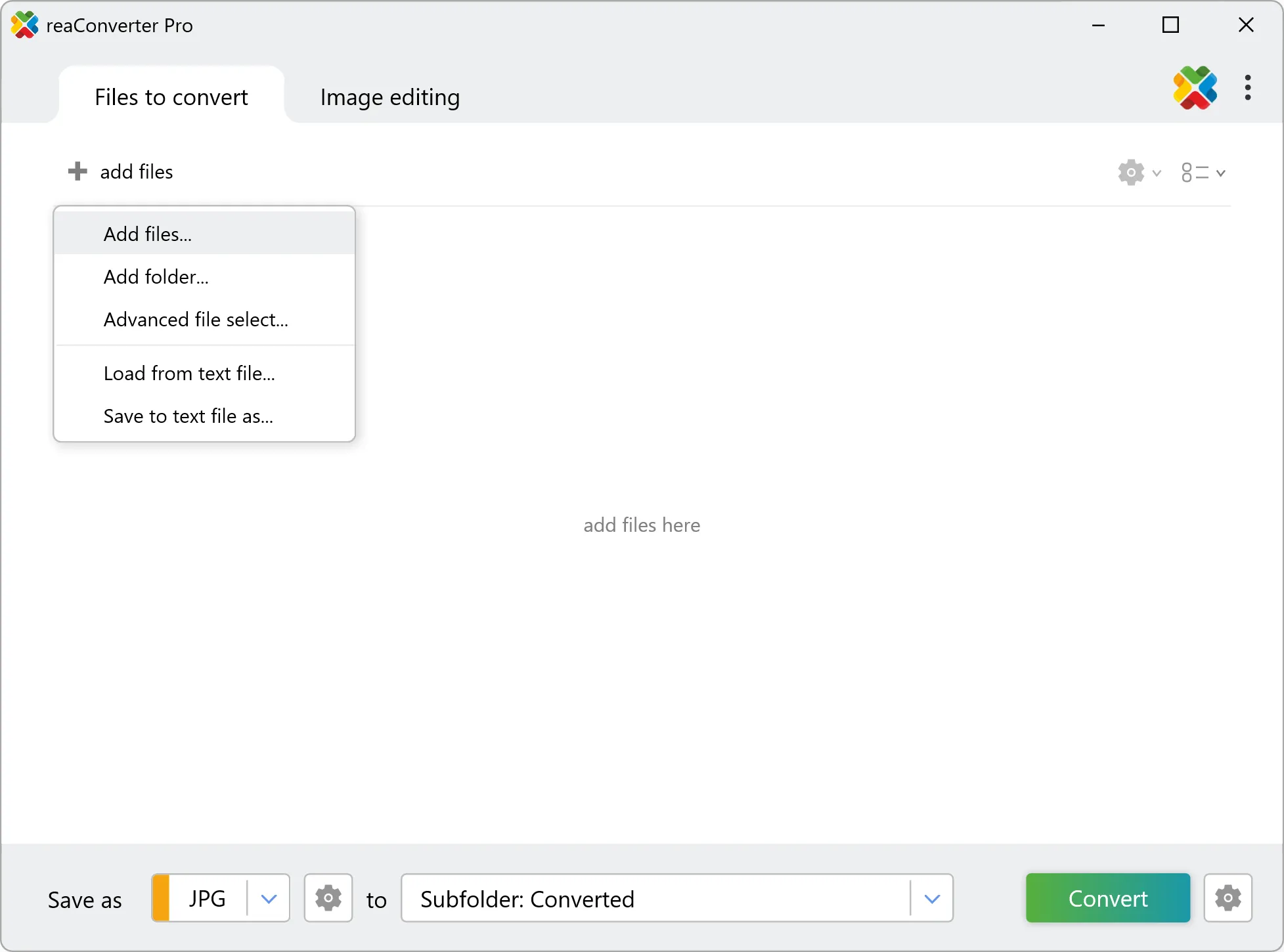
Use drag-and-drop, folder browser, or right-click conversion from Explorer.

Load your TIFF files into reaConverter

3. Select OBJ as output format

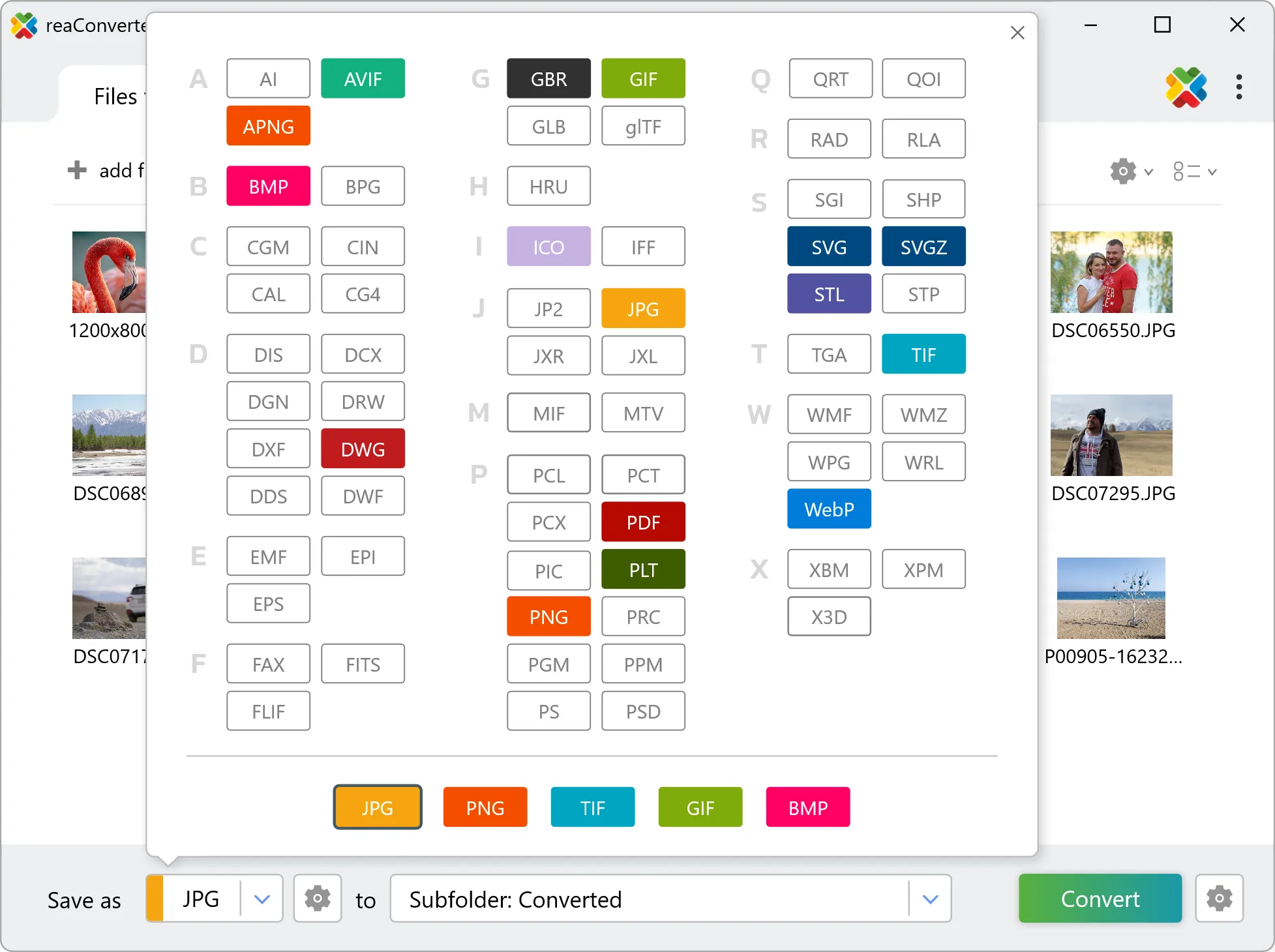
Select OBJ from 800+ supported output formats. Choose your destination folder and adjust settings to match your needs.

Select OBJ as output format

4. Start TIFF to OBJ conversion

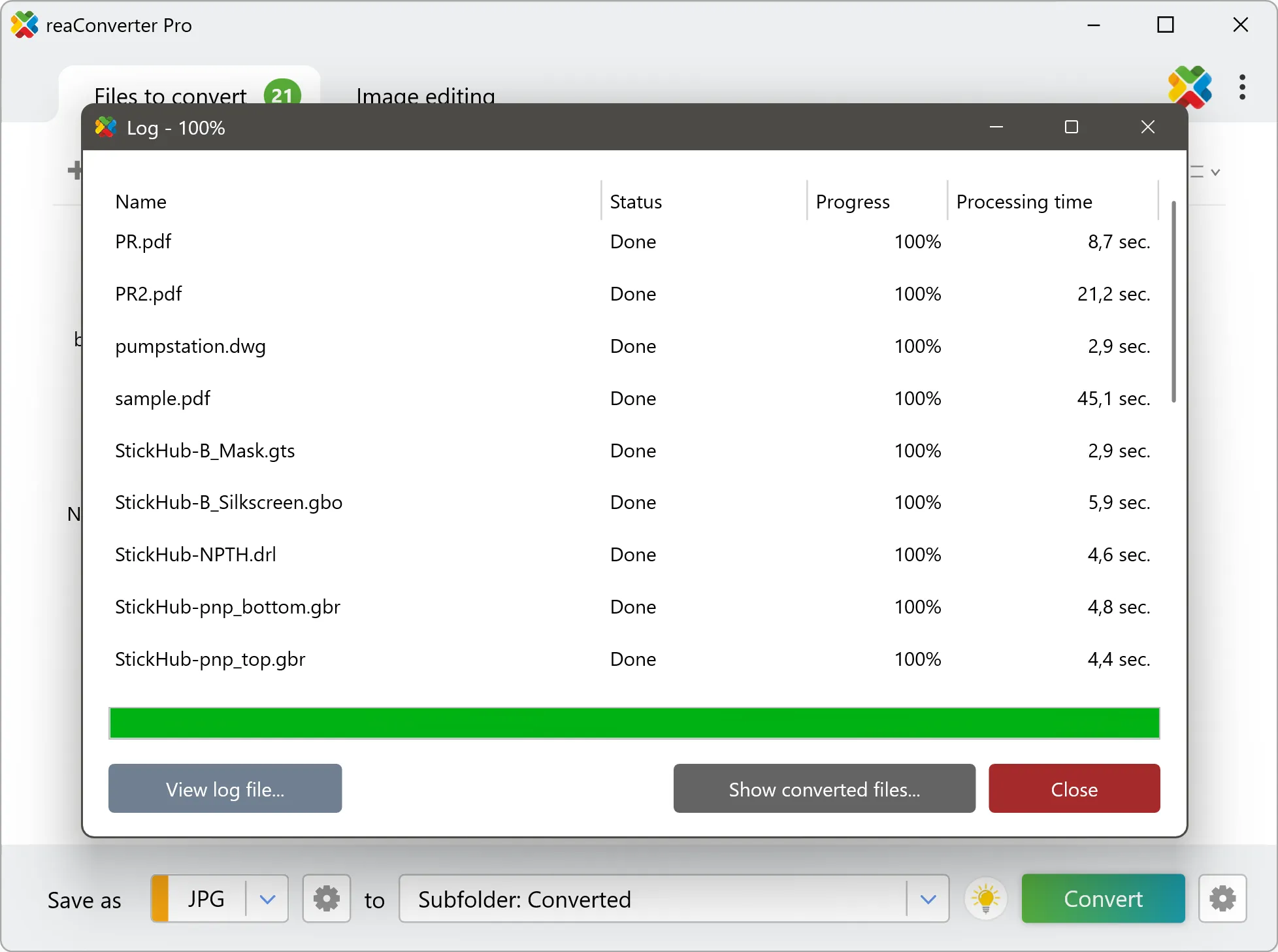
Click Convert to start the batch. reaConverter processes files quickly and shows you the status of each one.

Start Conversion

Once done, reaConverter shows a summary. Click 'Show converted files' to jump straight to your OBJ output.

Step by step

How It Works

reaConverter offers the fastest, simplest solution for converting your TIFF files into OBJ in seconds - all images processed on your PC for maximum privacy and speed.

Technical note

Before you convert TIFF to OBJ

TIFF is made of pixels, so the conversion works in two steps: the image is first traced into vector outlines, and those outlines are then extruded to the height you set. The result is real geometry rather than a picture wrapped in a 3D file. Outline tracing is the mode to use here, because it returns closed shapes, and only a closed shape has an area to lift. How good the result is depends almost entirely on the TIFF going in. Clean line art, a logo or a drawing scanned at 300 dpi or more traces into geometry you can work with. A photograph does not: continuous tone has no contours to follow, so tracing it produces thousands of tiny shapes and a file nobody can edit. Scan or export at the highest resolution available, and prefer a lossless original, because compression artefacts along an edge become ripples in the traced path.

3D Workflow

From picture to 3D model

Need a 3D OBJ from a flat TIFF image? reaConverter vectorizes it, extrudes the shapes to the height you set, and works through a whole folder at once.

  • Each image is vectorized first, then extruded to the height you set in millimetres
  • Works best with logos, signs and line art: a photo has no clean outlines to follow
  • Keep unreleased designs and client models on your PC: nothing is uploaded
  • Script the job from the command line for pipelines and scheduled runs
3D model conversion

User reviews

What people say after the first batch

Average User Rating:4.8
Last updated on October 15, 2026
I'm a graphic designer, and I often receive TIFF files from photographers. reaConverter converts them to editable PSDs with layers intact (where possible). It even keeps the colour profiles. This has streamlined my collaboration with clients tremendously.
Benjamin F.
Benjamin F.
Creative Director
I work in medical imaging, and we receive TIFFs from various sources. reaConverter converts them to DICOM‑compatible formats while preserving all pixel data. It's HIPAA‑friendly because it works offline – no data leaves our network. Essential for our lab.
Dr. Harold Kim
Dr. Harold Kim
Radiology IT
For quick TIFF to JPG conversions without installations, this online tool outperformed 5+ competitors I tested. The streamlined interface delivered ready-to-use JPEGs in under 30 seconds per batch.
Paul Thomas
Paul Thomas
Happy Online User
My scanner saves everything as massive TIFF files, which are impossible to email. reaConverter lets me batch-convert them to searchable PDFs with tiny file sizes. My clients actually get their documents now!
Ryan Park
Ryan Park
Freelance Archivist
My scanning software outputs TIFF, but I need PNGs for my website. reaConverter batch‑converts hundreds of TIFFs to PNG with perfect colour fidelity. The process is lightning‑fast, and the interface is so intuitive that even my non‑tech assistant uses it.
Maria Santos
Maria Santos
Satisfied Customer
I needed to convert TIFF to multi‑page PDF for an archive project. reaConverter handled it effortlessly – 2,000 pages in one batch. The output PDF was searchable (thanks to OCR) and had the same resolution as the originals. Absolutely brilliant.
Patricia O'Brien
Patricia O'Brien
Satisfied Customer

FAQ

TIFF to OBJ Conversion

Can reaConverter convert TIFF to OBJ?

Yes! reaConverter instantly converts .tiff to .obj with perfect quality preservation. With its batch processing feature, you can convert multiple files at once in just a few clicks. You can even convert TIFF images directly from Windows Explorer using the right-click menu — fast and convenient.

What is reaConverter used for?

reaConverter is a Windows converter for 800+ formats, 3D models among them. For TIFF to OBJ it replaces the round trip through Blender, a CAD program or an upload form: add the files, pick the output format, and the whole batch converts offline. Engineers, 3D printing shops and product teams use it to move models between CAD, printing, web and documentation formats.

Why choose offline conversion with reaConverter?

reaConverter is a software program that is used for offline files conversion. Your proprietary documents never leave your computer – essential for architects, engineers, healthcare and government contractors handling classified projects. Meets GDPR, HIPAA, CCPA, and corporate security policies by ensuring files never cross borders or third-party systems.

Can I convert TIFF to OBJ online?

If you only need to convert a few TIFF files to OBJ format, feel free to try our free online free online TIFF to OBJ converter — perfect for small batches with no installation needed!

How can I turn TIFF files into OBJ on my computer?

The best way to change TIFFs to OBJs on your PC is to install a quality piece of software, such as reaConverter. This software is extremely efficient in managing a wide range of batch files conversions, including conversion from TIFF to OBJ.

How can I automate TIFF to OBJ files conversion?

reaConverter supports all the most useful automation features such as right-click сonversion and Watch Folders for the most efficient automated files conversion in any software of this type.

Is there a way to convert TIFF files to OBJ using the command prompt?

reaConverter provides full access to all its features via Windows command line, including a high-performance command-line tiff to obj converter for batch processing.

What else can I do with reaConverter?

Convert medical imagesResize picturesConvert Gerber filesChange color spaceChange format settings

Related conversions

Other ways to convert TIFF files, and other sources that convert to OBJ.
Discover More

Beyond format conversion

Batch conversion, editing, and processing across 800+ formats, from RAW and HEIC to DICOM, DWG, and PDF. Everything runs locally, with no cloud and no upload limits.

Free trial · Windows 10/11 · v8.0.259 · Files never leave your computer

reaConverter software